
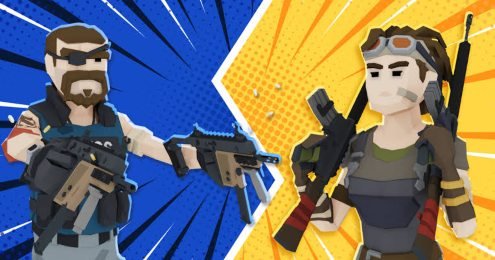


Build Now GG
BuildNow GG is an online third-person action game that combines fast structure building with competitive arena matches. Practice in Freebuild or Aim Training, improve your editing, customize the controls, and compete in V-Arena, BoxFight, or Zone Wars.
BuildNow GG Online Building and Shooting Game
BuildNow GG is a competitive third-person action game that combines fast building with online battles. Players can place walls, ramps, floors, and roofs while moving around compact arenas and competing against other players.
The controls are more demanding than a basic browser shooter because you must switch between movement, building, editing, and combat. New players can begin with Aim Training or Freebuild before entering faster modes such as BoxFight, V-Arena, and Zone Wars.
What Is BuildNow GG?
BuildNow GG is an online building and shooting game developed by BattleLab. The browser version was released in August 2021 and runs through Unity WebGL, while separate versions are available for Android and iOS devices.
The central idea is simple. Build protective structures, change your position, and compete against other players in short arena matches.
Building is not a separate creative activity that happens before a battle. It takes place during the action, so players must decide when to construct cover and when to move.
Players who like team-based online action can also try FRAG Pro Shooter, another competitive multiplayer title available on Gam-core.
How BuildNow GG Gameplay Works
A match usually begins with players appearing inside a small arena or practice area. Depending on the selected mode, the objective may be to defeat one opponent, survive against several players, practice building, or remain inside a changing safe area.
Players carry several items and can switch between equipment slots. They can also build four main structure types:
- Walls
- Floors
- Ramps
- Roofs
Walls can provide quick protection. Ramps help players move upward, while floors and roofs can create platforms or close open spaces.
The building system works quickly. A player can place several pieces within seconds, edit them to create openings, and reset them when a different shape is needed.
This makes positioning important. Running through the open without building may leave you exposed, while building too much can slow your movement and make it difficult to follow an opponent.
What Makes BuildNow GG Different?
Many online action games focus mainly on movement and aiming. BuildNow GG adds a second challenge by asking players to construct and edit structures during a match.
A successful player must manage several tasks at once:
- Watch the opponent’s position
- Choose the correct building piece
- Create cover
- Move between structures
- Manage equipment slots
- Edit existing builds
- Avoid becoming trapped
The combination can initially feel confusing. However, the game includes practice options where players can learn each part without immediately entering a difficult public match.
BuildNow GG also offers customizable controls and graphics settings. Players can adjust key bindings, visual quality, frame rate limits, and other performance options to create a setup that feels comfortable.
BuildNow GG Game Modes
The main browser listing includes five core game modes. Each one focuses on a different part of the game.
Freebuild
Freebuild provides a large area where players can practice construction without a normal time limit.
This mode is useful for learning how quickly walls, ramps, floors, and roofs appear. You can also practice editing structures and moving between different building pieces.
Freebuild may include player-versus-player action, but it remains less restrictive than the competitive modes.
V-Arena
V-Arena supports one-on-one battles and free-for-all matches with several players.
The last remaining player wins. Since the arena is relatively compact, opponents can begin building and competing soon after the match starts.
V-Arena is useful for players who want open fights rather than the tighter structure of BoxFight.
BoxFight
BoxFight places players inside a smaller building area. Matches may be played as one-on-one battles or as a free-for-all with several participants.
The limited space makes editing especially important. Players often need to create an opening, move through a structure, or close a gap before the opponent reacts.
BoxFight can feel difficult for beginners because there is little room to escape. Spending time in Freebuild first can make the controls easier to manage.
Aim Training
Aim Training uses static and moving targets instead of normal online opponents.
It provides a quieter place to learn camera movement, equipment switching, and basic accuracy. The CrazyGames listing describes this as an offline training option.
This mode is useful when you change mouse sensitivity or key bindings. A few minutes of practice can help you decide whether the new settings feel comfortable.
Zone Wars
Zone Wars is a free-for-all mode where several players compete inside a changing area.
The available space becomes more difficult to manage as the match continues. Players must watch the zone while building, moving, and following opponents.
This mode places more pressure on positioning than Freebuild or Aim Training. Remaining in one structure for too long may become a problem when the safe area changes.
The mobile versions have also received additional and rotating modes through later updates, including team-based activities and limited seasonal content. Available options may differ between the browser and app versions.
BuildNow GG Controls
BuildNow GG uses separate controls for movement, building, editing, and item selection.
Movement Controls
| Action | Default Control |
|---|---|
| Move | W, A, S, and D or arrow keys |
| Jump | Spacebar |
| Look around | Move the mouse |
| Open scoreboard | M |
| Open chat | P |
| Use emotes | B |
Building Controls
| Building Action | Default Control |
|---|---|
| Place wall | Q |
| Place floor | C |
| Place ramp | V |
| Place roof | Left Shift |
| Edit structure | F |
| Apply edit | F |
| Reset edit | Right mouse button |
| Fast edit reset | Scroll wheel down |
Equipment Controls
| Action | Default Control |
|---|---|
| Use selected equipment | Left mouse button |
| Aim selected equipment | Right mouse button |
| Select pickaxe | Z |
| Select item slots | Number keys 1 to 5 |
These are the default desktop controls listed for the browser version. The game allows players to change key bindings, while mobile editions use customizable touchscreen buttons.
Learning the Building System
Building is usually the hardest part for a new player. Remembering four structure keys while moving can initially feel uncomfortable.
Begin with one wall and one ramp. Practice placing a wall in front of the character, then add a ramp behind it.
Once those controls feel natural, add floors and roofs. Trying to memorize every possible building pattern immediately can make the game feel harder than necessary.
Short, controlled building sequences are usually easier to understand than filling the arena with random pieces.
Editing Structures
Editing allows players to change the shape of an existing building piece.
A wall can be adjusted to create an opening, while other structures can be changed to provide a different movement route. After editing, the structure can be reset to its original form.
Editing is useful because it allows you to move through your own construction without completely removing it.
The default edit key is F. Right-click resets an edit, while the scroll wheel can be assigned to a faster reset action in the browser control layout.
Practice one simple wall edit before attempting complicated patterns. Consistent basic edits are more useful than fast movements that regularly fail.
Public Matches and Private Parties
BuildNow GG supports online public matches where players can compete against people using the available matchmaking system.
It also includes private party matches. The browser listing states that a private game can host up to six players, allowing friends to compete without joining a public lobby.
Private matches are useful for practicing with someone you know. Players can test building controls, compare settings, or create short one-on-one matches without public matchmaking.
The mobile version also supports joining random players or inviting friends into a lobby. Some party features may vary depending on the current app update.
Players who prefer larger survival-style matches may also be interested in Call of Duty Warzone Mobile, which uses a different battle royale structure and does not center its gameplay on rapid construction.
Customizing Controls
The default controls may not feel comfortable for every player.
BuildNow GG allows players to change key assignments. This is especially useful because the building keys are spread across several parts of the keyboard.
Choose controls that can be reached without moving your hand too far from the movement keys. A comfortable layout is more important than copying another player’s exact setup.
Change only a few keys at a time. Replacing the entire layout can make it difficult to remember which control performs each action.
After making changes, use Freebuild or Aim Training before entering a competitive match.
Graphics and Performance Settings
The browser version includes settings for visual quality, frame rate limits, HDR, and other performance options.
A higher visual setting may make structures and environments look clearer, but it can also require more from the computer.
Players experiencing slow movement or uneven frame rates can reduce visual quality before changing important gameplay controls.
A stable frame rate is especially helpful during building and editing. Missed inputs are more noticeable when several actions happen within a short period.
Mobile versions include adjustable interface buttons and device-focused performance settings. The apps have also received updates for network performance, controller input, aim assistance, and mobile camera controls.
Character Appearance and Cosmetic Items
BuildNow GG includes character skins, pickaxes, backpacks, emotes, and other cosmetic options.
These items change how the player appears but do not replace the need to learn building and movement.
Later mobile updates have added item shops, login rewards, progression systems, seasonal rewards, premium bundles, and battle-pass content. These features may not appear identically in every version.
Players interested only in the basic matches can still use the standard character options. Cosmetic purchases are not required to understand the main building system.
Graphics and Presentation
BuildNow GG uses colorful 3D environments with clear building pieces and cartoon-style character designs.
Walls, floors, ramps, and roofs have recognizable shapes, helping players understand what has been placed during a fast match.
The third-person camera remains behind the character and provides a wider view of nearby structures. This helps when moving around corners or checking the height of a build.
The visual style is less realistic than a military simulation. Its main purpose is to keep players, structures, items, and arena boundaries easy to identify.
Who Should Play BuildNow GG?
BuildNow GG is suitable for players who enjoy online competition, quick building, third-person movement, and short arena matches.
It may appeal to players who like practicing mechanical skills. Building, editing, movement, and camera control can all improve over time.
The game also works well for friends who want to create a private match rather than enter public matchmaking.
However, players looking for a slow single-player story may not enjoy it. BuildNow GG is mainly centered on practice and competitive matches rather than characters, missions, or a long campaign.
The building controls may also feel demanding for people who prefer games with only a few buttons.
For a different multiplayer challenge without the same construction system, Squid Game Online Multiplayer offers short elimination-based activities.
Honest Strengths and Limitations
| Strengths | Possible Limitations |
|---|---|
| Combines building with third-person action | New players must learn many controls |
| Includes several practice and competitive modes | Fast editing can take time to understand |
| Freebuild allows low-pressure practice | Public matches may feel difficult for beginners |
| Supports private matches with friends | Browser play is mainly designed for desktop |
| Controls and graphics can be customized | Mobile and browser features may differ |
| Short matches are easy to start | There is no traditional story campaign |
| Aim Training helps players test settings | Repeated arena battles may feel similar |
| Available on browsers, Android, and iOS | Online matches require a stable connection |
Tips for New BuildNow GG Players
Begin With Aim Training
Use Aim Training to understand camera movement, sensitivity, and item switching before entering public matches.
Practice Two Building Pieces First
Start with walls and ramps. Add floors and roofs after the first two controls feel comfortable.
Avoid Random Building
Every placed structure should have a purpose. Build to create cover, gain a better position, or provide a safe movement route.
Keep Key Bindings Comfortable
Move difficult building controls to keys that are easier to reach. Test every change in Freebuild.
Learn One Edit at a Time
Practice creating and resetting one simple wall opening. Add more complicated edits only after the basic action becomes reliable.
Watch Your Position
Building upward without checking the surrounding area can leave you exposed. Look around before continuing a long structure.
Use Private Matches for Practice
A private game with friends can be less stressful than public matchmaking and provides room to test controls.
Check Performance Settings
Reduce graphics quality when the game feels slow or inconsistent. Smooth input is more important than maximum visual detail during a competitive match.
Do Not Change Every Setting Together
Adjust one setting, test it, and then decide whether another change is needed. This makes it easier to identify which option improved or worsened the controls.
BuildNow GG Game Information
| Detail | Information |
|---|---|
| Game title | BuildNow GG |
| Developer | BattleLab |
| Browser release | August 2021 |
| Genre | Third-person action, building, multiplayer |
| Core modes | Freebuild, V-Arena, BoxFight, Aim Training, and Zone Wars |
| Platforms | Web browser, Android, and iOS |
| Browser technology | HTML5 using Unity WebGL |
| Multiplayer | Public matchmaking and private parties |
| Private party size | Up to six players on the browser listing |
| Main controls | Keyboard and mouse |
| Mobile controls | Customizable touchscreen interface |
| Visual style | Colorful 3D graphics |
The game information, release date, core modes, browser technology, developer, controls, and private party support are confirmed by the current CrazyGames listing. The mobile store pages confirm separate Android and iOS editions.
More action, casual, racing, fighting, and strategy titles are available in the Gam-core games collection.
Frequently Asked Questions
What type of game is BuildNow GG?
Ans: BuildNow GG is an online third-person action game that combines arena competition with fast structure building and editing.
Who developed BuildNow GG?
Ans: BuildNow GG was developed by BattleLab. The browser edition was released in August 2021.
Is BuildNow GG multiplayer?
Ans: Yes. Most competitive modes support online multiplayer. The game also allows players to create private matches with friends.
How many players can join a private game?
Ans: The current CrazyGames browser listing states that private parties can include up to six players.
What modes are available in BuildNow GG?
Ans: The five core modes are Freebuild, V-Arena, BoxFight, Aim Training, and Zone Wars. Additional modes may appear in mobile updates or seasonal rotations.
Can I practice without entering an online match?
Ans: Yes. Aim Training provides offline target practice, while Freebuild gives players room to work on building, movement, and editing.
Can I change the controls?
Ans: Yes. BuildNow GG supports customizable key bindings. Mobile versions also allow players to adjust the position and size of touchscreen controls.
Is BuildNow GG available on mobile?
Ans: Yes. Separate BuildNow GG apps are available for Android and iOS devices.
Does BuildNow GG support controllers?
Ans: The mobile version has received controller-related updates and adjustable controller options. Support and available bindings may depend on the device and current version.
Is BuildNow GG suitable for younger players?
Ans: The US App Store currently lists the mobile app with a 13+ age rating and notes cartoon or fantasy violence, realistic violence, weapons, advertising, messaging, and in-app purchases. Parents should review the platform rating and communication settings before play.



Reviews
There are no reviews yet.