
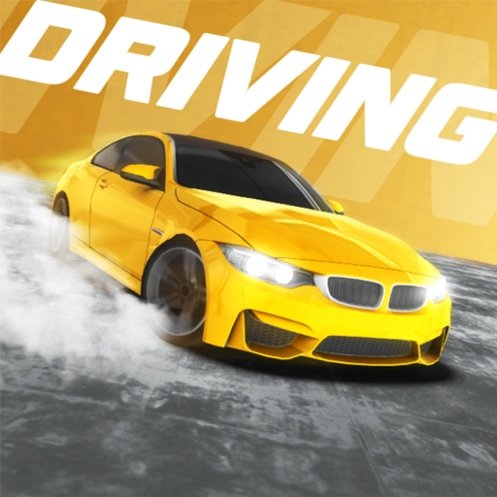


City Driver
City Driver is an open-world browser driving game with free roam, pursuit, getaway, survival, traffic, police vehicles, and car customisation. Learn the city, control your speed, practise turns, change cameras, and choose how each drive unfolds.
City Driver
City Driver gives you a car, a large urban map, and the freedom to decide what kind of drive comes next. You can follow the roads calmly, practise controlling the vehicle through traffic, search for open spaces to drift, or enter a mode where police cars turn an ordinary journey into a fast escape.
The city feels most enjoyable when you stop treating every road like a straight racing track. Intersections, traffic vehicles, narrow turns, and changing road widths all affect how much speed is safe. A powerful car can cross the map quickly, but it becomes difficult to control when every corner is entered at full acceleration.
Players who enjoy open city driving can also try CarX Street, where street racing, vehicle control, and urban routes play a larger role.
What City Driver Is About
City Driver is an open-world browser driving game where you control a car across a large urban environment. Instead of placing every player on one fixed racecourse, the game lets you move through city roads, test different vehicles, and choose from several driving activities.
The available experience may include:
- Free driving across an open city
- Escaping from pursuing police vehicles
- Driving as a police officer
- Surviving increasingly difficult situations
- Following checkpoint-based routes
- Testing acceleration and handling
- Customising parts of the selected car
- Changing the driving camera
- Using lights, indicators, and other vehicle controls
The version loaded on Gam-core may contain a different mode selection from other releases. Check the main menu to see which activities, cars, and customisation features are currently available.
How City Driver Gameplay Feels
The first drive usually feels relaxed. You can accelerate along a wide road, test the steering, and become familiar with how quickly the car responds.
The challenge becomes clearer at the first sharp turn. Steering while holding full acceleration can make the car slide wide, strike traffic, or leave the road. Braking too hard can create the opposite problem by removing all momentum before the next section.
Each vehicle may also feel slightly different. One car can turn sharply but become unstable at speed, while another may feel heavier and require earlier braking.
The city gives you room to learn without forcing the same objective during every session. You can spend one run driving normally and use the next to practise handbrake turns or escape from a police pursuit.
For another driving challenge with busy roads and fast reactions, play Traffic Rider.
City Driver Controls
City Driver uses a larger control layout than a basic racing game because it includes extra vehicle functions.
A common desktop setup includes:
- W or Up Arrow: Accelerate
- S or Down Arrow: Brake or reverse
- A and D or Left and Right Arrows: Steer
- Spacebar: Use the handbrake
- F: Activate boost or nitro when available
- C: Change the camera
- B: Look behind the car
- I: Start or stop the engine
- K or L: Control the headlights
- Q, E, or Z: Use indicators or hazard lights
The exact controls can differ between browser versions. Check the settings or instruction screen before beginning.
Do not try to use every feature during the first drive. Learn acceleration, braking, steering, and the camera before adding the handbrake or boost.
Learn How the Car Responds
Vehicle control becomes easier when you understand how steering changes with speed.
At low speed, the car can usually turn through smaller spaces. At high speed, the same steering input may carry the vehicle across several lanes.
Test the car on a quiet road:
- Accelerate gently.
- Make a small steering adjustment.
- Release the accelerator before a corner.
- Turn without using the handbrake.
- Accelerate again after the car faces the new road.
This simple process shows how much control the vehicle has without adding a slide.
Once ordinary turns feel comfortable, begin testing stronger braking, sharper steering, and handbrake movement in open areas.
Free-Roam Driving
Free-roam mode allows you to move through the city without a strict finish line.
This is the best place to learn the map and controls. You can search for wide roads, smaller streets, ramps, parking areas, and intersections without worrying about completing an objective.
Use free roam to practise:
- Turning without leaving your lane
- Braking before intersections
- Recovering after a slide
- Changing camera views
- Reversing from tight spaces
- Using vehicle lights and indicators
- Learning which roads connect major parts of the city
The city becomes easier to navigate once several landmarks and road patterns feel familiar.
Free roam is also useful after unlocking or selecting another vehicle. Test its handling before entering a chase or timed challenge.
Pursuit Mode
Pursuit mode allows you to take the role of a police driver chasing another vehicle.
Speed is important, but following the target blindly can create problems. The escaping car may turn sharply, move through traffic, or use a narrow road where your vehicle has less space.
Watch the route ahead rather than staring only at the target.
A slightly wider turn can preserve control and prevent a collision. Losing a small amount of distance is often better than crashing and losing the entire route.
Learn where the target tends to change direction. After several attempts, certain intersections and escape paths may become easier to predict.
Getaway Mode
Getaway mode reverses the situation and places police vehicles behind you.
Driving at full speed in a straight line may create temporary distance, but it also makes your route predictable. Police vehicles can follow the same road and gradually close the gap.
Use the city layout to change the pursuit:
- Turn through connected side roads
- Avoid dead ends
- Leave enough room for sudden direction changes
- Use wider intersections when travelling quickly
- Avoid entering narrow streets without checking the exit
- Keep the car moving after minor contact
Do not look behind the vehicle for too long. A quick check can show how close the pursuit is, but the road ahead remains the larger danger.
Players who enjoy continuous police chases can also play Escape Road.
Survival Mode
Survival mode increases the pressure by asking you to remain active while the surrounding danger grows.
The safest approach is usually to preserve movement space. Driving into a narrow corner or between several vehicles may leave no clear escape route.
Stay near roads with multiple exits whenever possible. This gives you another direction when one route becomes blocked.
Avoid using boost only because it is available. Additional speed can help on a clear road, but it makes tight sections more difficult to control.
A survival run often ends because of several small mistakes rather than one dramatic collision. Protect the car’s position before trying to build maximum speed.
Using the Handbrake
The handbrake can rotate the car more sharply than ordinary steering.
It works best when:
- The vehicle is already moving
- A wide space is available
- You need to change direction quickly
- The next road is visible
- No traffic vehicle is directly beside you
Release the accelerator briefly, begin steering, tap the handbrake, and then regain control before accelerating again.
Holding the handbrake too long can rotate the car farther than expected. You may finish facing a wall or travelling backward.
Practise in an open space before using handbrake turns during a pursuit.
When to Use Boost
Boost or nitro provides a quick increase in speed when the selected vehicle and mode support it.
The best time to use it is on a clear road with enough distance before the next turn.
Avoid activating boost:
- Immediately before a sharp corner
- While the car is already sliding
- In heavy traffic
- On an unfamiliar road
- When a barrier blocks the route ahead
- While reversing or recovering from a crash
Boost cannot correct poor positioning. It only makes the car travel through that position more quickly.
Save it for moments when the vehicle is stable and the route ahead is easy to read.
Choosing a Camera View
City Driver may provide several camera angles, including a third-person view behind the vehicle and closer driving perspectives.
The third-person camera gives a wider view of traffic, corners, and the car’s position within the lane. It is usually the easiest option for new players.
A closer or interior-style view can make the drive feel more immersive, but it reduces how much of the surrounding road you can see.
Change the camera according to the activity. A wider angle may work better during police chases, while a closer view can make calm free-roam driving more enjoyable.
Do not switch views repeatedly during a difficult corner. Make the change on a straight road where the car remains easy to control.
Traffic and Intersections
Traffic vehicles make the city feel active, but they also turn ordinary roads into moving obstacle courses.
Look beyond the car directly ahead. Another vehicle may be crossing the next intersection or entering your lane.
Reduce speed before busy junctions instead of expecting every path to remain clear.
When overtaking, check that enough open road exists for the entire movement. Pulling beside another vehicle without room to return can leave you facing oncoming traffic or a roadside object.
Traffic patterns in the game are designed for entertainment and may not follow every real-world road rule perfectly. Stay alert to what vehicles are doing rather than assuming they will always react correctly.
Customising the Car
Supported versions may allow you to change parts of the vehicle’s appearance or performance.
Customisation options can include:
- Body colour
- Wheel design
- Suspension height
- Visual body parts
- Engine or performance settings
- Steering behaviour
- Driving assistance
- Camera and graphics options
Change one setting at a time. Making several performance adjustments together can make it difficult to understand why the car suddenly feels different.
After changing the vehicle, use free roam to test acceleration, braking, and turning before entering a challenge.
Visual customisation does not always change performance. Check the menu description instead of assuming every new part makes the car faster.
Common City Driver Mistakes
The most common mistake is holding the accelerator throughout every turn. The car enters too quickly and slides beyond the intended road.
Another mistake is using the handbrake for ordinary corners. It can make the drive look dramatic, but normal steering is usually easier to control.
Players also activate boost on crowded roads. The increased speed leaves less time to react to traffic and intersections.
Changing the camera during a difficult manoeuvre causes similar problems because the road suddenly appears from another angle.
Some players chase police or escaping vehicles without watching the wider city. They follow the target into traffic, walls, or dead ends.
The final common mistake is trying to correct a slide with large steering movements. Small adjustments and reduced acceleration usually provide a cleaner recovery.
Improving Your Driving
Begin with control rather than speed.
Practise completing several turns without hitting a wall or traffic vehicle. Once those movements feel natural, increase the pace gradually.
A useful improvement order is:
- Learn ordinary steering.
- Brake before corners.
- Practise reversing.
- Test different camera views.
- Learn short handbrake turns.
- Use boost on clear roads.
- Enter pursuit and getaway modes.
- Test other vehicles.
This approach builds skills that remain useful across every game mode.
Faster driving should develop from smoother control. Simply holding the accelerator longer does not create a better driver.
Browser Performance and Device Support
City Driver is designed for modern web browsers on desktop computers. Keyboard controls and the mouse are normally the main input methods.
Performance depends on the device, browser, graphics settings, and number of background tabs.
When the game feels uneven:
- Close unnecessary browser tabs
- Lower the in-game graphics quality
- Reduce shadows or visual effects
- Avoid running other demanding programs
- Use a stable browser window size
- Restart the level after changing settings
A consistent frame rate makes steering easier because the car responds more predictably.
Mobile support depends on whether the version loaded on Gam-core provides touch controls. Check for visible steering and pedal buttons before beginning.
City Driver and Real Road Safety
City Driver is an arcade-style driving game. It is not a replacement for real driving lessons or supervised road practice.
Real drivers must follow local laws, speed limits, traffic lights, signs, licence requirements, and instructions from qualified adults or driving professionals.
The National Highway Traffic Safety Administration provides road-safety information covering responsible driving, seat belts, distraction, and other real-world risks.
The World Health Organization road-safety resources explain why speed, distraction, protective systems, and road behaviour matter outside games.
Police escapes, drifting through traffic, and high-speed city driving should remain fictional game activities.
What Makes City Driver Worth Playing
City Driver gives players more freedom than a traditional lap-based racing game.
You can learn the city at your own pace, test several vehicle functions, or move directly into a police chase. This variety allows the same map to support relaxed driving and more pressured challenges.
The different camera views and customisation options also let players change how the vehicle looks and feels.
The game may become repetitive for players who want a long story or professionally structured racing championship. Much of the experience depends on creating your own driving goals within the city.
That freedom is also its strongest quality. You can practise one turn, search for a new road, test another car, or begin a pursuit without waiting through a long campaign.
Browse the racing games collection for more driving challenges.
Who Will Enjoy City Driver?
City Driver suits players who enjoy open-world driving, city maps, vehicle customisation, police pursuits, free-roam modes, and experimenting with car controls.
Beginners can use quiet roads to learn acceleration, steering, braking, and camera views.
More experienced players can practise controlled slides, use boost more carefully, and learn faster routes through the city.
The game works well for short sessions because there is no need to complete a long championship before driving freely.
Players looking for professional racing circuits may prefer a dedicated racing game. Those who enjoy choosing their own route are more likely to appreciate City Driver.
Play City Driver Free Online
Play City Driver free online on Gam-core.com and take control of a car across an open urban map with traffic, police vehicles, different modes, customisation, and several camera views.
Learn how the vehicle responds before chasing maximum speed, brake before tight corners, and use the handbrake only when the road provides enough space. The city becomes easier to enjoy when every turn is a decision rather than another collision.





Reviews
There are no reviews yet.