
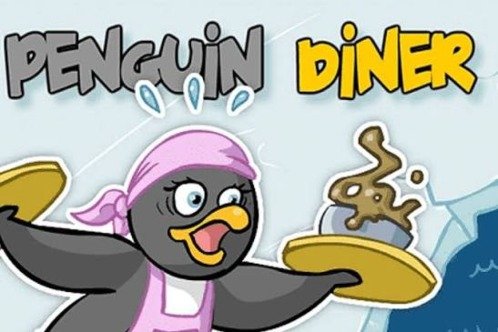


Penguin Diner
Penguin Diner is a classic restaurant time-management game where you help Penny serve hungry penguin customers and earn enough money to return home. Seat visitors, take orders, deliver prepared meals, collect payments, manage customer patience, and purchase upgrades across three increasingly busy diners.
Penguin Diner Restaurant Time Management Game
Penguin Diner is a restaurant time-management game where you help Penny serve hungry penguin customers inside a series of icy cafés. You must seat visitors, take their orders, collect prepared meals from the kitchen, deliver food, clear payments, and keep every table moving before customers lose patience.
The game uses simple mouse controls, but later levels become busy as several tables need attention at the same time. Fast service, organized movement, customer patience, daily money targets, and carefully chosen upgrades determine whether Penny earns enough to continue her journey home.
What Is Penguin Diner?
Penguin Diner is a single-player restaurant game developed by BigWig. The original browser version was released in 2008, with Armor Games listing February 11, 2008, as its release date. (Armor Games)
You control Penny, a penguin who becomes lost and has no money for the journey back to her family. She accepts work as a waitress and must earn enough through successful restaurant shifts to return home. (Google Play)
The main game contains three diners. As Penny improves her skills and completes enough restaurant levels, she moves to a new location where the service becomes more demanding and the earning potential increases. (App Store)
Players who enjoy other relaxed visual challenges can also try Find Easy Hidden Differences or browse the wider Gam-core game collection.
Penguin Diner Story
Penny becomes separated from her family during an Antarctic journey.
She arrives in an unfamiliar icy area without enough money to travel home. Rather than remaining stuck, she begins working as a waitress in a local diner.
Each successful workday brings her closer to the money needed for the journey. She starts in a smaller café before moving through additional restaurant locations and becoming a faster, more capable server. (Google Play)
The story is presented through simple comic-style scenes. It gives the daily money targets a clear purpose without interrupting the restaurant gameplay for long periods. The current mobile listing also describes the game as containing three diner stories connected to Penny’s progress. (App Store)
How Penguin Diner Gameplay Works
Each level represents one restaurant shift.
Penguin customers enter at the front of the diner and wait to be seated. After receiving a table, they look at the menu and signal when they are ready to order.
Penny collects the order and sends it to the kitchen automatically. Once the food is prepared, the meal appears on the service counter. You then collect it, deliver it to the correct table, and wait for the customers to finish.
When they leave payment on the table, collect the money so another group can use the seats.
The basic service cycle is:
- Select waiting customers.
- Choose an empty table.
- Wait for the customers to request service.
- Click the table to take the order.
- Collect the prepared meal from the kitchen counter.
- Deliver it to the matching customers.
- Wait for them to finish eating.
- Collect their payment and tip.
- Seat the next waiting group.
- Reach the daily money target before the shift ends.
These actions are all completed with the mouse in the original browser version. (Armor Games)
Penguin Diner Controls
Penguin Diner uses point-and-click controls.
| Action | Control |
|---|---|
| Select waiting customers | Left mouse button |
| Seat customers | Click the group, then an empty table |
| Take an order | Click customers when they signal |
| Collect prepared food | Click the meal on the counter |
| Deliver food | Click the correct table |
| Collect payment | Click the money left on the table |
| Choose an upgrade | Click the item in the shop |
| Continue to the next day | Click the displayed button |
| Pause or open a menu | Use the on-screen option |
Armor Games describes the controls as using the mouse to click customers, deliver orders, and seat arriving guests. Agame similarly documents using the mouse and left click for seating, selecting tables, and collecting food. (Armor Games)
Modern mobile versions replace mouse clicks with taps. The service order remains largely the same.
Seating Customers
New customers arrive near the entrance.
Click a waiting group, then choose an available table that has enough seats. Penny slides across the diner and guides them to the selected location.
Customers begin losing patience while waiting at the entrance. Leaving tables empty while a line grows can reduce earnings because unhappy visitors may leave before receiving service.
Seat groups as soon as practical, but do not fill every table without checking your current workload. Four demanding tables can be harder to manage than three customers receiving quick service.
Choosing the Right Table
Customers arrive in different group sizes.
A smaller group should usually be placed at a small table when possible. Saving larger tables for larger groups helps you use the dining room efficiently.
Before clicking, check:
- How many customers are waiting
- Which tables are empty
- Whether payment still needs collecting
- How many seated groups are ready to order
- Whether meals are waiting at the kitchen
- How close you are to the daily target
A table is not truly available until the previous customers have left and their payment has been collected.
Taking Orders
Customers need a short amount of time to read the menu after being seated.
When ready, they raise a flipper or display another clear signal. Click the table to have Penny take their order.
The order is then sent to the kitchen without requiring you to choose individual ingredients.
This makes Penguin Diner different from games such as Papa’s Burgeria or Cooking Mama. You do not prepare the meal yourself. Your job is to manage tables, timing, delivery, and customer satisfaction.
Watching for Ready Tables
Several groups may become ready at almost the same time.
Try to collect nearby orders during the same trip across the diner. This reduces unnecessary movement and gives the kitchen more time to prepare several meals together.
Do not keep clicking customers who are still reading the menu. Wait for the ready signal before sending Penny to their table.
The most important visual states are:
| Customer State | What You Should Do |
|---|---|
| Waiting at entrance | Find an empty table |
| Looking at menu | Allow them time |
| Signaling for service | Take the order |
| Waiting after ordering | Check the kitchen |
| Eating | Handle another table |
| Finished with payment visible | Collect the money |
| Becoming impatient | Prioritize their next service step |
Collecting Food From the Kitchen
The kitchen prepares meals automatically.
When an order is complete, a plate appears on the service counter. Click the plate to pick it up, then click the table that requested it.
You do not need to remember the appearance of every meal. The game connects the prepared order with the appropriate customers, but good table awareness helps you avoid unnecessary movement.
Do not leave ready meals waiting while taking several new orders. Customers who have already ordered are usually closer to becoming unhappy than visitors who have only recently sat down.
Delivering Orders
After collecting food, click the correct table.
Penny slides toward the customers and places the meal in front of them. They then begin eating.
Delivering a meal promptly supports customer happiness and can lead to a better payment.
A reliable priority order is:
- Customers close to leaving
- Food already waiting on the counter
- Tables ready to order
- Payment waiting to be collected
- New groups at the entrance
This order can change when a customer’s patience is especially low or when you need one final payment to reach the level target.
Collecting Payments
After finishing their meal, customers leave money on the table.
Click the payment to collect it. The table then becomes available for another group.
Payment collection is easy to overlook during a busy shift because finished customers no longer request active service. However, leaving money on a table prevents that table from being reused.
Collecting payments quickly helps in two ways:
- It adds money toward the daily target.
- It opens seats for waiting customers.
When the entrance is crowded, clearing tables can be more valuable than accepting another order.
Customer Patience
Every customer has limited patience.
Waiting too long at the entrance, remaining without an order, or waiting for food can lower their mood. An unhappy customer may leave less money or walk away before completing the normal service cycle.
Comfort upgrades can increase the amount of time customers are willing to wait. Larger televisions and improved seating are among the documented upgrades used to support patience. (gatoconbota.com)
Customer expressions provide useful information. A happy face means the table is currently manageable, while an unhappy expression suggests the next service step should be prioritized.
Understanding Customer Moods
Different penguins may lose patience at different speeds.
Some remain calm while others become unhappy after a shorter delay. Later shifts also place more customers in the restaurant, making even patient visitors harder to serve.
Watch facial expressions rather than assuming every table has the same amount of time.
| Mood | Recommended Response |
|---|---|
| Happy | Continue normal service |
| Neutral | Complete their next step soon |
| Unhappy | Prioritize the table |
| Very impatient | Act immediately when possible |
| Leaving | Focus on other active customers |
A customer who has already decided to leave may no longer be recoverable. Use the experience to improve the next group’s service.
Daily Money Targets
Every level gives Penny a money target.
You must earn at least that amount during the shift. Money comes from customer payments and tips.
The total is influenced by:
- Number of groups served
- Speed of service
- Customer happiness
- How efficiently tables are reused
- Restaurant upgrades
- Penny’s movement speed
Reaching the target completes the workday and opens the next level. Failing usually means replaying the day and improving the service plan.
Do not stop managing tables after reaching the target if the shift is still active. Additional earnings may help with later upgrades.
Tips
Satisfied customers leave better tips.
A fast meal alone may not be enough when customers waited too long before being seated or ordering. The full visit matters.
To improve tips:
- Seat customers quickly
- Take orders as soon as they signal
- Deliver ready food without delay
- Keep the waiting area under control
- Purchase patience upgrades
- Avoid leaving completed payments on tables
Strong tips allow Penny to purchase improvements sooner, which makes harder restaurant levels more manageable.
Restaurant Progression
Penguin Diner contains three restaurant locations that Penny works through as she develops her serving skills. The mobile listing describes three diners and three connected restaurant stories. Coolmath Games also confirms that the game requires players to run three different restaurants. (App Store)
The named locations associated with current releases include areas such as Hill Top Cafe, Ice Rink, and Iceberg Cafe. (Google Play)
Each new restaurant creates a busier work environment. The basic controls remain the same, but customer numbers, table activity, and daily targets become more demanding.
Hill Top Cafe
Hill Top Cafe is associated with the beginning of Penny’s journey.
It introduces the main service cycle:
- Seating customers
- Taking orders
- Delivering food
- Collecting money
- Reaching a daily target
- Purchasing upgrades
Use these early levels to learn the appearance of every customer state.
The restaurant may feel slow at first, but it is the best place to develop a consistent table-management routine.
Ice Rink Cafe
The Ice Rink stage increases the pressure.
By this point, players are expected to understand the service cycle and make use of purchased improvements. More customers can require attention within a shorter period.
Movement upgrades become especially useful because Penny must cross the restaurant repeatedly.
Avoid waiting beside one table. Continue scanning the room for ready customers, kitchen plates, and unpaid bills.
Iceberg Cafe
Iceberg Cafe represents a later and more demanding part of the journey.
Fast decisions and upgrades become increasingly important. The restaurant may contain several active tables and waiting groups at the same time.
The goal is not to complete every task in the exact order it appeared. Prioritize whichever action prevents the greatest loss of patience or opens the largest opportunity for additional customers.
Penguin Diner Upgrades
Money earned during completed levels can be spent on equipment and restaurant improvements.
The most recognizable upgrade categories include:
| Upgrade | Main Effect |
|---|---|
| Skates | Increase Penny’s movement speed |
| Television | Helps customers remain patient |
| Chairs | Improve customer comfort and patience |
| Restaurant improvements | Support smoother service or appearance |
| Higher upgrade levels | Increase the benefit of an existing item |
Current descriptions and historical guides identify faster skates, improved televisions, and more comfortable seating as important Penguin Diner upgrades. (gatoconbota.com)
Faster Skates
Skates improve Penny’s movement speed.
This affects almost every part of the workday because Penny must travel between:
- The entrance
- Customer tables
- The kitchen counter
- Payment locations
Faster skates are often the most useful early upgrade. They reduce the time spent moving and allow Penny to complete more tasks before customers become impatient. (8Games)
Movement speed becomes especially important after entering larger or busier diners.
Television Upgrades
Televisions entertain waiting customers.
A better television helps customers remain patient for longer, giving you more time to finish other orders. (gatoconbota.com)
Television upgrades do not replace good service. They provide a safety margin during crowded shifts.
They are most useful when:
- Several groups are seated
- Food takes time to arrive
- Penny is still using slower skates
- The entrance and dining area become busy together
Chair Upgrades
Comfortable chairs improve the customer experience.
Customers sitting in better seats can tolerate a longer wait before becoming unhappy. (gatoconbota.com)
Chair upgrades are useful after improving Penny’s movement speed. Once Penny can reach tables quickly, increasing customer patience makes it easier to manage several orders together.
Best Upgrade Order
A practical upgrade order is:
- Improve Penny’s skates.
- Upgrade customer entertainment.
- Improve chairs.
- Continue strengthening the area that causes most lost customers.
This order is not mandatory.
Players who move efficiently but struggle with impatient visitors may benefit from a television earlier. Those who constantly lose time crossing the restaurant should prioritize skates.
Purchase upgrades that solve the problem lowering your earnings.
Planning Penny’s Route
Penny automatically travels toward the object or table you select.
You cannot directly control every step, but you can reduce travel by choosing tasks in a useful order.
For example:
- Collect food from the counter.
- Deliver it to a nearby table.
- Take an order from the next table.
- Collect payment from another nearby group.
- Return toward the entrance.
This route completes several actions without repeatedly crossing the full restaurant.
Try to think one action ahead while Penny is moving.
Handling Several Tables
The game becomes difficult when many customers reach different service stages together.
A table may need an order while another is waiting for food and a third has finished eating.
Use a simple priority system:
| Priority | Task |
|---|---|
| Highest | Prevent an unhappy customer from leaving |
| High | Deliver food already waiting |
| High | Collect payment when seats are needed |
| Medium | Take a ready order |
| Medium | Seat new customers |
| Lower | Serve a happy table that still has time |
This is only a guide. A waiting group may become the highest priority when every table is empty.
Grouping Similar Tasks
Completing similar actions together can save time.
When several customers are ready to order, collect their requests during one trip through the dining area. Their meals can then be prepared while Penny handles another task.
The same approach works with payments. Clearing several finished tables in sequence quickly opens space for new visitors.
Avoid grouping too many tasks when one customer is already unhappy. Efficiency only helps when it does not cause someone to leave.
Managing the Entrance
A long entrance line creates pressure because customers are losing patience before service even begins.
Keep at least one table moving toward completion. Collecting payment from a finished table may be more useful than taking another order because it creates space for a waiting group.
Do not automatically seat every customer the moment a table opens. Check whether existing tables are close to needing service.
A controlled restaurant with one waiting group is often easier than a full dining room where every customer becomes unhappy together.
Managing the Kitchen Counter
Ready meals should not remain on the counter for long.
When several dishes appear together, deliver them according to customer patience and table location.
You may be able to collect and deliver meals in a smooth route across the diner.
Check that you clicked the correct plate before selecting a table. The game normally guides order delivery, but rushed clicking can still waste movement.
Common Penguin Diner Mistakes
Filling Every Table Too Quickly
A full restaurant creates more earning opportunities, but it also produces several simultaneous orders.
Ignoring Ready Food
Customers who have already ordered expect the next step. Deliver prepared meals before accepting too many additional requests.
Forgetting Payments
A table with money on it cannot be used by another group.
Buying Only Decorative Improvements
Movement and patience upgrades usually provide more direct gameplay value.
Crossing the Restaurant Repeatedly
Plan routes that combine nearby tasks.
Serving Only the Happiest Customers
Tables showing signs of impatience should receive earlier attention.
Taking Too Many Orders Together
Several kitchen meals may become ready at the same time, creating another service problem.
Waiting Beside One Table
Use eating and preparation time to help other customers.
Tips for Completing Harder Levels
Upgrade Skates Early
Faster movement improves seating, ordering, delivery, and payment collection.
Watch Customer Faces
Expressions reveal which table is closest to becoming unhappy.
Keep Tables Turning Over
Collect payment immediately when customers leave, especially when groups are waiting.
Deliver Ready Food First
Meals on the counter represent customers who have already spent time waiting.
Plan Short Routes
Choose another nearby task before sending Penny across the restaurant.
Do Not Overfill the Diner
Leave a table empty temporarily when the current customers already require too much attention.
Use Eating Time Wisely
Customers do not need service while eating. Take orders, collect payments, or seat another group.
Save Money for Useful Improvements
An upgrade that prevents lost customers can pay for itself over several levels.
Replay a Failed Day With a New Plan
Notice whether the problem came from slow movement, low patience, poor table turnover, or too many seated customers.
Continue Earning After Reaching the Target
Extra money can make future upgrades available sooner.
Original Browser Version
The original Penguin Diner was released as a browser game during the Flash era.
It uses a 2D restaurant layout, mouse controls, short daily levels, three diner locations, and a shop containing service upgrades. Armor Games continues to list the original 2008 release and its mouse-based instructions. (Armor Games)
Modern websites may run the game through emulation or another compatibility system because current browsers no longer support the original Flash Player directly.
Loading, saving, audio, and performance can therefore differ between websites.
Penguin Diner Mobile Edition
The official mobile release is listed as Penguin Diner: Restaurant Dash.
Bigwig Media describes it as the mobile version of the original web game. It retains Penny’s journey, three diners, restaurant upgrades, comic-style scenes, autosaving, customer service, and increasingly difficult levels. (App Store)
The Android listing identifies the game as:
- Single-player
- Casual
- Time management
- Stylized
- Cartoon
- Available for offline play after installation (Google Play)
The mobile edition uses touch controls and may contain advertising or other mobile-specific features that were not part of the original browser release.
Playing Penguin Diner on Android
The current official Android app is published by Bigwig Media.
Google Play lists support for Android and Windows through Google Play Games, although compatibility depends on the device and current store availability. The app received a listed maintenance update on October 11, 2025. (Google Play)
Touch the customers, tables, food, and payments rather than clicking them with a mouse.
A larger screen can make crowded tables easier to select, but the game is designed to remain readable on phones.
Playing Penguin Diner on iPhone and iPad
Penguin Diner: Restaurant Dash is also listed on Apple’s App Store.
The store credits Bigwig Media as the developer and describes the same three-diner journey, upgrades, fast service, and comic-style story. (App Store)
Compatibility depends on the current operating-system version and device model shown in the user’s regional store.
Does Penguin Diner Work Offline?
The current Google Play listing labels the mobile edition as supporting offline play. (Google Play)
Features connected with advertising, store verification, notifications, updates, or external services may still require an internet connection.
Browser versions generally need a connection to load the game page, even when the restaurant gameplay itself does not involve online opponents.
Penguin Diner Versus Penguin Diner 2
Penguin Diner 2 is a separate sequel.
In the first game, Penny works in restaurants to earn enough money to return home. In Penguin Diner 2, she has returned to Antarctica and decides to open her own restaurant after becoming dissatisfied with the available food. (App Store)
| Penguin Diner | Penguin Diner 2 |
|---|---|
| Penny is lost and needs money to return home | Penny opens her own restaurant |
| Works through three diners | Manages her own expanded diner |
| Focuses on her journey home | Focuses on building a successful business |
| Earlier and simpler upgrade system | More restaurant improvements |
| Original 2008 web game | Later sequel |
| Good starting point for the series | Builds on the original service system |
Players new to the series may find the first game easier to understand.
Penguin Diner Versus Penguin Diner 3D
Penguin Diner 3D is another separate game.
It uses three-dimensional characters and environments, more than 90 levels, daily challenges, character selection, diner decoration, boosters, achievements, and optional in-app purchases. (App Store)
The original Penguin Diner is more direct. Its appeal comes from the simple 2D layout, clear service cycle, and short restaurant levels.
Is Penguin Diner Multiplayer?
No. Penguin Diner is a single-player restaurant-management game.
One player controls Penny, manages every table, buys upgrades, and completes the story.
There is no online matchmaking, cooperative restaurant, shared kitchen, or competitive multiplayer mode in the original game.
Players interested in short social games can visit Fun Mini Online.
Does Penguin Diner Include Cooking?
Penny does not manually cook each meal.
The kitchen prepares customer orders automatically after Penny collects them. Your role is to manage the dining room and deliver the finished food.
The main skills are:
- Time management
- Prioritization
- Route planning
- Customer service
- Table turnover
- Upgrade selection
Players looking for direct recipe preparation may prefer a dedicated cooking game. Penguin Diner is closer to a waiter and restaurant-service challenge.
Graphics and Presentation
Penguin Diner uses colorful 2D cartoon graphics.
Penny wears a waitress outfit and moves through the restaurant on skates. Customers use expressions and animations to show whether they are waiting, ready to order, eating, happy, or becoming impatient.
The icy tables, snowy backgrounds, penguin characters, and cool-colored restaurants give the game a recognizable polar setting.
The simple artwork also keeps important information visible during busy shifts.
Sound and Feedback
Short sound effects support table service, kitchen orders, customer reactions, payments, and upgrades.
Audio can help you notice that something has changed, but the game remains understandable through visual signals.
Watch for:
- Raised flippers
- Ready meals
- Customer expressions
- Money on tables
- Waiting groups
- Daily earnings
Playing at a comfortable volume helps keep longer sessions relaxing.
Who Should Play Penguin Diner?
Penguin Diner suits players who enjoy:
- Restaurant games
- Time-management challenges
- Point-and-click controls
- Cute animal characters
- Short levels
- Customer service games
- Shop upgrades
- Casual strategy
- Daily money targets
- Classic browser games
The game starts slowly enough for beginners but becomes demanding once several tables are active.
Players looking for a slower puzzle can try Chain Cube 2048 3D Merge.
Penguin Diner may not suit players seeking a detailed cooking simulator, online competition, character customization, or a large open world.
Honest Strengths and Limitations
| Strengths | Possible Limitations |
|---|---|
| Mouse controls are easy to learn | Later shifts can become stressful |
| Service cycle is clearly explained | The same basic tasks repeat |
| Three restaurants provide progression | The original game is relatively short |
| Customer moods make priorities visible | Impatient customers may leave quickly |
| Upgrades create useful improvements | Early earnings can feel limited |
| Faster skates make service satisfying | Slow movement before upgrades can be frustrating |
| Bright cartoon graphics remain readable | Visual variety is limited compared with newer games |
| Short levels suit casual sessions | There is no open-ended restaurant construction |
| Mobile and browser editions exist | Features can differ by platform |
| Mobile app supports offline play | Ads may appear in the free app |
| Suitable for single-player relaxation | No multiplayer mode |
| Story gives the money targets a purpose | Cooking is handled automatically |
Penguin Diner Game Information
| Detail | Information |
|---|---|
| Game title | Penguin Diner |
| Developer | BigWig |
| Original release year | 2008 |
| Armor Games release date | February 11, 2008 |
| Genre | Restaurant, time management, casual |
| Main character | Penny |
| Main objective | Earn enough money to help Penny return home |
| Main mode | Single-player |
| Original controls | Mouse |
| Mobile controls | Touchscreen |
| Number of main diners | Three |
| Main activities | Seat, order, deliver, collect, and upgrade |
| Main upgrades | Skates, televisions, chairs, and restaurant improvements |
| Browser format | Originally Flash |
| Current mobile title | Penguin Diner: Restaurant Dash |
| Mobile developer | Bigwig Media |
| Android offline play | Listed as supported |
| Multiplayer | No |
| Sequel | Penguin Diner 2 |
| 3D follow-up | Penguin Diner 3D |
The release date and browser controls are documented by Armor Games. The current story, mobile features, offline support, three-diner structure, and developer information are documented by Google Play and Apple’s App Store. (Armor Games)
Frequently Asked Questions
What Type of Game Is Penguin Diner?
Penguin Diner is a restaurant time-management game where you seat customers, take orders, deliver food, collect payments, and improve the diner.
Who Created Penguin Diner?
Penguin Diner was developed by BigWig. The current mobile version is published under Bigwig Media. (GameFAQs)
When Was Penguin Diner Released?
The original browser game was released in 2008. Armor Games lists February 11, 2008, as its release date. (Armor Games)
Who Is Penny?
Penny is the penguin waitress controlled by the player. She becomes lost and works in several diners to earn enough money to return home to her family. (Google Play)
How Do You Control Penguin Diner?
Use the mouse in the original browser version. Click customers, empty tables, ready orders, prepared food, and payments. (Armor Games)
How Do You Seat Customers?
Click the waiting group and then click a suitable empty table.
How Do You Take an Order?
Wait until seated customers signal that they are ready, then click their table.
Does Penny Cook the Food?
No. The kitchen automatically prepares meals after Penny takes an order. The player collects the completed plate and delivers it.
How Do You Complete a Level?
Earn at least the required amount of money during the restaurant shift.
How Many Restaurants Are in Penguin Diner?
The main game contains three diners. (App Store)
What Do Better Skates Do?
Skate upgrades increase Penny’s movement speed, helping her reach customers, food, and payments more quickly. (8Games)
What Do Television Upgrades Do?
Televisions help customers remain patient while waiting for service. (gatoconbota.com)
What Do Chair Upgrades Do?
Better chairs improve customer comfort and help them tolerate longer waiting times. (gatoconbota.com)
Why Are Customers Leaving?
They may have waited too long to be seated, place an order, or receive food. Watch their expressions and prioritize unhappy tables.
Why Can I Not Seat More Customers?
A table may still contain payment from the previous group. Collect the money to make it available again.
Is Penguin Diner Multiplayer?
No. It is a single-player restaurant-management game.
Can I Play Penguin Diner on Mobile?
Yes. Penguin Diner: Restaurant Dash is officially listed for Android and iOS. (Google Play)
Can Penguin Diner Be Played Offline?
Google Play currently labels the mobile edition as supporting offline play. Some app features may still need an internet connection. (Google Play)
Is Penguin Diner Free?
Browser editions are commonly available without an upfront purchase. The official mobile edition is also listed as free, although it may contain advertising or optional mobile features. (App Store)
Is Penguin Diner the Same as Penguin Diner 2?
No. In the first game, Penny works to return home. In the sequel, she opens her own restaurant in Antarctica. (App Store)
What Is the Best First Upgrade?
Faster skates are usually the most helpful early purchase because movement affects every part of restaurant service.








Reviews
There are no reviews yet.