
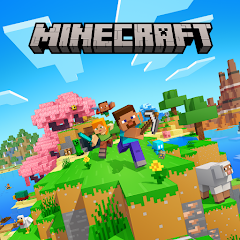


Minecraft
Minecraft is an open-world sandbox game where players collect materials, craft tools, construct buildings, manage Survival challenges, and create almost anything from blocks. Play alone or with friends, choose Survival or Creative mode, visit several dimensions, build redstone machines, join community servers, and maintain worlds shaped by your own ideas.
Minecraft Open World Building and Survival Game
Minecraft is an open-world sandbox game where players gather resources, create tools, construct buildings, travel through block-based worlds, and decide their own goals. A new world can become a quiet building project, a difficult survival challenge, a shared multiplayer home, or a large technical creation powered by redstone.
The game does not force every player to follow one fixed route. You can build a small wooden shelter, create an underground base, manage farms, search caves, visit other dimensions, trade with villagers, play community minigames, or work with friends on one long-running world.
What Is Minecraft?
Minecraft is a sandbox action-adventure game developed by Mojang Studios. The first public version appeared for PC players in 2009, and the full version was released in 2011. Mojang recognizes May 17, 2009, as Minecraft’s birthday because that was when its early public version, then connected with the name Cave Game, became available. (Minecraft.net)
The world is built almost entirely from blocks. Grass, stone, wood, sand, water, ores, plants, furniture, machines, and decorative materials all use this recognizable block-based style.
Most blocks can be removed, collected, moved, combined, or placed somewhere else. This simple rule allows players to change the world rather than only moving through an environment created by the developer.
Minecraft is available in two main modern versions:
- Minecraft Java Edition
- Minecraft Bedrock Edition
PC buyers receive Java and Bedrock together as one bundle. Java runs on Windows, macOS, and Linux, while Bedrock is used across Windows, Xbox, PlayStation, Nintendo Switch, mobile devices, and other supported systems. (Minecraft.net)
How Minecraft Gameplay Works
A new game starts by creating or joining a world.
World generation creates landscapes containing forests, mountains, rivers, oceans, caves, villages, structures, animals, hostile creatures, and underground resources. The exact starting area is different for most newly generated worlds.
In Survival mode, the early gameplay normally follows this pattern:
- Collect wood from nearby trees.
- Turn logs into wooden planks.
- Create a crafting table.
- Make basic tools.
- Collect stone and useful food.
- Build a shelter before night.
- Add light sources around the shelter.
- Search for coal, iron, and other resources.
- Improve tools, armor, storage, and buildings.
- Travel farther when the base is secure.
There is no required timetable. A player can spend several game days improving one home before travelling anywhere else.
Why Minecraft Feels Different From Other Games
Minecraft does not provide one permanent objective marker telling everyone what to do next.
The world provides materials, hazards, creatures, structures, and crafting systems. The player decides how those systems should be used.
One person may focus on survival and reach the End. Another may remain in Creative mode and build a city. A group of friends may create a shared village, while technical players may construct automated farms and redstone machines.
Minecraft officially describes itself as a sandbox game without one required ending. Many players treat defeating the Ender Dragon as completing the main progression route, but the world remains playable afterward. (Minecraft.net)
Players who enjoy gathering materials and surviving in a changing environment may also like TEGRA Zombie Survival Island. Minecraft uses a less realistic block style and provides much more freedom for construction.
Minecraft Controls
Default controls differ between Java, Bedrock, console, and mobile editions.
Java and Windows Keyboard Controls
| Action | Common Keyboard Control |
|---|---|
| Move forward | W |
| Move backward | S |
| Move left | A |
| Move right | D |
| Jump | Spacebar |
| Sneak | Left Shift |
| Sprint | Left Control or double-tap W |
| Attack or remove a block | Left mouse button |
| Use an item or place a block | Right mouse button |
| Open inventory | E |
| Drop selected item | Q |
| Open chat | T |
| Change hotbar slot | Number keys or mouse wheel |
| Switch camera view | F5 |
| Open pause menu | Escape |
| View player list in multiplayer | Tab |
Minecraft’s official control guide notes that the basic actions remain similar across Java and Bedrock, although the exact buttons change with the device. (Minecraft.net)
Controller Controls
| Action | Common Controller Input |
|---|---|
| Move | Left stick |
| Look around | Right stick |
| Jump | Bottom face button |
| Sneak | Stick press or assigned face button |
| Attack or break | Right trigger |
| Use or place | Left trigger |
| Open inventory | Assigned menu button |
| Change hotbar slot | Shoulder buttons |
| Pause | Menu or Options button |
Button names differ between Xbox, PlayStation, and Nintendo controllers. Follow the layout shown inside the settings menu for the current platform.
Mobile Controls
Mobile editions use touch controls.
| Action | Touch Method |
|---|---|
| Move | Virtual directional control or joystick |
| Look around | Drag across the screen |
| Jump | On-screen jump button |
| Break a block | Press and hold the block |
| Place a block | Tap the intended surface |
| Open inventory | Inventory button |
| Sneak | On-screen sneak button |
| Change item | Tap a hotbar slot |
| Use an object | Tap or use the displayed action button |
Bedrock provides several touch-control styles, allowing players to choose the arrangement that feels most comfortable on their screen.
Creating a New World
The Create New World menu allows players to choose important settings before generation begins.
Common options include:
- World name
- Game mode
- Difficulty
- Starting seed
- Multiplayer permissions
- Cheats or commands
- Experimental features
- Bonus chest in supported editions
- World templates
- Resource or behavior packs
A world seed is a value used during generation. Entering the same compatible seed can create a similar world layout, although results may change between editions and game versions.
Beginners usually benefit from a normal Survival world on Easy or Normal difficulty. Creative mode is better when the main goal is building without gathering supplies.
Procedurally Generated Worlds
Minecraft worlds are generated from rules rather than being one fixed hand-built map.
The game places terrain, caves, structures, ores, vegetation, and biomes according to the selected seed and current version.
This means two players can begin in very different places. One may appear beside a village and forest, while another starts near a desert, ocean, or snowy area.
Generation continues as the player travels into new land. This creates very large worlds with enough space for several bases, transportation networks, farms, and distant projects.
Minecraft Biomes
A biome is an area with its own terrain, weather, plants, colors, creatures, and resources.
Common biome categories include:
| Biome Type | Typical Features |
|---|---|
| Plains | Open grass, animals, villages, and easy building space |
| Forest | Trees, flowers, animals, and shaded areas |
| Desert | Sand, dry plants, villages, wells, and temples |
| Taiga | Spruce trees, cooler colors, and animals suited to cold areas |
| Jungle | Tall trees, vines, bamboo, and dense vegetation |
| Savanna | Dry grass, acacia trees, and open hills |
| Snowy areas | Snow, ice, cold-weather creatures, and frozen water |
| Swamp | Shallow water, darker vegetation, and swamp structures |
| Badlands | Colored terracotta, dry terrain, and exposed resources |
| Ocean | Water, fish, underwater ruins, and monuments |
| Mushroom fields | Large mushrooms and unusual peaceful terrain |
| Mountain areas | High terrain, steep drops, and valuable resources |
Java and Bedrock share most biome types, although small generation and feature differences can exist between editions. (Minecraft.net)
Blocks and Materials
Blocks form the main structure of Minecraft.
Different blocks have different uses. Some are mainly decorative, while others support crafting, storage, farming, transportation, lighting, or technical systems.
Common early materials include:
- Logs
- Wooden planks
- Cobblestone
- Dirt
- Sand
- Gravel
- Coal
- Iron
- Glass
- Wool
- Food crops
Advanced worlds may use rare materials, decorative stones, colored blocks, metal blocks, lighting materials, and items gathered from other dimensions.
Minecraft rewards players who keep organized storage. A base can quickly become difficult to manage when every item is placed inside one chest.
Mining
Mining is the process of removing blocks and collecting underground materials.
A pickaxe is used for stone and many ores. The correct tool matters because certain resources do not drop properly when broken with an unsuitable tool.
Underground areas can contain:
- Coal
- Copper
- Iron
- Gold
- Redstone
- Lapis lazuli
- Diamond
- Emerald
- Stone variations
- Large caves
- Underground structures
- Lava
- Water
Take food, tools, building blocks, and light sources before entering a large cave.
Marking the route back can prevent players from becoming lost. Torches, signs, different blocks, or a simple path can all help identify the exit.
Crafting
Crafting turns collected materials into useful items.
The small crafting area inside the inventory can create simple recipes. A crafting table provides a larger grid for tools, equipment, building materials, and many other items.
Early crafting normally includes:
| Item | Main Use |
|---|---|
| Crafting table | Provides the full crafting grid |
| Wooden pickaxe | Collects basic stone |
| Stone pickaxe | Collects iron and other materials |
| Axe | Collects wood more quickly |
| Shovel | Removes dirt, sand, and gravel |
| Furnace | Smelts ores and cooks food |
| Chest | Stores items |
| Torch | Lights dark areas |
| Bed | Sets a respawn location and skips the night |
| Door | Creates an entrance for a shelter |
| Shield | Provides protection in supported situations |
Modern editions include a recipe book that shows available crafting options based on collected materials.
Tools and Durability
Most tools have limited durability.
Every use reduces the remaining durability until the item eventually breaks. Stronger materials generally provide better speed, durability, or effectiveness.
A common tool progression is:
- Wood
- Stone
- Iron
- Diamond
- Netherite
Gold tools can work quickly but normally have limited durability.
Carrying a spare pickaxe during a long mining trip prevents the player from becoming trapped without a suitable tool.
Building
Building is one of Minecraft’s central activities.
A structure can be practical, decorative, or both. Common projects include:
- Starter houses
- Farms
- Storage rooms
- Towers
- Castles
- Roads
- Bridges
- Villages
- Underground bases
- Mountain homes
- Tree houses
- Ports
- Railways
- Large statues
- Pixel art
- Redstone machines
Beginners often create a rectangular building because it is quick and easy to understand.
Adding depth can make a building more interesting. Windows, roof edges, pillars, stairs, fences, paths, gardens, and mixed materials can change a plain box into a detailed home.
The First Shelter
A first shelter does not need to be impressive.
Its main purpose is to provide:
- Light
- Protection
- Storage
- A crafting table
- A furnace
- A bed
- A safe entrance
Place torches inside and around the building. Dark areas can allow hostile creatures to appear nearby.
A simple shelter can later become a storage room, workshop, farm building, or entrance to a larger base.
Health and Hunger
Survival mode uses health and hunger systems.
Damage can come from falling, hostile creatures, fire, lava, drowning, explosions, and other environmental hazards.
Food restores the hunger bar. A well-filled hunger bar also supports natural health recovery under normal settings.
Common food sources include:
- Bread
- Cooked meat
- Fish
- Potatoes
- Carrots
- Apples
- Melons
- Berries
- Stews
- Cakes
- Farmed crops
Cooked food usually provides more value than its uncooked form.
Carry food before travelling far from the base. A long return journey becomes much harder when the hunger bar is empty.
Day and Night
Minecraft uses a repeating day-and-night cycle.
Daylight provides better visibility and makes surface travel easier. Night brings darkness and allows several hostile mobs to appear in unlit areas.
A bed can skip the night when the required conditions are met. Sleeping also sets a new respawn point, allowing the player to return near the bed after losing all health.
Players who travel without a bed should prepare a secure location before darkness arrives.
Minecraft Mobs
A mob is a moving creature or character controlled by the game.
Mobs can be passive, neutral, helpful, or hostile.
Passive and Friendly Mobs
These may include:
- Cows
- Sheep
- Pigs
- Chickens
- Rabbits
- Fish
- Villagers
- Horses
- Camels
- Turtles
- Bees
Many animals provide food or crafting materials. Some can be bred, tamed, ridden, or kept near a farm.
Neutral Mobs
Neutral mobs do not always cause trouble immediately. Their behavior may change after the player attacks them or meets another condition.
Examples can include wolves, bees, iron golems, and Endermen.
Hostile Mobs
Hostile mobs create the main survival pressure.
Common examples include zombies, skeletons, spiders, creepers, witches, and other creatures found in particular dimensions or structures.
The action remains stylized and block-based. Defeated creatures disappear and may leave game items rather than showing realistic injury.
Creepers
Creepers are among Minecraft’s most recognizable hostile mobs.
They approach quietly and begin a short warning sequence when close to the player. If they are not stopped or avoided, they create an explosion that can damage the player and nearby blocks.
Keeping the base well lit reduces the chance of hostile mobs appearing close to important buildings.
Players can also build fences, walls, or other barriers around valuable areas.
Difficulty Settings
Minecraft includes several difficulty levels.
| Difficulty | General Effect |
|---|---|
| Peaceful | Hostile survival pressure is greatly reduced, and hunger is easier to manage |
| Easy | Lower challenge for new survival players |
| Normal | Standard balance of hunger, damage, and hostile mobs |
| Hard | Stronger survival pressure and more demanding mob behavior |
Difficulty affects factors such as hostile mob damage, hunger, and other survival systems. (Minecraft.net)
Peaceful is useful for players who want to gather and build without the normal nighttime pressure.
Survival Mode
Survival is the traditional Minecraft experience.
Players begin without unlimited resources and must gather nearly everything they use. Health, hunger, tool durability, environmental hazards, and hostile mobs all matter.
Survival supports:
- Mining
- Crafting
- Building
- Farming
- Trading
- Enchanting
- Brewing
- Transportation
- Dimension travel
- Progress toward the End
- Multiplayer cooperation
The official game-mode guide describes Survival as gathering resources and building while remaining safe in a generated world. (Minecraft.net)
Creative Mode
Creative mode focuses on building and testing ideas.
Players receive unlimited access to blocks and items, can fly, break blocks instantly, and do not normally need to manage health, hunger, or collected resources.
Creative mode is useful for:
- Large buildings
- Testing redstone machines
- Planning Survival projects
- Creating maps
- Building minigames
- Learning block combinations
- Taking screenshots
- Creating fictional scenes
Minecraft officially describes Creative mode as providing unlimited blocks, flight, instant block removal, and freedom from normal survival needs. (Minecraft.net)
Hardcore Mode
Hardcore is a highly demanding version of Survival.
The world uses Hard difficulty, and the player has one life. Losing that life ends normal survival access to the world, although spectator options may remain available depending on the edition and settings.
Hardcore is better suited to experienced players who already understand food, shelter, mining, mob behavior, and environmental dangers.
It should not be chosen for a first Minecraft world unless the player accepts that one mistake can end the run.
Adventure Mode
Adventure mode is mainly intended for creator-made maps.
Players cannot freely remove or place every block unless the map gives them a suitable item or permission.
This allows map creators to build stories, puzzles, challenges, and minigames without players accidentally removing important parts of the level.
The official game-mode guide describes Adventure mode as a way for creators to control how visitors interact with their world. (Minecraft.net)
Players who enjoy puzzle-focused worlds may also like Escape Game Basic.
Spectator Mode
Spectator mode allows a player to watch a world without changing it.
The player can fly, pass through blocks, and view areas that would be difficult to reach normally. They cannot collect items, build, or interact with the world in the standard way.
Spectator mode is useful for:
- Viewing large builds
- Checking map layouts
- Watching other players
- Finding hidden construction problems
- Following a Hardcore world after losing normal access
Farming
Farming creates a steady supply of food and useful materials.
Common crops include wheat, carrots, potatoes, beetroot, melons, pumpkins, sugar cane, and bamboo.
A basic crop farm needs:
- Suitable soil
- Water nearby
- Enough light
- Seeds or crops
- Space for harvesting
Animals can also be kept and bred when provided with the correct food.
A small farm near the first base reduces the need to search constantly for food.
Villages and Trading
Villages contain buildings, workstations, beds, farms, villagers, and sometimes protective iron golems.
Villagers can offer trades based on their professions. Trades may exchange emeralds, food, tools, books, blocks, or other items.
A village can become a useful base location because it already contains paths, farms, and shelter.
Protecting the area with light and barriers can reduce nighttime problems.
Experience and Enchanting
Experience points are earned through activities such as mining certain resources, smelting, trading, breeding animals, and defeating hostile mobs.
Experience can be spent through an enchanting table to improve tools, armor, and other equipment.
Possible enchantment benefits include:
- Faster mining
- Greater durability
- Improved protection
- Better resource collection
- Increased effectiveness
- Reduced fall damage
- Special movement benefits
Enchantments are partly affected by the available setup, experience level, and lapis lazuli.
Brewing
Brewing allows players to create temporary status effects.
A brewing stand, bottles, ingredients, and access to dimension-related resources are normally required.
Effects may support:
- Faster movement
- Improved strength
- Fire resistance
- Water breathing
- Night vision
- Healing
- Other temporary changes
Brewing is an advanced system and is not required during the first stages of a Survival world.
Redstone
Redstone acts like Minecraft’s power and logic system.
Players can use redstone dust and related blocks to create mechanisms.
Simple redstone projects include:
- Automatic doors
- Lights
- Item sorters
- Hidden entrances
- Crop farms
- Rail controls
- Traps for fictional game mobs
- Elevators
- Timers
- Combination locks
- Moving structures
- Music machines
Redstone can be approached gradually. Start with a lever connected to a lamp before attempting a large automated system.
Transportation
Minecraft contains several ways to travel.
| Method | Best Use |
|---|---|
| Walking | Short local trips |
| Sprinting | Faster ground movement |
| Boats | Rivers and oceans |
| Minecarts | Railways and planned routes |
| Horses | Fast land travel |
| Camels | Travel with special movement features |
| Elytra | Advanced air travel |
| Nether routes | Reducing long Overworld travel distances |
| Ice boat paths | Very fast constructed routes |
Transportation becomes more important as bases and projects spread across a large world.
The Overworld
The Overworld is the main Minecraft dimension.
It contains most familiar biomes, weather, villages, animals, caves, oceans, and player settlements.
New players begin here and normally spend most of their early progression gathering resources and preparing for dimension travel.
The Overworld has a day-and-night cycle and contains both peaceful and dangerous areas.
The Nether
The Nether is a separate dimension reached through a constructed portal.
It contains different terrain, structures, materials, creatures, and environmental hazards. Beds do not work normally there, so players should not treat Nether travel like an ordinary Overworld trip.
Useful preparation includes:
- Strong equipment
- Food
- Building blocks
- Fire protection when available
- A clear portal marker
- Spare portal materials
- A planned return route
The Nether is also important for advanced crafting, brewing, and reaching the later parts of the main progression route.
The End
The End is a distant dimension connected with strongholds and special portals.
It contains floating islands, Endermen, unique structures, and the Ender Dragon.
Defeating the dragon is commonly treated as completing Minecraft’s main progression, but it does not permanently finish the world. Players can return home, continue building, visit outer End islands, collect advanced items, and start new projects. (Minecraft.net)
Multiplayer
Minecraft supports both single-player and multiplayer.
Multiplayer options can include:
- Local network worlds
- Friend-hosted worlds
- Public servers
- Private servers
- Minecraft Realms
- Console split screen
- Community minigames
The available method depends on the edition and platform.
Minecraft’s official beginner guide confirms that players can use local networks, online servers, or Realms for multiplayer sessions. (Minecraft.net)
Playing With Friends
Bedrock Edition supports cross-platform multiplayer among compatible Windows, Xbox, PlayStation, Nintendo Switch, and mobile versions.
Java Edition players normally play with other Java users on Windows, macOS, and Linux.
Java and Bedrock do not provide normal direct cross-play with each other through standard Realms. Realms works across devices only when everyone uses the same edition. (Minecraft.net)
Console platforms may also require their normal online subscription for internet multiplayer.
Minecraft Realms
Realms is Mojang’s subscription-based private server service.
A Realm remains available even when the owner is not currently playing. The owner can invite selected friends and manage the active world without running separate server software.
Realms is useful for families or small groups that want a private shared world.
Java Realms and Bedrock Realms remain separate. A Java player joins Java Realms, while Bedrock players join Bedrock Realms. (Minecraft.net)
Public Servers
Public servers can offer experiences that differ greatly from normal Survival.
Server activities may include:
- Building communities
- Survival worlds
- Creative plots
- Parkour
- Racing
- Team minigames
- Role-based worlds
- Puzzle maps
- Custom progression
- Competitive challenges
Server rules and quality vary.
Read the rules before joining, keep chat respectful, and leave any server that contains harassment or unsuitable material.
Players interested in a collection of shorter multiplayer activities can also visit Fun Mini Online.
Local and Split-Screen Multiplayer
Players connected to the same local network may be able to join one another when compatible editions and settings are used.
Bedrock console editions also support split-screen multiplayer on supported hardware. Up to four players can share one console screen in supported configurations. (Minecraft.net)
Split screen is useful for people in the same room, but each player needs an input device and enough visible screen space.
Java Edition
Java Edition is the original computer-based branch of Minecraft.
It runs on Windows, macOS, and Linux and is known for:
- Community servers
- User-created mods
- Custom launch versions
- Resource packs
- Technical settings
- Snapshots
- Keyboard and mouse play
- Large community map collections
Java allows owners to select older releases through launcher installations. It also provides development snapshots for testing upcoming features, although testing builds can damage worlds and should be used with backups. (Minecraft.net)
Bedrock Edition
Bedrock Edition is designed for cross-platform compatibility.
It is used on supported Windows computers, consoles, phones, tablets, and other devices.
Its features include:
- Cross-platform multiplayer
- Touch controls
- Controller support
- Achievements or trophies
- Minecraft Marketplace
- Add-Ons
- Featured servers
- Realms Plus
- Console split screen
- Character Creator
Bedrock is often the easier choice when friends use several different device types.
Java Versus Bedrock
| Feature | Java Edition | Bedrock Edition |
|---|---|---|
| Main platforms | Windows, macOS, Linux | Windows, consoles, mobile, supported devices |
| Cross-play | Other Java computers | Compatible Bedrock devices |
| Mods | Large Java modding community | Uses Bedrock Add-Ons |
| Marketplace | Not included | Included |
| Touch controls | Not standard | Supported on mobile |
| Console play | No | Yes |
| Split screen | No standard PC split screen | Available on supported consoles |
| Older versions | Selectable through launcher | Current supported release structure |
| Snapshots or previews | Snapshots | Previews or betas |
| Realms | Java Realms | Bedrock Realms and Realms Plus |
The official help pages state that Java and Bedrock have different platform support, multiplayer groups, customization systems, and testing versions. (Minecraft.net)
Mods and Add-Ons
Java Edition has a large community modding scene.
Mods can change gameplay, add systems, adjust the interface, introduce new blocks, or modify world generation. They are not all created or checked by Mojang.
Bedrock Edition uses Add-Ons to change content and behavior. Official help describes mods as a Java feature and Add-Ons as the Bedrock customization system. (Minecraft.net)
Only install community files from trusted sources. Check compatibility carefully, back up important worlds, and avoid files that request unusual permissions.
Minecraft Marketplace
Minecraft Marketplace is part of Bedrock Edition.
It contains community-created and officially reviewed content such as:
- Adventure worlds
- Minigames
- Texture packs
- Skins
- Character items
- Add-Ons
- Mash-up packs
- Building templates
Marketplace items may be free or paid. Some purchases use Minecoins.
Marketplace Pass and Realms Plus provide subscription access to a changing content catalog. Realms Plus also includes a private Bedrock Realm for the subscriber and invited players. (Minecraft.net)
Review prices carefully and ask a parent or guardian before making purchases.
Resource Packs and Skins
Resource packs change the appearance or sound of parts of the game.
A pack may alter:
- Block textures
- Item images
- Menus
- Mob appearances
- Sounds
- Lighting presentation
- Interface details
Skins change the player character’s appearance without changing normal survival ability.
Java supports imported skin and resource files, while Bedrock also uses Character Creator and Marketplace content.
Commands and Cheats
Commands are text instructions used to change or manage a world.
They can perform actions such as:
- Change the time
- Change game mode
- Move players
- Give items
- Set weather
- Create rules
- Manage multiplayer permissions
- Support adventure maps
Commands are helpful in Creative projects, testing worlds, and server management.
Using commands may affect achievements in certain Bedrock worlds. Check the world settings before enabling them.
Is Minecraft Free?
The full current Minecraft game is normally a paid product.
PC buyers receive Java and Bedrock together. Console and mobile versions are purchased through their respective stores.
Official trial options may be available for supported platforms.
Minecraft Classic is a free browser-based recreation of the 2009 version. It contains only 32 blocks and many limitations from the early game, so it should not be confused with the full current Minecraft experience. (Minecraft.net)
Can Minecraft Be Played in a Browser?
The full modern Java or Bedrock Edition does not normally run as a standard browser game.
Minecraft Classic can run inside a browser, but it represents the much simpler 2009 game.
A website using the Minecraft name may provide:
- Minecraft Classic
- A fan-made block game
- A cloud-streamed service
- A promotional page
- An unofficial adaptation
Check the title and instructions shown inside the Gam-core edition to understand which version is being presented.
Can Minecraft Work Offline?
Single-player Minecraft can work offline after the required game files and account access have been prepared on a supported device.
Offline limitations may include:
- No public servers
- No Realms
- No Marketplace downloads
- No online friend joining
- No account synchronization
- No new updates
Local worlds can still be used for building and Survival when the edition and device allow offline access.
Graphics and Performance
Minecraft uses a simple block-based visual style, but large worlds can still require significant hardware resources.
Performance is affected by:
- Render distance
- Simulation distance
- Texture packs
- Shaders
- Add-Ons or mods
- Number of active mobs
- Redstone machines
- Large farms
- Multiplayer connection
- Device temperature
- Available memory
- Graphics mode
Reducing render distance is one of the easiest ways to improve performance.
Mojang updated its recommended Java Edition system guidance in 2026, advising stronger modern hardware for the best experience while noting that the recommendations do not automatically prevent current owners with older supported systems from playing. (Minecraft.net)
Vibrant Visuals and Updates
Minecraft continues receiving free game drops containing blocks, mobs, items, music, biomes, and other features.
Mojang now releases new content several times per year rather than relying only on one large annual update. Java and Bedrock game drops usually launch on the same day, although individual visual features can arrive separately. (Minecraft.net)
Players returning after a long break may find new recipes, creatures, terrain systems, and interface options.
Online Safety
Minecraft multiplayer can include chat and content made by other users.
Use safe account habits:
- Do not share your full name, school, address, phone number, password, or private photos.
- Use a player name that does not reveal personal information.
- Play in private worlds with known people when possible.
- Block or report players who harass others.
- Leave servers containing unsuitable chat or content.
- Do not open unknown links sent through chat.
- Use Microsoft family and platform privacy settings.
- Ask a parent or guardian before buying Minecoins, subscriptions, or Marketplace items.
Minecraft provides parental controls through Microsoft and platform account systems. Its official parent guide lists an ESRB rating of Everyone 10+ and a recommended PEGI rating of 7, although online interaction and user-created content still require suitable settings and supervision. (Minecraft.net)
Who Should Play Minecraft?
Minecraft suits players who enjoy:
- Building
- Survival games
- Resource gathering
- Crafting
- Large open worlds
- Cooperative play
- Creative projects
- Automation
- Farming
- Community servers
- Long-term worlds
- Short personal challenges
It can support a ten-minute building session or a world maintained for several years.
Players who prefer a city-based open world with modern vehicles may like Mad Town Online. Minecraft places much greater attention on construction, gathering, and changing the environment.
More casual, survival, multiplayer, action, and puzzle titles are available in the Gam-core games collection.
Honest Strengths and Limitations
| Strengths | Possible Limitations |
|---|---|
| Players can choose their own goals | Beginners may initially feel unsure what to do |
| Building system supports small and huge projects | Large projects require considerable time |
| Survival and Creative provide different experiences | Survival progress can be lost after mistakes |
| Procedural worlds provide strong replay value | World generation can place useful resources far away |
| Supports single-player and multiplayer | Online play requires suitable account settings |
| Bedrock supports cross-platform play | Java and Bedrock cannot normally play together |
| Java supports extensive community customization | Mods can create compatibility problems |
| Bedrock Marketplace simplifies extra content | Some Marketplace items cost money |
| Regular game drops add new features | Updates may affect old worlds or community tools |
| Redstone supports machines and automation | Advanced redstone can be difficult to learn |
| Mobile, console, and computer editions exist | Controls and features vary by platform |
| Private Realms simplify shared worlds | Realms require a subscription |
| Game continues after the Ender Dragon | There is no traditional final campaign |
| Clear block graphics remain recognizable | High settings can still require strong hardware |
Tips for New Minecraft Players
Collect Wood Immediately
Wood is needed for planks, sticks, crafting tables, tools, doors, storage, and many early recipes.
Build a Shelter Before Night
A small lit structure is enough for the first night. It can be improved later.
Create a Bed
A bed skips the night and sets a useful respawn point.
Carry Food
Keep a food supply before mining or travelling far from home.
Use the Correct Tool
A pickaxe is needed for stone and ores. An axe is better for wood, while a shovel works well with dirt and sand.
Light Dark Areas
Torches improve visibility and reduce hostile mob spawning in important areas.
Store Valuable Items
Do not carry every rare resource during an unnecessary trip. Place important items inside a secure chest.
Mark the Base
Tall structures, paths, coordinates, maps, signs, and distinctive blocks can help identify the route home.
Do Not Dig Straight Down
Removing the block directly beneath the player can cause a fall into a cave, lava, or another hazard. Mojang includes this as a common beginner warning. (Minecraft.net)
Carry Spare Tools
A second pickaxe can prevent a mining trip from ending unexpectedly.
Start With a Small Farm
Wheat, potatoes, carrots, or animals can create a reliable food source.
Learn One System at a Time
Understand basic crafting before attempting complex enchanting, brewing, or redstone projects.
Back Up Important Worlds
Create copies before installing mods, testing snapshots, changing major settings, or moving files.
Use Private Multiplayer Settings
Invite known friends rather than opening a personal world to everyone.
Check Purchases Carefully
Marketplace items, Minecoins, Realms, and other subscriptions may cost money.
Minecraft Game Information
| Detail | Information |
|---|---|
| Game title | Minecraft |
| Developer | Mojang Studios |
| Original public release | May 17, 2009 |
| Full release year | 2011 |
| Genre | Open-world sandbox, survival, building |
| Perspective | First person or third person |
| Main editions | Java Edition and Bedrock Edition |
| Main modes | Survival, Creative, Hardcore, Adventure, and Spectator |
| Main dimensions | Overworld, Nether, and End |
| Single-player | Supported |
| Multiplayer | Supported |
| Bedrock cross-platform play | Supported across compatible devices |
| Java multiplayer | Supported among Java players |
| Local network play | Supported |
| Console split screen | Supported on compatible consoles |
| Private server service | Minecraft Realms |
| Bedrock content store | Minecraft Marketplace |
| Java customization | Mods and resource packs |
| Bedrock customization | Add-Ons, resource packs, and Marketplace content |
| PC platforms | Windows, macOS, and Linux |
| Console platforms | Xbox, PlayStation, and Nintendo Switch |
| Mobile platforms | Android and iOS |
| Age ratings | ESRB Everyone 10+ and recommended PEGI 7 |
| Full game price | Paid product |
| Browser edition | Minecraft Classic |
| Official fixed ending | No |
| Common main progression goal | Defeat the Ender Dragon |
The release history, editions, modes, platforms, multiplayer structure, rating, and sandbox format are documented by Mojang’s official Minecraft and Help pages. (Minecraft.net)
Frequently Asked Questions
What Type of Game Is Minecraft?
Minecraft is an open-world sandbox game focused on building, gathering resources, crafting, survival, and player-created goals.
Who Created Minecraft?
Minecraft was originally created by Markus Persson and is now developed by Mojang Studios.
When Was Minecraft Released?
The first public PC version appeared in 2009, and the full game was released in 2011. Mojang recognizes May 17, 2009, as Minecraft’s birthday. (Minecraft.net)
What Is the Main Goal of Minecraft?
There is no single required goal. Players can build, survive, travel, create machines, join servers, or follow the progression toward the Ender Dragon.
Can You Finish Minecraft?
Minecraft has no official permanent ending. Defeating the Ender Dragon is commonly treated as finishing the main progression, but the world remains playable. (Minecraft.net)
Is Minecraft Single-Player?
Yes. You can create and play personal worlds without joining other players.
Is Minecraft Multiplayer?
Yes. Multiplayer options include local networks, friend-hosted worlds, public servers, Realms, and console split screen. (Minecraft.net)
Can Java and Bedrock Players Play Together?
Not through standard built-in cross-play. Java players normally join other Java players, while Bedrock users play with compatible Bedrock devices.
What Is Minecraft Java Edition?
Java Edition is the computer version for Windows, macOS, and Linux. It supports Java servers, mods, snapshots, resource packs, and selectable older versions.
What Is Minecraft Bedrock Edition?
Bedrock is the cross-platform edition used on supported Windows computers, consoles, phones, tablets, and other devices.
Do PC Buyers Receive Both Editions?
Yes. Java and Bedrock are sold together as a PC bundle. (Minecraft.net)
What Is Survival Mode?
Survival requires players to gather resources, manage health and hunger, create tools, build shelter, and handle environmental hazards.
What Is Creative Mode?
Creative provides unlimited blocks, flight, instant block removal, and freedom from normal survival needs. (Minecraft.net)
What Is Hardcore Mode?
Hardcore is a difficult Survival mode with one life and Hard difficulty.
What Is Adventure Mode?
Adventure mode limits normal block removal and placement, allowing creators to make controlled stories, puzzles, and challenge maps.
What Is Spectator Mode?
Spectator mode allows players to fly through and watch a world without changing it.
Is Minecraft Free?
The full modern game is paid. Official trials may be available, while Minecraft Classic provides a limited free recreation of the 2009 browser version.
Can Minecraft Run in a Browser?
Minecraft Classic runs in a browser, but the full modern Java and Bedrock editions normally require their official applications.
Can Minecraft Be Played Offline?
Single-player worlds can work offline after the required installation and account preparation. Multiplayer, Realms, Marketplace, and updates need internet access.
Is Minecraft Available on Mobile?
Yes. Bedrock Edition is available for supported Android and iOS devices.
Does Minecraft Support Controllers?
Yes. Bedrock supports controllers on compatible computers, consoles, phones, and tablets.
What Is Minecraft Realms?
Realms is Mojang’s subscription-based private server service. Friends can join the world even when the owner is not currently online.
Is Realms Cross-Platform?
Yes, but only within the same edition. Java Realms connects Java players, while Bedrock Realms connects compatible Bedrock devices. (Minecraft.net)
What Is Minecraft Marketplace?
Marketplace is Bedrock Edition’s content store for maps, skins, Add-Ons, texture packs, minigames, and other community-created content. (Minecraft.net)
Are Minecraft Mods Official?
Mods are generally community-created Java Edition changes rather than standard Mojang content. Install them carefully and create world backups.
Is Minecraft Suitable for Children?
Minecraft has an ESRB rating of Everyone 10+ and a recommended PEGI rating of 7. Parents should still manage multiplayer, chat, community content, and purchases. (Minecraft.net)
Does Minecraft Receive Updates?
Yes. Mojang currently releases free game drops several times each year with new blocks, mobs, items, music, and other features. (Minecraft.net)



Reviews
There are no reviews yet.