
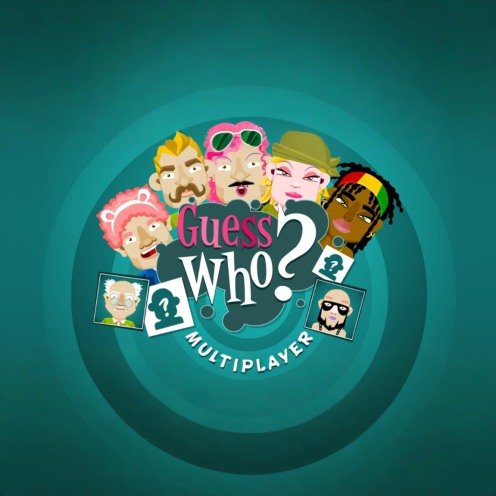


Guess Who
Guess Who is a two-player deduction game where you ask yes-or-no questions about a hidden character. Compare visible features, remove impossible faces, choose questions that divide the board efficiently, and make your final guess before the computer or online opponent identifies your character.
Guess Who
Guess Who is a two-player deduction game where you identify a hidden character by asking questions about visible features. Each answer helps you remove faces that no longer fit, leaving a smaller group of possible characters. The rules are simple, but strong questions can shorten a match much faster than random guessing.
The browser version of Guess Who was developed by Code This Lab. It supports matches against the computer and online opponents through desktop and mobile web browsers.
What Is Guess Who?
Guess Who is a logic and elimination game inspired by the classic tabletop game. Both players receive a secret character, while a board displays a larger group of possible faces.
Players take turns asking questions that can be answered with yes or no. A question may focus on glasses, hair, hats, facial hair, clothing, or another visible feature.
After receiving an answer, you remove every character that cannot be correct. The first player to identify the opponent’s hidden character wins the match.
The browser edition was released in November 2018 and was made by Code This Lab, a developer of browser-based and multiplayer games.
Players who enjoy thoughtful two-player games may also like Elo Board Games for Two, which includes chess, checkers, and backgammon in one collection.
How Guess Who Gameplay Works
At the beginning of a match, each player is assigned or selects a mystery character. The opponent cannot see which character you have.
Your board contains a collection of character portraits. Each portrait has a different combination of visible details, such as:
- Hair colour
- Hair length
- Glasses
- Hats
- Facial hair
- Eye colour
- Clothing
- Face shape
On your turn, choose a question from the available options. Your opponent answers yes or no, and you use that answer to remove unsuitable characters.
Suppose you ask, “Does your character wear glasses?”
If the answer is yes, remove every character without glasses. If the answer is no, remove every character wearing glasses.
The official tabletop rules use the same basic process of asking yes-or-no questions, closing incorrect character doors, and narrowing the board until one likely answer remains.
Asking Useful Questions
A useful question removes a large number of possible characters regardless of the answer.
Imagine that twelve characters wear hats and twelve do not. Asking about hats could remove half of the board in one turn.
Now imagine that only one character has a particular accessory. Asking about that accessory is risky because a no answer removes only one face.
A strong early question normally divides the remaining characters into two reasonably balanced groups.
Useful early questions may include:
- Does the character wear glasses?
- Does the character have dark hair?
- Is the character wearing a hat?
- Does the character have facial hair?
- Does the character have long hair?
The exact questions depend on the portraits and options available in the current version.
Questions That Remove Half the Board
The best possible question is not always obvious. Count the relevant faces before selecting it.
If eight of twenty remaining characters wear glasses, asking about glasses creates two possible results:
- A yes answer leaves eight characters.
- A no answer leaves twelve characters.
That is still a useful division because either answer removes a meaningful part of the board.
A weaker question might separate two characters from eighteen. It can be valuable later, but it is usually inefficient during the opening turns.
Thinking in groups is more reliable than asking about whichever feature catches your eye first.
Players who enjoy this kind of careful decision-making can try Master Chess, where each move changes the choices available to both sides.
Eliminate Characters Carefully
Removing portraits is simple, but one incorrect elimination can damage the entire match.
After receiving an answer, pause before closing any faces. Check each character against the exact wording of the question.
For example, “Does the character have dark hair?” may be interpreted differently from “Does the character have black hair?” Follow the features and question labels used by the game rather than making personal assumptions.
Remove characters in a steady order. Moving row by row reduces the chance of leaving an impossible portrait open or closing a valid one.
Before asking the next question, quickly review the remaining faces and confirm that they all match every previous answer.
Keep Track of Previous Answers
Guess Who becomes easier when each new question connects with what you already know.
Suppose the opponent has confirmed that the character:
- Wears glasses
- Has light hair
- Does not wear a hat
Your next question should separate the characters that still match all three clues. Asking again about hats would provide no new information.
The closed portraits work as a visual record, but it is still helpful to remember the most important answers.
This becomes particularly important during online matches, where a rushed click may cause you to forget why a portrait was removed.
When to Guess the Character
Do not make a final guess simply because one character looks likely.
A safe guess should be supported by every answer received during the match. Check the remaining portrait against each clue before selecting it.
When two characters remain, another question is often safer than an immediate guess. Look for one feature that separates them.
For example:
- One wears glasses and the other does not.
- One has a hat and the other does not.
- One has facial hair and the other does not.
- Their hair colours are different.
When only one valid face remains, make the final guess.
The classic Hasbro rules state that an incorrect final guess loses the game, although digital versions may present the result through their own round interface.
Computer Opponent Mode
Guess Who Multiplayer allows players to compete against a computer-controlled opponent.
This mode is useful for learning the interface and understanding how different questions reduce the board. You can practise without waiting for another online player.
The computer also asks questions about your mystery character. Its progress may be represented through closed portraits or another visible indicator.
Computer matches can help beginners practise:
- Reading character features
- Comparing possible questions
- Removing portraits accurately
- Deciding when to make a final guess
- Understanding the turn structure
The computer’s decisions may feel more predictable than those of an experienced person, but the main deduction process remains useful practice.
Online Multiplayer
Online mode lets you compete with another player through the browser. Both players receive mystery characters and take turns narrowing their boards.
Human opponents can be less predictable than the computer. One player may use balanced questions, while another may ask about very specific features.
The current browser listing identifies online multiplayer and computer play as the two main options.
A stable internet connection is needed for online matches. Closing the page or losing the connection may interrupt the current round.
Players looking for another online strategy challenge can try World Chess Championship, which focuses on board position and longer tactical planning.
Guess Who Controls
The browser version uses simple pointer controls.
| Action | Typical Control |
|---|---|
| Select a mode | Click or tap the mode button |
| Choose a character | Click or tap the portrait |
| Select a question | Click or tap the question option |
| Close a character | Click or tap the portrait |
| Reopen a character | Select the portrait again when supported |
| Make a final guess | Use the guess option and select a face |
| Continue to another round | Select replay or continue |
| Adjust sound | Use the audio button |
CrazyGames lists the left mouse button as the main desktop control. Mobile browser players can use equivalent touchscreen selections on supported devices.
Reading Character Details
The portraits are the main source of information, so inspect them before selecting a question.
Look for features that appear across several characters. A detail shared by roughly half the board creates a stronger early question than a detail shown by only one or two faces.
Some portraits may have similar features. Two characters could both wear glasses but differ in hair colour, clothing, or facial hair.
Do not rely only on the character’s general appearance. Compare the specific details used by the game.
Players who enjoy visual comparison may also like Find Easy Hidden Differences, where progress depends on noticing small changes between two pictures.
Planning Two Questions Ahead
A good question should remove characters now and leave useful differences for the next turn.
Suppose the remaining board has eight characters. Four wear glasses, but all four have similar hair. Asking about glasses may divide the board well, though the next question could become less obvious.
Another feature might create groups of three and five while leaving clear differences within both groups.
You do not need to calculate every possible path. Simply check whether the characters left after either answer can still be separated by another visible feature.
This small habit prevents situations where several nearly identical portraits remain near the end.
Common Guess Who Mistakes
Asking About a Rare Detail Too Early
A feature shown by one character is useful only when very few possibilities remain. Early questions should remove larger groups.
Closing the Wrong Portrait
One accidental selection can lead to an incorrect final guess. Review each row carefully after every answer.
Repeating Information
Do not ask a question that has already been answered indirectly. Every turn should provide new information.
Guessing With Too Many Possibilities
A lucky guess can win, but it can also waste a strong position. Continue asking questions while several valid characters remain.
Ignoring the Question Wording
Similar questions may refer to slightly different features. Read the full text before selecting it.
Watching the Opponent Instead of Your Board
Online pressure can make players rush. Focus on your own remaining characters and confirmed clues.
Asking Without Counting
A question may sound useful but remove only one face. Count how many characters belong to each answer group first.
Practical Guess Who Strategies
Begin With Broad Features
Start with glasses, hats, hair groups, or another feature that appears across many portraits.
Aim for Balanced Groups
Choose questions that leave similar numbers after yes and no answers.
Review Every Remaining Character
After removing faces, confirm that every open portrait matches all previous clues.
Save Specific Features for Later
Small details become valuable when only a few characters remain.
Compare the Final Two
When two faces remain, find one clear feature that separates them.
Do Not Rush the Final Guess
Use all available information before choosing the mystery character.
Learn the Character Board
Repeated matches make it easier to remember which features are common and which questions divide the board well.
Adjust to the Current Layout
Different editions may use different portraits. A strong question on one board may be weak on another.
Use the Opponent’s Progress as a Warning
When the opponent appears close to identifying your character, you may need to accept more risk. Do not guess randomly, but avoid wasting a turn on a question that removes almost nothing.
Graphics and Sound
Guess Who uses a clean two-dimensional board filled with colourful character portraits. Faces remain standing while they are possible and are closed or marked after being eliminated.
The layout keeps the remaining characters visible so players can compare features without opening another menu.
Question options and turn information appear around the character board. This makes the game easier to follow than a version requiring players to type every question manually.
Short sound effects may confirm selections, eliminated characters, turn changes, and match results. Audio is not necessary for understanding the game.
Difficulty and Learning Curve
The basic rules can be understood during the first match.
New players normally learn how to:
- Select a mystery character
- Ask a question
- Remove unsuitable portraits
- Continue narrowing the board
- Make a final guess
The deeper skill comes from choosing efficient questions.
A beginner may ask about a feature because it looks noticeable. A more experienced player counts how many faces each answer would remove.
The game does not require quick movement, complicated controls, or a long tutorial. Most of the challenge comes from observation and logical elimination.
Who Should Play Guess Who?
Guess Who suits players who enjoy deduction, visual comparison, short two-player games, and simple logic challenges.
It may appeal to players who like:
- Asking yes-or-no questions
- Removing impossible answers
- Comparing character details
- Competing against friends
- Playing short browser matches
- Learning through repeated rounds
The game may feel too simple for players looking for detailed stories, open environments, action combat, or complex character progression.
Players who prefer clues and connected environmental puzzles can try Escape Game Basic, where each object and detail may help reveal the next step.
Honest Strengths and Limitations
| Strengths | Possible Limitations |
|---|---|
| Rules are easy to understand | Matches use the same central question format |
| Computer and online modes are available | Online play requires a reliable connection |
| Questions encourage logical elimination | Available questions may feel limited |
| Short rounds suit quick sessions | Experienced players may learn strong opening patterns |
| Character portraits are easy to compare | Similar features can cause mistakes |
| Browser play requires no large installation | Performance depends on the browser and device |
| Suitable for younger and older players | The game has little story or progression |
| Human opponents create unpredictable matches | Matchmaking availability may vary |
| Mouse controls are straightforward | No verified local shared-screen mode |
Guess Who Game Information
| Detail | Information |
|---|---|
| Game title | Guess Who |
| Browser edition | Guess Who Multiplayer |
| Developer | Code This Lab |
| Release date | November 2018 |
| Genre | Deduction, board game, puzzle |
| Main objective | Identify the opponent’s mystery character |
| Game modes | Computer opponent and online multiplayer |
| Platform | Desktop and mobile web browsers |
| Main control | Mouse or touchscreen |
| Technology | Browser-based game |
| Number of players | One against computer or two online |
| Original tabletop publisher | Hasbro |
| Recommended tabletop age | Ages 6 and older |
The current Hasbro edition is presented as a two-player game for ages six and older, while the browser adaptation is listed as a November 2018 release by Code This Lab.
Players interested in the tabletop structure can read the official Guess Who rules from Hasbro.
Frequently Asked Questions
What type of game is Guess Who?
Guess Who is a deduction game where players ask yes-or-no questions to identify an opponent’s hidden character.
Who developed the browser version?
Guess Who Multiplayer was developed by Code This Lab.
When was Guess Who Multiplayer released?
The browser version was released in November 2018.
Can I play Guess Who alone?
Yes. The browser version includes a mode against a computer-controlled opponent.
Does Guess Who have online multiplayer?
Yes. Guess Who Multiplayer supports online matches against another player.
How do I eliminate characters?
Ask a question, read the answer, and close every portrait that does not match the information received.
What is the best first question?
Choose a feature that divides the board into two similar groups. Glasses, hats, hair categories, or facial hair may work well depending on the portraits.
Should I guess when two characters remain?
Another question is normally safer when one visible feature separates the final two characters.
What happens after an incorrect guess?
The classic tabletop rules make an incorrect final guess a loss. The browser version may show the result through its own match interface.
Can Guess Who be played on mobile?
The browser listing supports desktop and mobile web browsers. Touch controls replace mouse clicks on compatible devices.
Does Guess Who require a download?
The web version runs in a supported browser without a traditional game installation.
Is Guess Who based only on luck?
No. The secret character is unknown, but question selection, observation, elimination, and final-guess timing strongly affect the result.
Is Guess Who suitable for beginners?
Yes. The controls and turn structure are simple, while efficient question selection provides room for improvement.



Reviews
There are no reviews yet.