
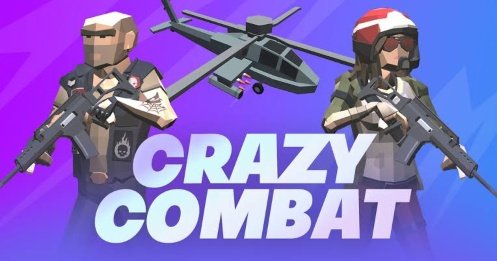


Combat Online
Combat Online is a 3D browser multiplayer game with Free For All, Team Battle, Capture the Flag, regional servers, character customization, rankings, and community-created arenas. Join as a guest, play with friends, or use the built-in map editor to create original levels.
Combat Online Browser Multiplayer FPS Game
Combat Online is a fast 3D multiplayer action game where players enter first-person arena matches through a desktop browser. You can join public rooms, play across several community-created maps, work with a team, or compete independently depending on the selected mode.
The game is also known as Combat 5 and was created by NadGames. It follows the earlier Combat Reloaded games while adding more maps, character customization, multiplayer options, and a built-in level editor. (Poki)
What Is Combat Online?
Combat Online is a free browser-based multiplayer game built around short real-time matches.
Players move through 3D arenas, complete the objective connected to the active mode, and earn points for their performance. Some modes divide everyone into teams, while others allow each player to compete independently.
The game can be entered as a guest, making it possible to begin without completing a lengthy registration process. Creating an account provides access to additional progress tracking, customization options, rankings, and other saved features. (PacoGames)
Combat Online is designed for desktop browsers and uses a keyboard and mouse. Poki lists NadGames as the developer, an August 2019 release date, and January 2024 as its latest listed update. (Poki)
Players looking for a mobile battle royale experience can also visit Call of Duty Warzone Mobile. Combat Online is different because it uses smaller browser arenas, shorter rounds, and a community map system.
How Combat Online Gameplay Works
A session begins by entering the multiplayer menu and choosing an available room.
Every room can use a different map, mode, player count, time limit, or score objective. After joining, you enter the arena and begin working toward the displayed match goal.
A normal session follows this structure:
- Enter Combat Online through a supported desktop browser.
- Choose a player name or sign in to an existing account.
- Select a regional server or available room.
- Check the current map and game mode.
- Join a team when the selected mode requires one.
- Move through the arena and complete the match objective.
- Follow the score through the on-screen display.
- Remain until the timer ends or the winning score is reached.
- Join another room or open the map editor.
The exact experience depends heavily on the selected room. A standard arena may focus on a team score, while a community map may contain unusual platforms, narrow passages, vertical climbing sections, or experimental objectives.
What Makes Combat Online Different?
Combat Online provides features that are not always found in free browser action games.
Its most distinctive tool is the map editor. Players can create their own arenas, place walls and platforms, test the layout, and make the finished map available to other players.
The editor allows the community to produce more than ordinary competitive arenas. Poki notes that users can even build vertical “Only Up” style levels where reaching a higher point becomes part of the challenge. (Poki)
The game also offers:
- Real-time browser multiplayer
- Public and community-created maps
- Free For All and team-based modes
- Capture the Flag objectives
- Guest access
- Account-based progress
- Cosmetic customization
- Regional servers
- Ranking features
- Adjustable graphics settings
- In-game chat
- A community map editor
This combination gives Combat Online more variety than a browser game built around only one fixed arena.
Combat Online Controls
Combat Online uses standard desktop action-game controls.
| Action | Default Control |
|---|---|
| Move forward | W |
| Move backward | S |
| Move left | A |
| Move right | D |
| Look around | Move the mouse |
| Primary action | Left mouse button |
| Jump | Spacebar |
| Sprint | Shift |
| Change equipment slot | Number keys |
| Reload current equipment | R |
| Crouch | C |
| View score table | Tab |
| Open chat | Enter |
| Open shop | B |
| Full-screen option | P |
Poki lists WASD for movement, the mouse for aiming and the main action, Spacebar for jumping, number keys for changing equipment, and Shift for sprinting. PacoGames additionally documents R, Tab, C, B, P, and Enter. (Poki)
Control availability can vary slightly between hosted versions. Follow the instructions displayed inside the Gam-core edition when a key behaves differently.
Learning First-Person Movement
Combat Online uses a first-person camera, meaning the game world is seen from the character’s viewpoint.
Mouse movement changes where the character looks. The keyboard controls movement independently, allowing you to look in one direction while travelling in another.
New players may initially move the mouse too sharply. Smaller movements make narrow passages, stairs, doors, and platforms easier to follow.
Spend the opening part of a match learning the map rather than immediately running into the busiest area. Understanding the routes makes later movement feel much more controlled.
Sprinting
Holding Shift makes the character move faster.
Sprinting is useful when crossing open parts of a map, returning to an objective, or keeping up with teammates.
Faster movement also makes precise turning more difficult. Release the sprint key when entering a narrow room, approaching a platform edge, or moving through an unfamiliar section.
A controlled route is usually more reliable than continuously travelling at full speed.
Jumping
Spacebar makes the character jump.
Jumping helps with steps, small obstacles, raised platforms, and custom map sections. Some community arenas use jumping as an important part of their design.
Avoid pressing jump repeatedly without checking the route. Community maps may include gaps, narrow ledges, or objects that affect the landing.
The map editor also allows creators to build platform-focused stages, so jumping may be more important in one room than another.
Crouching
The C key lowers the character in versions using the documented PacoGames control layout. (PacoGames)
Crouching may help the character fit through lower openings or remain behind short environmental objects.
Not every map depends on this action. Its usefulness changes according to the design created by the developer or community map maker.
Main Combat Online Modes
Combat Online includes several match structures. Poki specifically lists Free For All, Capture the Flag, and Team Battle. (Poki)
Free For All
Free For All places each participant in independent competition.
There are no permanent teammates. Every player works toward their own score while moving through the same arena.
This mode is easy to understand because there is no separate team objective. However, activity may come from every direction, especially on small maps.
The score table helps you follow your current position and see how much time remains.
Team Battle
Team Battle divides participants into opposing groups.
The objective is to help your side earn a stronger combined result before the match ends.
Team colors and on-screen indicators help identify which players are working toward the same goal.
This mode can feel less confusing for beginners because friendly players often move toward the same areas. Following the general direction of the group can also help you understand the map more quickly.
Capture the Flag
Capture the Flag gives each team a base and an objective item.
Players work together to protect their own side while trying to complete the opposing objective. The match therefore depends on more than individual points.
A team that ignores its base may struggle even when several members are performing well individually.
The mode encourages players to pay attention to the full map, the current flag status, and the position of teammates.
Community Modes
Custom arenas may change the normal style of play.
A creator can use platforms, walls, unusual routes, vertical sections, and creative environmental layouts. Some rooms may feel like traditional arenas, while others focus more strongly on movement or platforming.
Read the room name and available description before joining. This can help you understand whether the map follows standard rules or uses a creative format.
Public Rooms
Public rooms allow you to join matches containing players from different locations.
The room browser generally shows useful details such as the map, mode, player count, and available space.
A nearly full room creates immediate activity but may feel crowded. A quieter room provides more space to understand the controls and environment.
Public rooms can also contain user-generated chat and names. Use the available mute, report, or leave options when another participant behaves inappropriately.
Do not share personal details through public game chat.
Playing as a Guest
Combat Online allows guest play.
This is useful when you want to test the game without creating an account. Enter a suitable name, select a room, and begin playing.
Guest access may not save the same progress, settings, ranks, or cosmetic options as a registered account.
PacoGames confirms that registration is optional for basic play, while an account supports additional progress and leaderboard features. (PacoGames)
Creating an Account
A registered account can provide a more persistent experience.
Depending on the current version, account features may include:
- Saved player information
- Progress tracking
- Ranking participation
- Cosmetic items
- Shop access
- Community features
- Saved maps
- Easier recognition by friends
Use a unique password and avoid placing private information inside your public player name.
Account systems can change through updates, so check the current registration screen for the exact features being offered.
The Map Editor
The map editor is one of Combat Online’s most important features.
It allows players to create original arenas rather than using only the developer-made collection. Community creators can arrange environmental pieces, walls, floors, obstacles, and routes.
A basic creation process may involve:
- Open the map editor from the available menu.
- Begin with an empty area or template.
- Place floors and walls.
- Add routes between important sections.
- Include raised areas, ramps, or platforms.
- Test whether every area can be reached.
- Check that players cannot become permanently trapped.
- Save the map.
- Share or publish it through the available community system.
The editor is intended for fictional level design. Keep maps fair, readable, and suitable for the game’s community.
Poki and PacoGames both identify the custom map creator as a central Combat Online feature. (Poki)
Building a Clear Map Layout
A good map should be understandable even to someone entering it for the first time.
Use clear routes between important areas. If every corridor looks identical, new players may spend most of the match feeling lost.
Landmarks can help. A raised center, differently shaped room, bridge, tower, or open courtyard makes locations easier to remember.
Avoid filling every section with objects. Open space helps players move smoothly and reduces browser performance problems.
Testing a Custom Map
A map that looks complete may still contain problems.
Walk through every route before sharing it. Check stairs, jumps, doorways, corners, and raised platforms.
Important testing questions include:
- Can every main section be reached?
- Are there places where a character becomes stuck?
- Are platform gaps reasonable?
- Can players identify important routes?
- Does the map work with its intended mode?
- Does the environment run smoothly?
- Are team starting areas properly separated?
- Is the objective area accessible from more than one route?
Testing with another player can reveal issues that are easy to miss alone.
Community-Created Maps
Community maps provide much of Combat Online’s replay value.
Players can move from traditional arenas into experimental stages without leaving the main game. A new room may use a different visual theme, structure, scale, or movement challenge.
Quality naturally varies. Some maps are carefully tested, while others may contain confusing routes or performance problems.
Leave a room when its layout does not work correctly and choose another creation from the browser.
Maps and Environments
Combat Online includes several types of 3D environments.
Maps may contain:
- Open courtyards
- Indoor rooms
- Corridors
- Stairways
- Rooftops
- Raised platforms
- Bridges
- Tunnels
- Multi-level structures
- Vertical climbing areas
- Community-created obstacle sections
Each structure changes how players move and understand the match.
Large maps provide more routes but can make other participants harder to find. Small maps create quicker interactions but leave less room to understand what is happening.
Using the Score Table
The Tab key opens the score table in supported versions. (PacoGames)
The table can show player names, team information, individual results, and the current match situation.
Check it during a quiet moment rather than while moving through a difficult area. The table may cover part of the screen and make the environment harder to see.
It can also help confirm whether a player successfully joined the intended team or room.
In-Game Chat
Pressing Enter opens the chat in versions using the documented control layout. (PacoGames)
Chat can be used for simple match communication or speaking with friends in the same room.
Keep messages respectful and avoid arguments. Do not post your full name, address, school, phone number, password, or account details.
Because public rooms contain unfamiliar people, use a nickname that does not reveal private information.
Character and Cosmetic Customization
Combat Online includes cosmetic customization through its account and shop systems.
Available items may change character clothing, equipment appearance, or other visual details. These features allow registered players to create a more recognizable look.
Cosmetic changes should not be confused with basic match ability. Understanding movement, maps, modes, and objectives remains more important.
PacoGames lists cosmetic skins, clothing, and special visual items among the account-based shop features. (PacoGames)
Ranking and Progress
Registered players can participate in ranking and progress systems.
These features provide a longer-term goal beyond one individual match. Results may contribute toward a visible profile or leaderboard position.
Ranking systems can change after updates, resets, or server changes. Treat the in-game information as the current source for your account.
A high rank does not guarantee success in every room because custom maps and modes may require different movement skills.
Regional Servers
Combat Online supports regional multiplayer servers.
Choosing a region closer to your physical location can reduce delay between an input and the on-screen response. PacoGames recommends selecting the nearest region for lower latency. (PacoGames)
Server population also matters.
A nearby server with very few players may provide limited room choices, while a more active region may contain fuller matches but slightly higher delay.
Try the automatic or closest option first.
Connection and Lag
Combat Online sends player movement and match information across the internet in real time.
A slow or unstable connection may cause delayed movement, sudden position changes, or temporary disconnection.
When the game feels delayed:
- Pause large downloads
- Close unnecessary streaming tabs
- Select a nearby server
- Reduce graphics quality
- Close unused browser windows
- Restart the browser
- Check whether another room performs better
The issue may come from one overloaded room rather than the entire game.
Graphics Settings
Combat Online includes performance options that can help it run on different desktop computers. (PacoGames)
Higher visual settings may improve shadows, textures, effects, and environmental detail. Lower settings can provide smoother movement on older hardware.
Stable performance is usually more useful than maximum visual detail in an online match.
Reduce the quality gradually rather than changing every option at once. This makes it easier to identify which setting improves performance.
Browser Requirements
Combat Online is designed for desktop web browsers and uses 3D browser technology.
Poki currently identifies desktop as the supported device type. (Poki)
A modern version of Chrome, Edge, Firefox, or another compatible browser is generally the best choice.
The game may fail to load when:
- Browser graphics acceleration is disabled
- The browser is outdated
- Web content is blocked
- Available memory is low
- The connection is unstable
- The host server is temporarily unavailable
Refresh the page after closing unnecessary tabs. A browser restart may also clear temporary loading problems.
Is Combat Online Available on Mobile?
The main browser edition is designed for desktop computers.
Poki lists desktop as the supported platform, while PacoGames states that its current hosted version does not support mobile play. (Poki)
A phone or tablet may open the page, but the game depends on a keyboard, mouse, and desktop-style browser controls.
Players wanting an action game built for phones can visit FRAG Pro Shooter or Call of Duty Warzone Mobile.
Is Combat Online Single Player?
Combat Online is designed mainly for multiplayer matches.
Its central features involve public rooms, teams, global participants, scores, rankings, and community maps. It is not structured as a traditional offline story campaign.
Some empty rooms or testing tools may let you inspect a map without a full group, but this is not the same as a complete single-player campaign.
Players seeking a more independent survival experience can try TEGRA Zombie Survival Island.
Can You Play Combat Online With Friends?
Friends can enter the same available room.
Agree on a server region, find the room name, and join before it becomes full. A custom map or privately organized room can make meeting easier when the current version supports those options.
Account names also help friends recognize one another.
Combat Online does not require every player to install the same large desktop application because the game runs through a compatible browser.
Graphics and Presentation
Combat Online uses colorful 3D environments viewed from a first-person perspective.
Maps are designed with readable floors, walls, platforms, buildings, and team indicators. The visual style is game-like rather than realistic.
Community maps may use simpler or more experimental designs than official arenas.
The interface shows important information such as the match score, time, team status, available actions, and room details.
Sound and Audio
Sound effects communicate activity happening around the map.
Music and environmental audio support the pace of the match, while interface sounds confirm menu selections and round events.
Headphones can make directional game audio easier to hear, but keep the volume at a safe level and remain aware of your surroundings.
The game can still be understood through its visual interface when sound is reduced.
Appropriate Play and Online Safety
Combat Online contains fictional competitive action presented through 3D game characters.
Public multiplayer also includes names, chat, and maps created by other users. This means the social environment can be less predictable than the developer-made gameplay.
Use the following basic online-safety habits:
- Choose a nickname that does not reveal private information.
- Keep account passwords private.
- Do not open suspicious links shared through chat.
- Mute or leave rooms containing harassment.
- Report content through the available game tools.
- Avoid arguing with disruptive players.
- Take breaks during long sessions.
- Use private or known-player rooms when available.
The fictional actions in the game should remain separate from real-world behavior.
Who Should Play Combat Online?
Combat Online suits players who enjoy browser multiplayer, first-person movement, team objectives, community maps, level creation, and short online matches.
It offers more control and faster movement than a turn-based game while avoiding a large installation.
The map editor is particularly useful for players who enjoy building spaces and testing original layouts.
The game may not suit players looking for:
- An offline story campaign
- Mobile touch controls
- Local split-screen multiplayer
- A slow single-player adventure
- Completely predictable maps
- Public rooms without user-generated chat
Players who prefer an open-world multiplayer setting can check Mad Town Online. More action, strategy, racing, and casual options are available in the Gam-core games collection.
Honest Strengths and Limitations
| Strengths | Possible Limitations |
|---|---|
| Runs in a supported desktop browser | Not designed for mobile controls |
| Supports live multiplayer rooms | Requires a stable internet connection |
| Includes Free For All and team modes | Public matches can feel crowded |
| Capture the Flag adds an objective mode | New players may need time to learn the maps |
| Map editor supports custom creations | Community map quality varies |
| Guest play allows a quick start | Guest progress may not be saved |
| Accounts support rankings and customization | Registration is needed for some features |
| Graphics settings help different computers | Higher settings may reduce performance |
| Regional servers may improve responsiveness | Some regions may have fewer active rooms |
| Short rounds are easy to join | There is no traditional offline campaign |
Tips for New Combat Online Players
Learn the Controls in a Quiet Area
Take a moment to test movement, jumping, sprinting, crouching, and the score menu.
Check the Game Mode
Free For All, Team Battle, and Capture the Flag use different objectives.
Follow the Main Team Direction
In team modes, moving with the group can help you understand important parts of the map.
Learn One Map at a Time
Remember major rooms, stairs, bridges, and objective locations before joining another arena.
Use Sprint Carefully
Fast movement helps across open sections, but normal speed provides better control in tight spaces.
Check the Score Table
Use Tab to understand the current teams, score, and match progress.
Choose a Nearby Server
A closer region may provide smoother movement and quicker responses.
Lower Graphics When Needed
Stable performance makes the game easier to follow than maximum visual quality.
Test Custom Maps Before Publishing
Check every platform, doorway, route, and starting area.
Protect Personal Information
Use a safe nickname and keep private details out of public chat.
Combat Online Game Information
| Detail | Information |
|---|---|
| Game title | Combat Online |
| Alternative title | Combat 5 |
| Developer | NadGames |
| Developer location listed by Poki | Mexico |
| Genre | Multiplayer first-person action |
| Main platform | Desktop web browser |
| Main modes | Free For All, Team Battle, and Capture the Flag |
| Multiplayer type | Online |
| Guest access | Supported |
| Account features | Saved progress, customization, and ranking features |
| Community maps | Supported |
| Map editor | Included |
| Main movement | WASD |
| Camera control | Mouse |
| Jump | Spacebar |
| Sprint | Shift |
| Score table | Tab |
| Chat | Enter |
| Latest update listed by Poki | January 2024 |
| Mobile support | Not listed for the main browser edition |
The developer, alternative title, controls, game modes, release information, latest listed update, platform support, and map editor are documented by Poki and PacoGames. (Poki)
Frequently Asked Questions
What Type of Game Is Combat Online?
Combat Online is a 3D browser-based multiplayer action game played from a first-person perspective.
Is Combat Online the Same as Combat 5?
Yes. Combat Online is also known as Combat 5. (Poki)
Who Created Combat Online?
Combat Online was created by NadGames, a game developer listed by Poki as being based in Mexico. (Poki)
Is Combat Online Free?
Yes. Combat Online can be played through supported browser platforms without an upfront purchase. (PacoGames)
Do I Need an Account?
No. Guest play is supported. Registering may save progress and provide access to customization, ranking, and shop features. (PacoGames)
What Are the Main Controls?
Use WASD to move, the mouse to look around and perform the primary action, Spacebar to jump, Shift to sprint, and Tab to view the score table.
What Modes Are Available?
The main documented modes are Free For All, Team Battle, and Capture the Flag. (Poki)
Does Combat Online Have a Map Editor?
Yes. Players can build and share community arenas through the map editor. (Poki)
Can I Play Community Maps?
Yes. Community-created maps are one of Combat Online’s main features.
Can I Play Combat Online With Friends?
Friends can join the same compatible server and room. Room availability depends on player capacity and the current version.
Is Combat Online Single Player?
Combat Online is designed primarily for online multiplayer. It does not have a standard offline story campaign.
Can I Play Combat Online on a Phone?
The main browser edition is listed for desktop. PacoGames states that its current version does not support mobile devices. (Poki)
Why Is Combat Online Lagging?
Possible causes include a distant server, unstable internet, high graphics settings, too many browser tabs, or an overloaded room.
Can I Change the Graphics Quality?
Yes. Supported versions provide performance settings that can help the game run more smoothly. (PacoGames)
What Should I Do About Inappropriate Chat?
Do not respond with personal information. Mute, report, leave the room, or use other moderation tools provided by the current version.






Reviews
There are no reviews yet.