
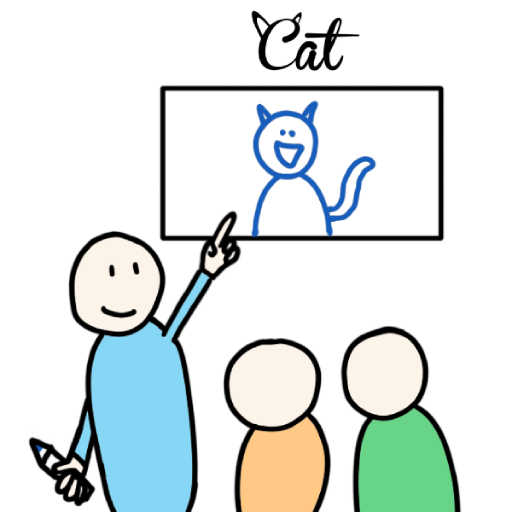


Skribbl
Skribbl is a free online drawing and guessing game where players take turns sketching words while others type answers. Join a public match or create a private room, add custom words, adjust hints and timers, and compete for the highest score.
Skribbl Online Drawing and Guessing Game
Skribbl, officially known as skribbl.io, is a free online multiplayer game where players take turns drawing words while everyone else tries to guess them. You do not need advanced art skills. A quick shape, a clear color, or one recognizable detail may be enough to help the room find the answer.
Each match contains several rounds. Players earn points by guessing correctly and helping others recognize their own drawings. The person with the highest score at the end becomes the winner. (Skribbl)
What Is Skribbl?
Skribbl is a browser-based drawing and word-guessing game created by ticedev. It was released in 2017 and is designed for real-time online multiplayer play. Players can join a public room or create a private room for friends. (CrazyGames)
During each turn, one player chooses a word and draws it on a digital canvas. Everyone else types guesses into the chat box before the timer expires.
The game does not judge artistic quality. A rough sketch can score well when it communicates the answer quickly.
Skribbl works especially well as a casual party game because the rules are understandable after one round. The strange interpretations, rushed drawings, and unexpected guesses often become more entertaining than the final score.
Players who enjoy looking closely at visual clues can also try Find Easy Hidden Differences, where success depends on noticing small changes between pictures.
How Skribbl Gameplay Works
A normal match is divided into rounds. Every participant receives at least one opportunity to draw, depending on the selected settings and number of rounds.
When your drawing turn begins, the game presents a selection of words. Choose one before the selection timer ends.
The chosen word remains hidden from the guessing players. They usually see blank spaces showing the number of letters, along with hints that may appear as the timer runs down.
Use the drawing tools to communicate the word without typing it directly on the canvas. Other players enter guesses into the chat box.
Correct guesses earn points. Earlier correct answers normally provide more points than answers entered near the end of the timer.
When time expires or everyone has guessed, the game reveals the word and moves to the next player. After all scheduled rounds are complete, the participant with the most points wins. (Skribbl)
The Main Skribbl Game Loop
A typical match follows this pattern:
- Join a public room or open a private lobby.
- Wait for the match to begin.
- Choose a word when it becomes your drawing turn.
- Draw recognizable clues on the canvas.
- Guess words during other players’ turns.
- Earn points for correct and timely answers.
- Continue until all rounds are complete.
- Compare scores on the final leaderboard.
The structure repeats, but every turn feels different because the word, drawing style, and player reactions change.
Skribbl Controls
Skribbl uses the mouse and keyboard on desktop computers.
| Action | Desktop Control |
|---|---|
| Move the drawing pointer | Move the mouse |
| Draw | Hold the left mouse button |
| Select a tool | Left-click the tool |
| Choose colors | Left-click or right-click a color |
| Enter a guess | Type with the keyboard |
| Submit a guess | Press Enter |
| Undo a drawing action | Select the undo button |
| Change brush size | Select a size option |
| Clear the canvas | Select the clear tool |
| Use configured hotkeys | Follow the selected hotkey settings |
The current official interface supports additional colors, an undo button, left-click and right-click color selection, configurable hotkeys, and experimental pressure-sensitive touch input. (Skribbl)
Mobile players draw with a finger or compatible stylus and type guesses using the device keyboard. The official website added mobile support as part of its redesigned interface. (Skribbl)
Joining a Public Skribbl Room
The fastest way to begin is through a public room.
Enter a name, customize the small avatar, select a language, and press the play button. The game attempts to place you in an available room with other players.
Public rooms are useful when friends are unavailable. They also expose you to different drawing styles and word interpretations.
The main limitation is that you cannot control who joins. Names, chat messages, or drawings may sometimes be inappropriate because they are created by other players.
Skribbl includes mute, report, and votekick tools for handling disruptive behavior. (Skribbl)
Creating a Private Room
A private room gives the host much more control over the match.
Select Create Private Room, adjust the settings, and copy the generated invitation link. Friends can open that link in a browser to enter the same lobby.
The current official room system supports as many as 20 players. Hosts can also change drawing time, rounds, language, word choices, hints, game mode, and custom vocabulary. (Skribbl)
Private rooms are often more enjoyable for groups because everyone knows who is participating. Friends can also create word lists connected to a shared hobby, school subject, game, film, or inside joke.
No account is required to create a private room and send an invitation link. (PC Gamer)
Private Room Settings
Skribbl provides several options for shaping a private game.
| Setting | What It Changes |
|---|---|
| Players | Sets the room capacity |
| Language | Changes the main word collection |
| Draw time | Controls how long each drawing turn lasts |
| Rounds | Sets how many drawing cycles are played |
| Game mode | Changes how words or clues are presented |
| Word count | Sets how many word choices the drawer receives |
| Hints | Controls whether letter hints appear |
| Custom words | Adds vocabulary supplied by the host |
| Custom words only | Removes standard words from the selection |
The official interface allows the host to offer between one and five word choices and to change or completely disable hints. (Skribbl)
Choosing the Number of Rounds
More rounds give every player additional drawing opportunities, but they also make the match longer.
A short game is useful for a large group or quick break. A longer game gives players more time to recover after one poor drawing or missed answer.
Consider the room size before choosing the round count. Ten rounds with twenty players may take much longer than expected.
For a first match, a moderate round count provides enough variety without making the session feel slow.
Setting the Drawing Time
A short timer creates rushed, funny sketches.
A longer timer gives the artist more time to add details, correct mistakes, and respond when players appear confused.
Too much time can reduce the pace, especially when the word is easy. Too little time may make complicated words nearly impossible to communicate.
Groups with younger players, mobile users, or people using trackpads may benefit from a slightly longer drawing period.
Using Custom Words
Private-room hosts can paste their own words into the custom word box.
Custom words can turn Skribbl into a themed activity. A room might use animals, countries, football players, gaming terms, school vocabulary, food, films, or objects found around the home.
The host can mix custom words with the normal collection or enable the option that uses custom words exclusively. (Skribbl)
Choose words that every participant has a reasonable chance of knowing. Extremely private references may confuse most of the room.
Check spelling before starting. A misspelled custom word can make a correct guess difficult to enter.
Skribbl Word Modes
The official room settings include three word modes.
Normal Mode
Normal mode presents the usual letter pattern and gradually provides hints according to the room settings.
This is the easiest option for new players because the word length and revealed letters support the drawing.
Hidden Mode
Hidden mode conceals more information about the selected word.
Players must depend more heavily on the drawing instead of using the visible letter pattern.
This mode suits experienced groups looking for a harder guessing challenge.
Combination Mode
Combination mode changes how word information is presented by combining different clue behavior.
The exact display can feel less predictable than Normal Mode, making it useful after players understand the standard rules.
Normal, Hidden, and Combination are listed as current private-room word modes on the official website. (Skribbl)
Drawing Tools
The drawing toolbar provides simple tools rather than a professional art program.
Players can choose colors, adjust line size, erase mistakes, fill larger areas, undo recent actions, and clear the canvas.
The limited toolkit is intentional. You are expected to communicate the idea quickly rather than create a polished illustration.
A clear black outline with one or two useful colors is often more effective than a detailed image containing many small parts.
How to Draw Better in Skribbl
Start With the Main Shape
Draw the largest and most recognizable part first.
For a bicycle, begin with two wheels. For a house, begin with the roof and walls. For a face, begin with the head shape.
Players can start forming guesses while you add smaller details.
Use Familiar Symbols
Simple symbols communicate ideas quickly.
Lines can show movement, arrows can point toward an important object, and basic facial expressions can show emotions.
Avoid using written letters or spelling the answer because the official rules ask players to draw rather than write the chosen word. (Skribbl)
Choose Helpful Colors
Color can separate similar ideas.
Blue may suggest water or sky, green may suggest grass or plants, and red may draw attention to an important object.
Do not spend most of the timer coloring every empty space. Add only the colors that support the answer.
Show Scale and Position
A small object beside a larger one can communicate size.
A person under an umbrella is easier to recognize than an umbrella drawn without context. A fish inside blue water is clearer than a fish floating in an empty white canvas.
Add Details Gradually
Start simple and watch the chat.
When guesses are close, add one detail that separates the correct answer from the alternatives.
Completely redrawing the picture may waste the remaining time.
Avoid Tiny Drawings
Use enough canvas space to make the subject visible.
Small details are difficult to interpret on phones and lower-resolution screens.
How to Guess Words Faster
Watch the First Few Lines
The opening marks often reveal the main category.
A circle might become a face, ball, fruit, clock, or planet. The next line usually narrows the possibilities.
Check the Letter Pattern
Count the blank spaces and watch for revealed letters.
A good visual idea may still be wrong when it does not match the word length.
Type Likely Answers Early
There is little benefit in waiting for a perfect answer.
Enter reasonable guesses while continuing to watch the picture. A wrong guess does not normally remove points.
Read Other Wrong Guesses Carefully
Another player’s incorrect answer may still be close to the correct word.
When several people type “boat” and “ship,” the answer may relate to sailing, an anchor, a captain, or the ocean.
Do not copy guesses without thinking. Use them as additional clues.
Think About Categories
Ask whether the picture appears to show:
- An animal
- A person
- A place
- An action
- Food
- Clothing
- Transport
- An object
- A job
- An emotion
Choosing a category reduces the number of possible answers.
Notice What the Artist Emphasizes
A repeated or unusually large feature is probably important.
If the drawer keeps making the ears larger, the answer may depend on the animal’s ears. If an arrow points toward one corner, focus on that part.
Scoring in Skribbl
Points reward both correct guessing and understandable drawing.
Guessers generally receive more points when they find the word quickly. Late correct guesses still help, but usually provide a smaller reward.
The drawer benefits when other players understand the picture. A drawing that nobody recognizes will not produce a strong turn.
This creates an important balance. Complicated artwork is not always useful. A simple picture that communicates the answer quickly can be worth more.
The final leaderboard ranks players by their total points after all rounds are complete. (Skribbl)
Hints and Revealed Letters
Hints appear as the drawing timer continues, unless the host disables them.
A hint usually reveals one or more letters from the hidden word. It can confirm that a close guess is correct or show that players are thinking about the wrong subject.
Do not depend entirely on hints. Players who identify the image earlier normally have a better scoring opportunity.
Private-room hosts can change the amount of hints or remove them completely. (Skribbl)
Avatar Customization
Before joining a game, players can change the appearance of their small avatar.
The available options include different faces, colors, clothing details, and accessories. The official redesign added additional avatar choices. (Skribbl)
Avatars do not change drawing tools, scoring, or word difficulty. They simply help players identify one another in the room and leaderboard.
Playing Skribbl on Mobile
The official website supports mobile devices.
Touchscreen drawing feels different from using a mouse. A finger may cover part of the canvas, and typing guesses can temporarily hide some of the drawing when the mobile keyboard opens.
Use larger lines and simpler shapes when drawing on a phone. A tablet or stylus can provide more room and precision.
The official settings also include an experimental mobile keyboard option and language-layout choices. (Skribbl)
Public Rooms Versus Private Rooms
| Public Rooms | Private Rooms |
|---|---|
| Quick to join | Require an invitation link |
| Include unfamiliar players | Usually contain friends or invited guests |
| Use standard room settings | Host can customize major settings |
| Can expose players to unpredictable chat | Host can kick or ban participants |
| Useful when playing alone | Better for planned group sessions |
| Less control over vocabulary | Supports custom word lists |
Public rooms suit players who want to start immediately. Private rooms are better when the group wants specific rules, known participants, or themed words.
Moderation and Player Safety
Skribbl contains user-generated drawings, names, and chat messages. The official website warns that it does not control everything users create. (Skribbl)
Public rooms can therefore contain inappropriate behavior.
The current interface provides several moderation tools:
- Mute a disruptive player
- Start a votekick
- Report inappropriate drawings or messages
- Report spam
- Report botting or cheating
- Kick or ban players as the private-room owner
These options are listed directly in the official game interface. (Skribbl)
Do not share personal information in public chat. Leave the room when another player continues behaving badly after being muted or reported.
Private rooms with known friends provide more control, especially for younger players.
Common Skribbl Mistakes
Adding Too Much Detail
A detailed background may look good, but it can hide the main clue.
Draw the answer first. Add background details only when enough time remains.
Writing the Word
Spelling the answer removes the guessing challenge and goes against the normal drawing rules.
Use pictures, arrows, color, size, and context instead.
Drawing Too Slowly
Do not spend half the timer choosing the perfect brush color.
Begin with a basic outline and improve it after the main idea is visible.
Ignoring the Chat
The wrong guesses show how players are interpreting the picture.
When everyone guesses “cat” but the answer is “lion,” add a mane instead of starting again.
Using Unclear Custom Words
Words known by only one or two people create frustrating rounds.
Use a theme the whole group understands.
Setting Too Many Rounds
A large room with many rounds can become tiring.
Match the round count to the number of players and available time.
Guessing Only Once
Keep entering possible answers as the drawing changes.
The first idea may be close without being exactly correct.
Playing Skribbl With Friends
Private rooms are the easiest way to play with a specific group.
The host creates the room, copies the invitation, and sends it to everyone. Friends open the link, choose a name, and wait in the lobby.
The host can then start the match after the group has joined. No complicated account setup is needed. (PC Gamer)
Skribbl works well for remote game nights, family sessions, online classes, and informal group calls because only one person draws at a time.
Groups interested in other same-device and social activities can also check Elo Board Games for Two.
Using Skribbl for Learning
Custom words can turn Skribbl into a light educational activity.
A language class might use vocabulary words. A science group could use planets, animals, organs, weather, or laboratory equipment.
The drawing process encourages players to think about the most recognizable qualities of a word.
Keep the session playful. Extremely technical terms may be difficult to represent visually and can slow the match.
Graphics and Presentation
Skribbl uses a simple 2D interface with a large white drawing canvas, chat area, player list, timer, word display, and colorful avatars.
The uncluttered design keeps attention on the current drawing.
The drawings themselves provide most of the visual variety. Every player has a different style, even when the same word appears in another match.
The redesigned toolbar includes more colors, undo support, configurable hotkeys, and improved touch input. (Skribbl)
Does Skribbl Require a Download?
Skribbl runs through a web browser.
Players can open the official website, enter a name, and begin without installing a traditional desktop game. PC Gamer also notes that private rooms can be created without making an account. (PC Gamer)
An active internet connection is required because the canvas, guesses, scores, and player actions are shared in real time.
Is Skribbl Single Player?
Skribbl is designed as a multiplayer game.
Public rooms connect you with other online players, while private rooms allow invited friends to participate. There is no official offline drawing campaign or computer-controlled guessing mode listed on the current website. (Skribbl)
Players who prefer several short casual games can browse Fun Mini Online.
Who Should Play Skribbl?
Skribbl suits players who enjoy word games, drawing, quick thinking, social competition, and funny group moments.
Good artists may enjoy creating recognizable pictures, but drawing skill is not required. Players who communicate ideas clearly can perform well with simple shapes.
The game also suits groups with different gaming experience because the controls do not require fast movement or complicated combinations.
People looking for a single-player story, detailed art software, or offline progression may find it too limited.
More puzzle, multiplayer, casual, and strategy titles are available in the Gam-core games collection.
Honest Strengths and Limitations
| Strengths | Possible Limitations |
|---|---|
| Rules are easy to understand | Public rooms may contain inappropriate user content |
| No account is needed for basic play | An internet connection is required |
| Private rooms support extensive customization | Fun depends partly on the participating group |
| Custom word lists support themed games | Poor custom words can make rounds confusing |
| Mobile browsers are supported | Drawing on a small phone can feel difficult |
| Up to 20 players can join a custom room | Large rooms can make matches lengthy |
| Moderation tools help manage disruptive users | Hosts may need to remove problem players manually |
| Drawing and guessing create varied rounds | There is no official offline single-player mode |
| The interface works without complex controls | Players who dislike drawing may prefer another word game |
Tips for Better Skribbl Matches
Use a Reasonable Room Size
Four to eight players often provides a good balance between variety and waiting time.
Larger groups can still work, but use fewer rounds to keep the session moving.
Choose Words Everyone Understands
A themed list is most enjoyable when every participant recognizes the subject.
Draw the Most Important Detail First
Do not begin with a decorative background. Give guessers a useful clue immediately.
Watch the Timer
Leave enough time to add a second clue when the first one does not work.
Keep Guesses Short and Frequent
Enter likely words quickly rather than waiting for complete certainty.
Adjust Mobile Draw Time
Give mobile users extra time when they are drawing with a finger.
Use Moderation Tools Early
Mute, report, kick, or ban disruptive players before they spoil several rounds.
Avoid Sharing Personal Details
Use a nickname and keep private information out of public chat.
Test Custom Words
Check spelling and remove words that are impossible to draw.
Change the Settings Between Matches
Try fewer hints, a different language, or another word mode after the group learns the standard rules.
Skribbl Game Information
| Detail | Information |
|---|---|
| Official title | skribbl.io |
| Common title | Skribbl |
| Developer | ticedev |
| Release year | 2017 |
| Genre | Drawing, guessing, word, party |
| Game mode | Online multiplayer |
| Platform | Web browser |
| Public rooms | Yes |
| Private rooms | Yes |
| Maximum custom-room size | 20 players |
| Main desktop controls | Mouse and keyboard |
| Mobile support | Yes |
| Custom words | Supported |
| Current word modes | Normal, Hidden, and Combination |
| Moderation | Mute, report, votekick, kick, and ban |
| Account required | No for normal browser play |
The developer and release information are listed by CrazyGames, while the current room size, mobile support, word modes, moderation tools, and customization options appear on the official Skribbl website. (CrazyGames)
Frequently Asked Questions
What type of game is Skribbl?
Skribbl is an online multiplayer drawing and word-guessing game. Players take turns drawing selected words while everyone else types guesses.
Is Skribbl the same as skribbl.io?
Yes. Skribbl is the common shortened name for skribbl.io.
Who developed Skribbl?
Skribbl was developed by ticedev and released in 2017. (CrazyGames)
How do I play Skribbl?
Join a room, wait for your turn, choose a word, and draw it on the canvas. During other players’ turns, type your answers into the guess box.
Can I play Skribbl with friends?
Yes. Create a private room, copy the invitation link, and send it to your friends. They can open the link and join the lobby. (Skribbl)
How many players can join a Skribbl private room?
The current official custom-room limit is 20 players. (Skribbl)
Can I add custom words?
Yes. Private-room hosts can add their own word list and choose whether the match should use custom words exclusively. (Skribbl)
Does Skribbl work on mobile?
Yes. The official website supports mobile browsers and touchscreen drawing. (Skribbl)
Does Skribbl require an account?
No. Players can enter a name and begin playing without creating a standard account. Private rooms can also be created without account registration. (PC Gamer)
Is Skribbl free?
Yes. The official website describes Skribbl as a free online multiplayer drawing and guessing game. (Skribbl)
Can I play Skribbl alone?
The official game is built for online multiplayer rooms. It does not currently list an offline single-player mode.
How do I report an inappropriate player?
Use the mute, report, or votekick controls. Private-room owners can also kick or ban a participant. (Skribbl)
Can I disable hints?
Yes. Private-room hosts can change the number of hints or disable them completely. (Skribbl)
What are the Skribbl word modes?
The current official options are Normal, Hidden, and Combination. (Skribbl)

Reviews
There are no reviews yet.