
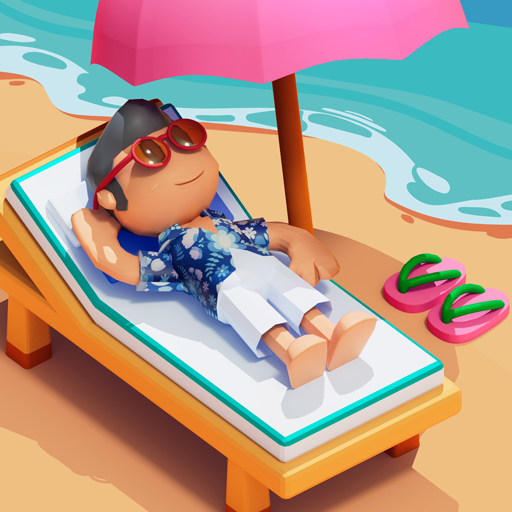


Beach Resort
Beach Resort is a competitive time-management game where you run a seaside business, serve customers, earn money, and expand the resort. Watch the computer rival, choose nearby tasks, plan efficient routes, and complete each busy level before the competitor takes control.
Beach Resort Competitive Time Management Game
Beach Resort is a fast-paced management game where you operate a seaside business, serve arriving customers, earn money, and expand your resort. Unlike many restaurant and hotel games, you are not working alone. A computer-controlled rival is trying to reach customers before you, turning every level into a race for attention and income.
The mouse controls are simple, but the screen can become busy quickly. Success depends on reading customer needs, choosing the right task first, watching the rival’s movements, and spending money on improvements that make later rounds easier.
What Is Beach Resort?
Beach Resort is a single-player browser management game produced by FreeWorldGroup. It was uploaded to Newgrounds and Kongregate on January 3, 2012. The game is categorized around business, simulation, strategy, work, and time management. (Kongregate)
You begin with a new beach-resort business and must:
- Serve customers
- Earn money
- Expand the resort
- Manage several activities at once
- Compete with a computer-controlled worker
- Complete increasingly demanding stages
The main difference between Beach Resort and a standard serving game is the rival. Both characters attempt to help customers, so a slow response can allow the computer player to take the opportunity and earn the reward instead. (Kongregate)
Players who enjoy managing several customers at once can also try Penguin Diner, which focuses on seating guests, delivering meals, and improving restaurant service.
How Beach Resort Gameplay Works
Each round presents a functioning seaside resort with customers who need attention.
You use the mouse to select activities and direct your character toward available work. The rival worker moves around the same resort and competes for the same customers.
A typical round follows this pattern:
- Watch for new customers.
- Identify which customer needs service.
- Click the appropriate customer or service action.
- Complete the task before the rival reaches it.
- Collect the income connected with successful service.
- Continue helping additional visitors.
- Meet the stage objective.
- Use progress or money to expand the business.
- Enter a busier level with more tasks to manage.
The official description emphasizes serving customers, earning money, growing the business, and defeating the competing computer player. (Kongregate)
What Makes Beach Resort Different?
Most time-management games test whether you can serve customers before their patience runs out.
Beach Resort adds another source of pressure. The computer player can move toward the same task you planned to complete. Waiting too long may therefore cost more than customer satisfaction. It may give the rival the chance to collect the business instead.
This creates several strategic decisions:
- Which customer should be handled first?
- Is the rival already moving toward that customer?
- Is another unclaimed task closer?
- Should you cross the resort or stay near a busy area?
- Is the most valuable task also the safest one to claim?
- Will expansion make the resort easier or more difficult to manage?
The developer describes the game as intentionally different from a typical time-management title because of this direct competition. (Kongregate)
Beach Resort Controls
Beach Resort uses the mouse.
| Action | Control |
|---|---|
| Select a customer | Left mouse button |
| Choose a service activity | Left mouse button |
| Direct the worker | Click the relevant area |
| Select a business option | Left mouse button |
| Purchase or confirm an improvement | Click the displayed option |
| Continue to another level | Click the continue button |
| Open a menu | Click the on-screen menu control |
| Restart after a failed attempt | Click the restart option |
Kongregate lists the control instructions simply as “Mouse,” while Y8 identifies mouse interaction as the main input method. (Kongregate)
The precise position of buttons may differ between hosted versions, especially when the original Flash game is being run through an emulator.
Starting Your Beach Business
The early levels introduce the basic flow of serving customers and earning money.
Use these rounds to understand:
- Where customers appear
- Which areas of the resort receive the most activity
- How your worker moves
- How the rival chooses tasks
- Which actions take longer
- How the game displays completed work
- What causes a round to end
Do not worry when the first few attempts are unsuccessful. The developer’s own description warns that players may need several tries before understanding the best strategy. (Kongregate)
The early game is less about perfect speed and more about learning what information on the screen matters.
Serving Customers
Customers create the resort’s income.
When a visitor needs help, respond by clicking the relevant customer or service option. The game then sends your character toward that activity.
The exact requests should be read from the icons and prompts displayed by the current version. The important rule is that a waiting customer represents an opportunity that the competitor may also claim.
A useful serving routine is:
- Scan the whole resort.
- Find customers who are ready for service.
- Check the rival’s position.
- Select the safest available task.
- Watch your character complete it.
- Look for the next customer before the current action ends.
Keeping your attention slightly ahead of the worker reduces pauses between jobs.
Watching the Computer Rival
The rival is not simply a decorative character.
Its movement provides information about which task may soon become unavailable. When the rival begins moving toward a customer, you must decide whether to compete for that same visitor or choose another opportunity.
Do not automatically click the task the rival is already closest to.
Sometimes the better decision is to claim a second customer while the computer completes the first one. This prevents both characters from spending time on the same part of the resort.
Useful things to watch include:
- The rival’s current location
- The direction it begins moving
- Which customers remain unclaimed
- Whether your character is closer
- How much open work exists elsewhere
- Whether the rival is occupied with a long action
The competitor turns screen awareness into an important part of the game.
Choosing Which Customer to Serve First
The closest customer is often a good choice, but distance is not the only factor.
Consider the following priorities:
| Situation | Useful Response |
|---|---|
| Rival is already close to a customer | Select another available customer |
| Several customers appear near you | Complete nearby tasks together |
| One side of the resort is becoming busy | Stay in that area temporarily |
| Rival is occupied | Claim the most useful open task |
| Only one customer is available | Respond immediately |
| Your worker must cross the full screen | Check for a closer opportunity first |
The best target can change within seconds.
A task that looked worthwhile when you first noticed it may no longer be useful after the rival changes direction.
Planning Shorter Routes
Movement time affects how many customers you can serve.
Constantly sending the worker between opposite sides of the resort can create long periods where no task is being completed.
Try to connect nearby activities:
- Complete one customer request.
- Look for another visitor in the same area.
- Handle the nearby task.
- Move toward another section only when necessary.
This route-based approach is similar to managing several restaurant tables efficiently.
Players who enjoy more detailed food preparation can try Papa’s Freezeria, where orders move through separate building, mixing, and topping stations.
Staying Ahead of the Rival
You do not need to win every individual race.
The wider goal is to earn enough income and complete the level successfully. Giving up one difficult customer may allow you to claim two easier opportunities elsewhere.
To remain competitive:
- Avoid long pauses
- Watch the entire screen
- Choose nearby work
- Notice where the rival is heading
- Do not click repeatedly without a plan
- Keep your character occupied
- Learn which tasks take the most time
- Change strategy when one area becomes crowded
The game rewards efficient decision-making more than random speed.
Making Money
Successful customer service generates the money needed to build the resort business.
Income is connected with your ability to complete work before the rival claims it. Missing several customers can slow progress and make it harder to satisfy the level’s requirements.
Treat money as both a score and a business resource.
It shows:
- How effectively customers were served
- Whether the rival controlled too much of the resort
- Whether the business is ready to grow
- Whether your current strategy is working
Do not focus only on one large opportunity while several smaller customers remain unattended.
Expanding the Resort
Business expansion is one of the game’s stated objectives. As the resort develops, more earning opportunities can become available, but the screen may also become more difficult to manage. (Kongregate)
Expansion should support the way you play.
Before choosing an improvement, consider:
- Will it create more customer activity?
- Can your worker reach that area efficiently?
- Does it spread the business too far across the screen?
- Will the rival gain access to the same opportunity?
- Do you have enough income to continue operating effectively?
- Is another improvement more useful right now?
A larger resort is not automatically easier. Additional business can produce more money, but it also creates more tasks competing for your attention.
Balancing Growth and Control
Expanding too quickly may create more work than you can manage.
A controlled resort with fewer missed customers can perform better than a large resort where the rival handles most of the visitors.
A practical approach is:
- Learn the current layout.
- Build a reliable serving pattern.
- Earn consistent money.
- Add one improvement.
- Watch how the new activity changes customer movement.
- Adjust your route before expanding again.
This makes each new part of the resort easier to understand.
Managing a Busy Screen
Later stages can place many activities on the screen at once.
Players have described the game as challenging because of the number of things requiring attention and the need to move between different screen areas. These comments are subjective, but they match the developer’s description of a fast competitive time-management game. (newgrounds.com)
When the resort becomes busy, avoid trying to examine every detail continuously.
Instead, use a repeating scan:
- Check the area around your character.
- Check the rival.
- Look for newly available customers.
- Select the next task.
- Scan the opposite side while your worker moves.
- Repeat after the action completes.
A consistent pattern is easier than allowing your attention to jump randomly.
Keeping Your Character Active
Idle time gives the rival an advantage.
Try to decide on the next action before the current task finishes. This does not mean clicking several commands without checking them. It means using movement time to plan.
While the worker is busy:
- Search for new customers
- Check which area is becoming crowded
- Watch the computer player
- Review the money total
- Decide whether expansion is available
- Prepare the next click
The best rounds develop a steady rhythm with very little unnecessary waiting.
Avoiding Conflicting Commands
Rapid repeated clicking can make it difficult to understand what your worker is doing.
Select one clear task and wait long enough to confirm that the character has responded. Then choose the next action when the interface allows it.
When a click appears not to work:
- Check whether the character is already busy
- Confirm that the selected task is still available
- See whether the rival reached it first
- Click near the center of the interactive area
- Check whether another menu is open
- Wait for the current animation to finish
Browser scaling and Flash emulation may also affect input responsiveness.
Learning the Rival’s Patterns
The computer competitor may appear very fast during early attempts.
Instead of trying to click faster every time, observe how it chooses customers.
Ask:
- Does it prefer nearby customers?
- Does it move toward the oldest request?
- Does it ignore one side while busy?
- How long does it remain occupied?
- Can you claim another task during that time?
- Which part of the resort does it reach first?
Even a simple computer opponent becomes easier to manage after its movement patterns feel familiar.
Why a Level May End
The exact failure conditions should be checked through the version running on Gam-core.
In general, an unsuccessful round may result when the player does not meet the required business objective or allows the computer competitor to gain too much of an advantage.
When a level ends unexpectedly, review:
- The displayed money target
- The competitor’s progress
- Remaining time or stage indicators
- Unserved customers
- Any goal shown before the round
- Whether an important activity was ignored
Do not restart immediately without reading the results screen. It may explain which part of the objective was missed.
Replaying a Failed Level
Beach Resort is designed around repeated attempts and strategy adjustment. The creator directly notes that players may fail several times before finding the best approach. (Kongregate)
After an unsuccessful round, change one part of your plan:
| Problem | Adjustment |
|---|---|
| Rival reaches customers first | Choose closer customers |
| Worker crosses the screen too often | Group nearby activities |
| Too many visitors wait together | Stay near the busiest area |
| Expansion creates confusion | Learn one new area at a time |
| Character appears idle | Plan the next action earlier |
| Clicks do not register | Check browser scaling |
| Level ends unexpectedly | Review the objective before restarting |
| Rival controls one side | Focus on another profitable section |
Small improvements are easier to evaluate than changing everything at once.
Difficulty Progression
The early levels establish the basic controls, while later stages increase the amount of information requiring attention.
Difficulty may rise through:
- More customers
- More service opportunities
- A larger resort
- Longer movement routes
- Faster competition
- Several simultaneous requests
- More demanding money goals
The basic control never becomes complicated. The challenge comes from using that one-click system efficiently under pressure.
Is Beach Resort a Cooking Game?
Beach Resort includes customer service and business management, but it is broader than a direct recipe game.
The published descriptions focus on running the resort, serving visitors, earning money, expanding the enterprise, and defeating a rival. They do not present detailed food preparation as the central mechanic. (Kongregate)
Players looking for direct kitchen minigames may prefer Cooking Mama.
Is Beach Resort Multiplayer?
Beach Resort is a single-player game.
The second worker is controlled by the computer rather than another person. You compete against its performance within the same resort.
There is no documented online matchmaking, cooperative mode, or local two-player option in the original browser release.
The competitive feeling comes from trying to serve customers before the computer player.
Is Beach Resort a Strategy Game?
Beach Resort is mainly a time-management and business simulation game, but it includes a clear strategy element.
Kongregate tags it with Action, Business, Simulation, and Strategy, while Newgrounds places it under job simulation and uses business, management, time, and work tags. (Kongregate)
Players need to make decisions about:
- Customer priority
- Worker movement
- Rival positioning
- Resort expansion
- Income
- Timing
- Screen coverage
Fast clicking without a strategy is unlikely to work consistently.
Browser and Flash Compatibility
The original Beach Resort was released during the Adobe Flash era. Y8 identifies the game with a Flash tag, and its old browser presentation may require a modern compatibility layer or emulator. (Y8.Com)
Current browsers do not run the discontinued Adobe Flash Player directly.
A modern host may use:
- Built-in Flash emulation
- A converted game build
- A special browser player
- Archived game technology
- Another compatibility system
Loading speed and control response can vary between websites.
What to Do When Beach Resort Does Not Load
When the game remains blank or fails to begin:
- Refresh the page once.
- Wait for the game player to initialize.
- Use a current desktop browser.
- Allow scripts required by the game page.
- Close unnecessary game tabs.
- Return browser zoom to 100 percent.
- Disable an aggressive blocker only for the trusted game page.
- Check whether the host supports old Flash content.
Avoid installing unknown Flash software or browser extensions from random pop-ups.
What to Do When Mouse Clicks Are Inaccurate
Older Flash games were designed for a fixed game window.
When the page stretches that window, interactive areas may no longer align perfectly with visible graphics.
Try:
- Setting browser zoom to 100 percent
- Leaving full-screen mode
- Refreshing after changing zoom
- Clicking near the center of buttons
- Using a mouse instead of touch input
- Closing overlays around the game
- Allowing the page to finish loading
When every click appears offset by the same distance, scaling is likely the cause.
Can Beach Resort Be Played on Mobile?
The original game was designed around mouse interaction and Flash-era browser technology.
A modern website may allow taps to imitate mouse clicks, but phone compatibility depends on the host. Y8 warns that the game may require a larger screen, which suggests desktop or tablet play may be more comfortable. (Y8.Com)
Small phone screens can make it difficult to:
- See customer requests
- Track the rival
- Select small interactive areas
- Monitor opposite sides of the resort
- Read business information
A desktop browser with a mouse is likely to provide the clearest experience.
Is Beach Resort Free?
Beach Resort has historically been offered through free browser-game portals such as Kongregate, Newgrounds, and Y8. (Kongregate)
The game itself does not require a large download in its traditional web format.
A hosting website may display advertisements around the page or ask users to create an optional account for site-related features.
Graphics and Presentation
Beach Resort uses colorful 2D resort graphics designed to show customers, workers, businesses, and seaside scenery together.
The visual layout needs to communicate several things quickly:
- Where your worker is
- Where the rival is
- Which customers are available
- Which areas have become busy
- What business options can be selected
- How much progress has been made
The bright beach theme gives the game a relaxed appearance, even though the competition creates a much faster pace.
Sound and Feedback
Sound effects can help confirm selections, completed tasks, business actions, and level results.
The most important information remains visual.
Watch the character movement and interface after clicking. A sound may confirm the command, but the worker’s route shows whether the intended task was actually accepted.
Keeping the volume comfortable can make repeated attempts less tiring.
Who Should Play Beach Resort?
Beach Resort suits players who enjoy:
- Time-management games
- Business simulations
- Customer-service challenges
- Mouse-controlled browser games
- Competitive single-player games
- Short levels
- Resort themes
- Business expansion
- Route planning
- Replaying stages for improvement
It works well for players who like simple controls but still want pressure from several simultaneous tasks.
Beach Resort may not suit players seeking:
- Detailed hotel construction
- Direct character customization
- Online multiplayer
- Complex cooking recipes
- A long story campaign
- Relaxed management without competition
More simulation, casual, puzzle, strategy, and action games are available in the Gam-core games collection.
Honest Strengths and Limitations
| Strengths | Possible Limitations |
|---|---|
| Mouse controls are easy to learn | The screen can become difficult to monitor |
| Computer rival makes the format different | The rival may feel fast during early attempts |
| Short stages suit casual sessions | Repeated serving tasks can become repetitive |
| Business growth provides progression | Expansion creates more tasks to manage |
| Customer competition encourages planning | Some opportunities can be lost quickly |
| Colorful beach setting is easy to understand | The presentation comes from the Flash era |
| No complicated keyboard controls | Small clickable areas may be difficult on mobile |
| Failure encourages strategy changes | A level may take several attempts |
| Free browser versions have been widely hosted | Modern compatibility depends on the website |
| Single-player design needs no live opponents | There is no documented multiplayer mode |
| Route planning rewards careful decisions | Repeated cross-screen movement can waste time |
| Suitable for short management challenges | Public information does not document every upgrade |
Tips for Playing Beach Resort Better
Watch the Rival Before Selecting a Task
Do not race for a customer the computer player is already about to reach.
Choose Nearby Customers
Shorter routes allow more work to be completed during a level.
Scan the Whole Screen Regularly
New opportunities may appear far from the worker’s current position.
Keep Your Character Busy
Plan the next action while the current task is being completed.
Group Tasks by Area
Complete several nearby activities before crossing to the opposite side.
Expand Gradually
Learn how each addition affects customer movement before purchasing another.
Focus on the Level Objective
Earning money and completing the round are more important than winning every individual customer.
Avoid Random Clicking
Clear selections make it easier to understand where the character is moving.
Learn From Every Failure
Identify whether the problem was movement, timing, expansion, or customer priority.
Use a Desktop Browser
A mouse and larger screen make customers and rival movement easier to track.
Reset Browser Zoom
Use 100 percent zoom when clickable areas do not match the graphics.
Stay Calm During Busy Moments
A short pause to choose the right customer can be better than sending the worker across the screen unnecessarily.
Beach Resort Game Information
| Detail | Information |
|---|---|
| Game title | Beach Resort |
| Producer | FreeWorldGroup |
| Upload date | January 3, 2012 |
| Genre | Time management, business, simulation, strategy |
| Main setting | Seaside resort |
| Main objective | Serve customers, earn money, expand, and outperform the rival |
| Main control | Mouse |
| Main mode | Single-player |
| Computer competitor | Included |
| Business expansion | Included |
| Customer service | Central mechanic |
| Browser format | Originally Flash |
| Newgrounds category | Simulation and Job |
| Kongregate tags | Action, Business, Sim, Strategy, and Girl |
| Y8 category | Management and Simulation |
| Online multiplayer | Not documented |
| Mobile support | Depends on the hosting website |
| Original audience label | Suitable for all audiences on Newgrounds |
The developer, release date, controls, premise, browser format, genres, and competitive structure are documented by Kongregate, Newgrounds, and Y8. (Kongregate)
Frequently Asked Questions
What Type of Game Is Beach Resort?
Beach Resort is a competitive time-management and business simulation game where you serve customers and expand a seaside resort.
Who Created Beach Resort?
The browser game was produced by FreeWorldGroup. (Kongregate)
When Was Beach Resort Released?
Kongregate and Newgrounds list January 3, 2012, as the upload date. (Kongregate)
What Is the Main Objective?
Serve customers, make money, expand the resort, and perform better than the computer-controlled competitor.
How Do You Control Beach Resort?
Use the mouse to select customers, service actions, business options, and menus. (Kongregate)
Is Beach Resort a Time-Management Game?
Yes. It combines time management with business growth and direct competition against a computer player.
Why Is Beach Resort Different From Other Management Games?
The computer-controlled rival tries to serve customers before you, creating a competitive race for business. (newgrounds.com)
Is Beach Resort Multiplayer?
No documented multiplayer mode is included. The rival is controlled by the computer.
Can You Expand the Resort?
Yes. Expanding the business is one of the main objectives described by the developer. (Kongregate)
How Do You Earn Money?
Complete customer-service activities before the rival claims the opportunities.
Why Does the Rival Keep Reaching Customers First?
The computer worker may be closer to those customers. Choose nearer tasks, watch its direction, and avoid competing for every visitor.
What Is the Best Beginner Strategy?
Keep your worker active, select nearby customers, monitor the rival, and expand only after understanding the current layout.
Why Does the Level End Unexpectedly?
You may have missed the required business objective or allowed the rival to gain too much progress. Check the results and instructions shown by the current version.
Does Beach Resort Require Several Attempts?
The developer notes that players may fail several times before finding an effective strategy. (newgrounds.com)
Is Beach Resort a Cooking Game?
It includes customer service, but the main published objective is operating and expanding a resort rather than completing detailed recipes.
Is Beach Resort Free?
It has historically been available through free browser-game portals. (Kongregate)
Can Beach Resort Be Played on Mobile?
The original was designed for mouse-controlled Flash play. Touch input may work on some hosts, but a larger screen is more suitable.
Why Does Beach Resort Not Load?
The original game used Flash technology. It now requires a compatible host, emulator, or converted browser build.
Why Are My Clicks Inaccurate?
Browser zoom or full-screen scaling may have changed the alignment of the game. Return the browser to 100 percent zoom and refresh.
Is Beach Resort Suitable for Younger Players?
Newgrounds labels the original game as suitable for all audiences. The gameplay focuses on business management and customer service. (newgrounds.com)






Reviews
There are no reviews yet.