
PoE Ninja: How to Use It for Path of Exile Builds and Economy

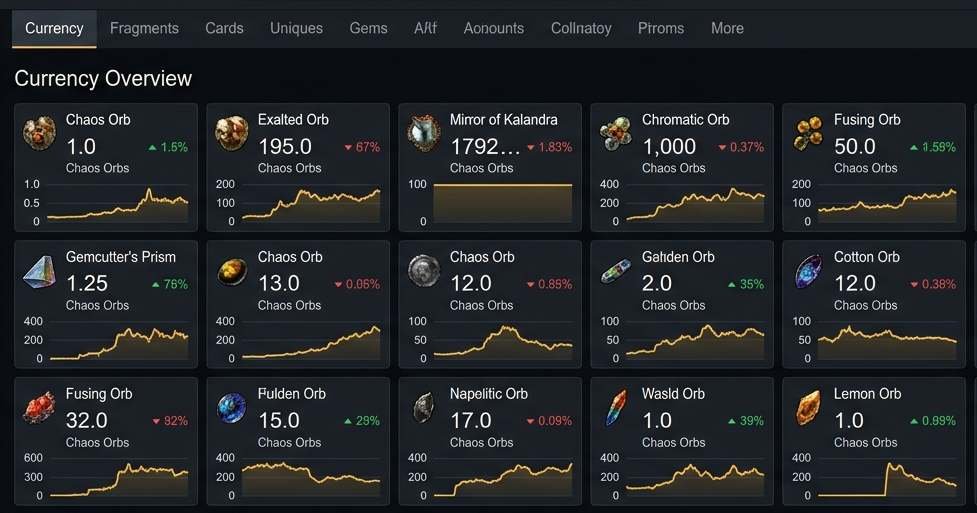
PoE Ninja is the essential third-party tool for Path of Exile players who want real data instead of guesswork: live currency prices, top player builds, and league economy trends, all pulled directly from the game’s trade API. Here is how to actually use it for trading, build planning, and tracking the league economy as it shifts.
What PoE Ninja Tracks
PoE Ninja, found at poe.ninja, is a free fan-made site that pulls live data from the Path of Exile trade API. It tracks three main categories: currency and item prices across every tradeable category in the game, character builds posted publicly by players, and overall league economy trends as a season progresses.
The site requires no account and updates continuously throughout the day as trade listings change. It covers Chaos Orbs, Divine Orbs, unique items, gems, divination cards, maps, and essentially everything with a tradeable value in the current economy.
PoE Ninja has become close to mandatory for players who trade seriously or want to plan a build around what is actually working in the current league, rather than depending on outdated guides or guesswork.
How to Read PoE Ninja Currency Data
The Currency tab is the most-used section of PoE Ninja. Select your league at the top of the page first: Standard, the current challenge league, Hardcore, and Solo Self-Found all have separate, non-overlapping economies. Picking the wrong one means every price you see is meaningless for your actual game.
| League Type | What It Tracks | When to Use It |
| Current challenge league | Active season economy | Default — most players are here |
| Standard | Permanent legacy economy | Older characters, long-term storage |
| Hardcore | Separate hardcore economy | Hardcore league players only |
| Solo Self-Found | Isolated SSF economy | SSF players — no trading allowed anyway |
Once on the correct league, each currency row shows the exchange rate versus Chaos Orbs, the game’s standard pricing unit. Prices reflect active listings, not confirmed sales, so treat the number as an asking price ceiling rather than a guarantee. A Divine Orb listed at 160 Chaos might sell for less if a buyer negotiates.
Early in a new league, prices are highly unstable. Wait at least 48 hours before trusting the data for major decisions, since early prices are set by a small pool of fast players rather than the wider market.
Using PoE Ninja for Build Planning
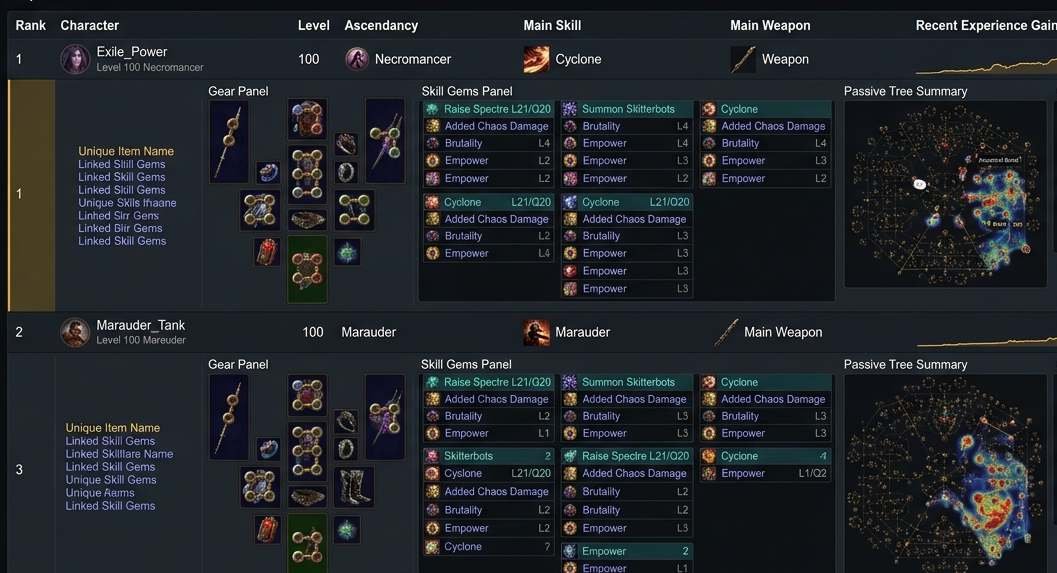
The Builds tab is the most underused part of PoE Ninja relative to how useful it is. It shows every character publicly posted to the Path of Exile website during the current league, filterable by class, ascendancy, and skill gem.
- Sort by depth to find the most successful hardcore characters, since depth reflects survival success in the toughest content.
- Filter by skill gem to see every viable variation of a specific build you are considering.
- Click any character to view their full gear, passive tree, flasks, and gem links. This provides a complete blueprint to copy or adapt.
- Compare multiple top players running the same skill to spot which gear and tree choices are universal versus optional.
This effectively gives you access to thousands of working build guides at no cost beyond the time to browse. It is often more useful than a single written guide because you can compare variations between many real, successful characters rather than relying on one author’s specific choices.
PoE Ninja for Path of Exile 2
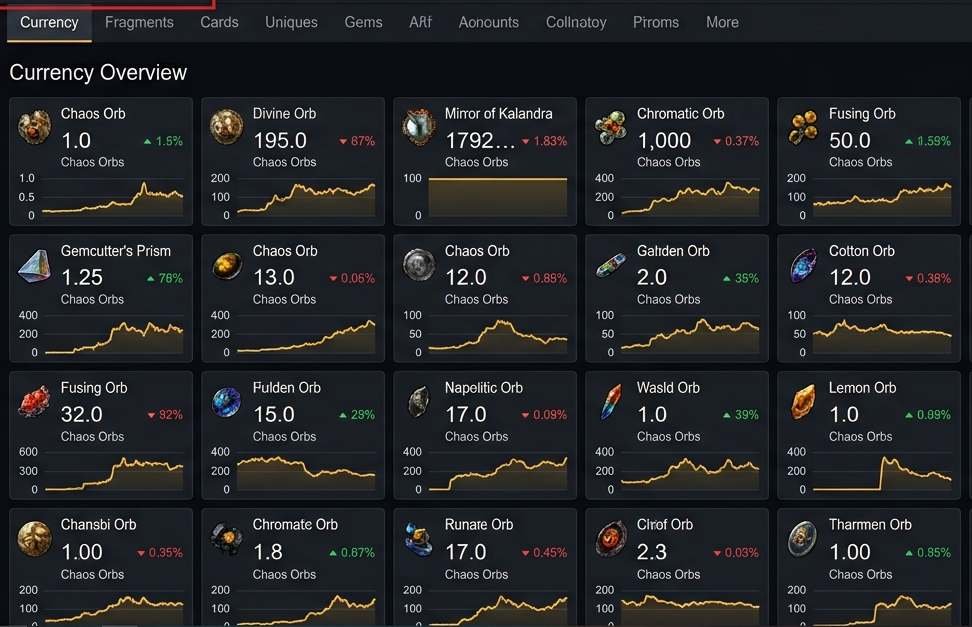
PoE Ninja has added support for Path of Exile 2, tracking that game’s separate economy and builds independently from the first Path of Exile. When you open the site, select the correct game using the toggle at the top of the page before browsing any data. Path of Exile and Path of Exile 2 have completely separate economies, and mixing up the data between them will give you meaningless prices and build information.
The same core functionality applies to the PoE 2 side: currency tracking, build browsing, and league-specific data. As Path of Exile 2 content updates and new leagues launch, PoE Ninja’s PoE 2 tracking has kept pace, making it as relevant to that game as it has long been to the classic.
Trading Smarter With PoE Ninja
The most effective use of PoE Ninja for trading is checking prices before you list or buy, not after. Look at the current price and the listing count together. A high listing count means the price is reliable; a low count means a single overpriced or underpriced listing can bias the average significantly.
| PoE Ninja Tab | Best Use | Check Frequency |
| Currency | Pricing trades and bulk exchanges | Daily during active play |
| Unique Items | Valuing drops before listing them | Each time you find a unique |
| Builds | Planning characters and gear targets | Start of each league |
| Divination Cards | Deciding to sell or complete a set | When you accumulate stacks |
| Gems | Finding quality gems worth selling | Weekly |
For currency flipping specifically, compare the buying and selling rates for the same currency pair. If you can buy Chaos at one rate and sell Divine back at a slightly better one, that margin is real and active traders exploit it at volume over a league.
For more Path of Exile guides and other game economy tracking tools, see our PC gaming category. For comparison, our
Frequently Asked Questions
Is PoE Ninja accurate?
PoE Ninja accurately reflects real active listings from real players, but listed prices are not the same as confirmed sale prices. Buyers often negotiate below the listing. Use it as a strong reference rather than an absolute number, and always check the listing count before trusting any single price point. Higher listing counts mean more reliable pricing.
Does PoE Ninja work for both Path of Exile and Path of Exile 2?
Yes. PoE Ninja tracks both games with a toggle at the top of the site to switch between them. The two games have entirely separate economies and build data, so make sure you have the correct game selected before browsing currency prices or character builds. Mixing them up gives you irrelevant information.
Why are some PoE Ninja prices higher than what I see in trade chat?
PoE Ninja pulls from active listings, which can include items that have sat unsold for days at inflated asking prices. When the listing count for an item is low, those overpriced outliers pull the average upward. Sort by the lowest active listings or check listing count before assuming the displayed price reflects what you will actually pay or receive.
How often does PoE Ninja update?
PoE Ninja updates continuously throughout the day, pulling fresh data from the Path of Exile trade API as listings change. There is no fixed refresh schedule you need to wait for. The site reflects close to real-time market activity. Just remember your own browser tab needs a manual refresh to see the latest pull.
Conclusion
PoE Ninja does not replace knowing how to play Path of Exile well, but it removes nearly all the guesswork from trading and build planning. Check currency before you trade, browse builds before you commit to a character, and pay attention to which league and which game you have selected. Players who use it consistently come out ahead of the ones relying on memory or outdated guides.