
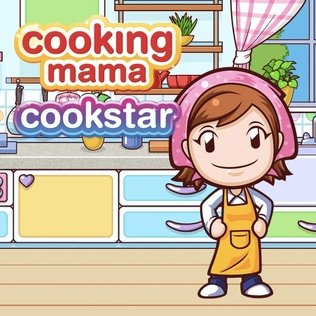


Cooking Mama
Cooking Mama is a colorful cooking game where players prepare recipes through short touch-based activities such as chopping, mixing, frying, baking, and decorating. Follow Mama’s guidance, improve recipe scores, combine dishes, run a restaurant, collect resources, and enjoy additional village and minigame activities.
Cooking Mama Cooking and Recipe Minigame
Cooking Mama is a colorful cooking game where players prepare dishes by completing a series of short kitchen minigames. Instead of managing an entire restaurant from a distance, you directly chop ingredients, stir mixtures, roll dough, fry food, control heat, decorate plates, and complete other recipe steps under Mama’s guidance.
The game is easy to understand because each action uses simple touch, mouse, motion, or controller inputs. Good timing and accurate movements lead to higher scores, while mistakes usually result in Mama helping you finish the step rather than ending the entire recipe.
What Is Cooking Mama?
Cooking Mama is a cooking-action and minigame series created by Office Create. The first game appeared on Nintendo DS in 2006 and used the handheld system’s touchscreen and microphone to imitate kitchen actions. The original European edition included more than 200 minigames, 76 dishes, practice options, recipe combinations, and Bronze, Silver, and Gold medals. (株式会社オフィスクリエイト OFFICE CREATE Corp.)
The current mobile edition is called Cooking Mama: Let’s Cook! It is available for Android and iOS as a free game with optional in-app purchases. Office Create currently lists Android 6, iOS 13, and Fire OS 6 as the minimum supported operating systems, although individual devices may still be incompatible. (株式会社オフィスクリエイト OFFICE CREATE Corp.)
Every recipe is divided into several short activities. One dish may ask you to slice vegetables, mix ingredients, prepare dough, cook something in a pan, and arrange the finished meal on a plate.
Players who enjoy clear visual challenges can also try Find Easy Hidden Differences, where careful observation matters more than speed.
How Cooking Mama Gameplay Works
Choose a recipe from the available menu and begin following Mama’s instructions.
Each preparation step becomes a separate minigame. The game shows a short example or prompt explaining what movement is required.
A normal recipe may follow this structure:
- Select a dish.
- Read the first preparation instruction.
- Complete the touchscreen or controller movement.
- Receive a result for that step.
- Continue through the remaining activities.
- Finish cooking the food.
- Arrange or decorate the final plate.
- Receive an overall score, medal, or reward.
- Replay the recipe to improve the result.
The exact steps depend on the dish. A soup may involve chopping, adding ingredients, stirring, and controlling the heat. A baked recipe may require measuring, mixing, shaping, and watching the oven.
What Makes Cooking Mama Different?
Cooking Mama turns ordinary kitchen movements into short skill challenges.
Instead of clicking one button labelled “cook,” you perform individual actions such as:
- Chopping vegetables
- Peeling ingredients
- Grating food
- Mixing batter
- Kneading dough
- Rolling pastry
- Shaping food
- Seasoning ingredients
- Stirring a pot
- Controlling heat
- Flipping food
- Baking
- Frying
- Decorating dishes
- Arranging food on a plate
The original Nintendo DS version used the stylus for these actions and even allowed players to blow into the microphone to cool hot food. (닌텐도 홈페이지)
Modern mobile editions replace the DS stylus with taps, swipes, dragging, circular movements, and other touchscreen gestures.
Cooking Mama Controls
Controls differ between editions because Cooking Mama has appeared on Nintendo handhelds, Wii, mobile devices, Apple Arcade, and other systems.
| Action | Common Control |
|---|---|
| Select a recipe | Tap or click |
| Chop ingredients | Swipe repeatedly along guide lines |
| Stir a mixture | Move in circles |
| Knead dough | Press, swipe, or follow displayed motions |
| Roll dough | Drag forward and backward |
| Flip food | Swipe or use a motion control |
| Add ingredients | Tap or drag them into the bowl |
| Control heat | Move a slider or adjust the displayed control |
| Decorate a dish | Drag toppings into position |
| Confirm a menu choice | Tap, click, or press the action button |
| Pause | Use the displayed menu button |
The current mobile game describes its controls as simple and touch-based, making the main cooking activities accessible to both younger and older players. (株式会社オフィスクリエイト OFFICE CREATE Corp.)
Following Mama’s Instructions
Mama demonstrates or explains what to do before most cooking steps.
Pay attention to:
- The direction of an arrow
- The number of required movements
- The time limit
- The correct ingredient
- The target cooking temperature
- The order in which items must be added
- The shape or position the game expects
Starting immediately without reading the prompt can lead to avoidable mistakes.
The demonstration is usually short, so watch the full movement before touching the screen.
Chopping Ingredients
Chopping activities commonly show guide lines across an ingredient.
Swipe along each line to complete the cuts. Fast movements can save time, but swiping too far away from the guide may not register correctly.
A good method is to begin at one end and work through the lines in order.
Do not move randomly across the entire ingredient. Controlled swipes are usually more reliable than frantic movement.
Peeling and Grating
Peeling activities ask you to move a tool across the outer surface of an ingredient.
Grating usually requires repeated movements against a grater while keeping the ingredient inside the active area.
Use medium-length strokes rather than very large gestures. Long movements can carry the ingredient away from the correct position.
Watch the progress indicator to see whether each motion is being accepted.
Mixing and Stirring
Mixing minigames normally require circular movement.
Follow the direction shown by the arrow. Some steps may ask for clockwise movement, while others use the opposite direction.
Moving too slowly can leave part of the mixture unfinished before time expires. Moving too quickly may cause the pointer to leave the bowl.
Keep the circles smooth and reasonably close to the center.
Kneading Dough
Dough preparation can involve pressing, folding, stretching, or repeating a displayed pattern.
Complete one movement at a time instead of rapidly touching different areas.
Some recipes require several stages before the dough is ready. A later step may ask you to roll, divide, or shape the mixture after kneading.
Rolling and Shaping
Rolling activities ask you to make dough thinner or create a particular size.
Move the rolling pin evenly across the full surface. Focusing only on the center can leave the edges too thick.
Shaping activities may require following an outline or forming several equal pieces.
Accuracy is often more important than maximum speed during these steps.
Controlling Heat
Cooking activities may include a heat meter, stove dial, or temperature indicator.
The objective is usually to keep the marker inside a safe or ideal area. Too little heat may leave the food unfinished, while too much can cause it to overcook inside the minigame.
Make small adjustments. Moving the control from one extreme to the other can make the temperature difficult to stabilize.
Frying and Flipping Food
Pan-based recipes may ask you to shake, turn, or flip the food at the correct time.
Watch for changes in color, a timing indicator, or Mama’s prompt.
Flipping too early may interrupt the cooking process. Waiting too long can lower the score.
Some versions use a swipe, while Wii or controller editions may use a motion resembling a real pan movement.
Baking
Baking steps can include mixing ingredients, pouring batter, shaping dough, setting a timer, and removing the dish from an oven.
The game simplifies these actions into short challenges rather than making players wait through a realistic cooking time.
Check the timer carefully. A few extra seconds may change the result.
Decorating the Finished Dish
Desserts and special recipes often include a decoration step.
You may need to arrange fruit, frosting, sauce, cream, or other toppings in specific positions.
Use the image or outline as a guide. Place large decorations first, then fill smaller spaces.
The current mobile version also lets players add decorative stamps and personalized details to certain finished dishes. (YouTube)
Cooking Scores and Medals
Cooking Mama evaluates individual recipe steps.
A strong performance across the full recipe produces a better final result. The original game used Bronze, Silver, and Gold medals, with Gold representing the highest overall performance. (닌텐도 홈페이지)
Your result may depend on:
- Speed
- Accuracy
- Correct movement direction
- Completing every required action
- Heat control
- Timing
- Ingredient placement
- Final presentation
One weak step does not always ruin the entire dish. Replay the recipe and focus on the activity that lowered the result.
What Happens When You Make a Mistake?
Cooking Mama is designed to remain forgiving.
When a step goes wrong, Mama often appears to help complete it. The recipe can continue even when you do not receive the best score.
Office Create explains that mistakes do not create normal game-over screens in the current mobile edition, allowing players to finish their dishes and keep practising. (App Store)
This makes the game more relaxed than cooking titles where one error immediately ends the level.
Practice Mode
The original Nintendo DS edition includes a practice option where players can repeat individual cooking skills without being judged through the normal recipe scoring system. (닌텐도 홈페이지)
Practice is helpful when one action repeatedly causes problems.
Instead of replaying a full dish, work on the difficult step until its movement feels natural.
Not every current edition uses the same practice menu, but mobile recipes can usually be replayed whenever you want to improve the result.
Unlocking More Recipes
Recipe progression differs between editions.
The original Nintendo DS game begins with basic dishes and unlocks more advanced recipes as players improve. Nintendo lists 15 starting recipes and 61 additional dishes, creating a total of 76. (닌텐도 홈페이지)
Cooking Mama: Let’s Cook currently advertises more than 30 core recipes, with other dishes connected to events, combinations, rewards, or optional recipe packs. (App Store)
Some recipes may only be available for a limited period during mobile events.
Combining Recipes
Cooking Mama: Let’s Cook allows two recipes to be combined into a surprise dish.
Choose compatible dishes and see what new result appears. This creates additional possibilities beyond completing every basic recipe separately. (App Store)
Combinations encourage experimentation, but they are still controlled by the game’s available recipe system.
Not every pair creates a unique result, so test different combinations and record the dishes you have already made.
Let’s Cook Mode
Let’s Cook is the main recipe mode in the current mobile game.
Choose a dish and complete its preparation minigames one after another.
This mode is closest to the traditional Nintendo DS experience. The focus remains on direct actions such as chopping, mixing, frying, baking, and decorating.
It is the best place to begin before opening the game’s wider village and activity systems.
Happy Village
Cooking Mama: Let’s Cook includes a larger area called Happy Village.
The village expands the game beyond individual recipes. Players can serve completed dishes at a restaurant, gather resources, and customize parts of the area. (App Store)
Happy Village activities include:
- Running the restaurant
- Growing crops in fields
- Raising animals on a ranch
- Fishing
- Gathering exchange items
- Improving village facilities
- Collecting rewards
These systems provide something to do between normal cooking sessions.
Restaurant Mode
The restaurant lets you serve dishes to visitors.
Preparing food supports the restaurant’s progress and can help expand the wider village experience.
Restaurant play is less demanding than the multi-station structure found in Papa Louie games. The main focus remains making dishes through Cooking Mama’s minigames rather than manually tracking several customer tickets.
The restaurant provides a practical use for the meals created in the kitchen.
Fields and Farming
Fields allow players to grow ingredients and collect resources.
The farming system is simplified and does not try to reproduce real agricultural work. Plant, maintain, and collect items according to the displayed prompts.
Harvested resources can support village activities and exchanges.
The system adds gentle progression without replacing the central recipe minigames.
Ranch Animals
The ranch contains animals that provide additional resources.
Follow the game’s instructions to care for them and collect the available items.
These activities use the same friendly presentation as the kitchen and are designed as short casual tasks rather than a detailed farming simulation.
Fishing
Fishing is another Happy Village activity.
Use the displayed touch controls to catch items and collect useful rewards.
Timing matters, but the activity remains simple enough for short sessions.
Players who enjoy collections and several small activities can also visit Fun Mini Online.
Game Plaza
Game Plaza contains minigames that are not directly connected to cooking.
The current mobile listing advertises more than 30 additional activities, including shopkeeping, helping characters, exercise-style games, and brain challenges. (App Store)
These minigames provide variety when you want a break from recipes.
Scores from the Game Plaza can also create separate goals beyond earning cooking medals.
Challenge Rankings
Cooking Mama: Let’s Cook includes weekly challenges and global score rankings.
The active challenge may ask players to perform well in a particular recipe or activity. Scores are compared with other participants during the event period. (App Store)
Rankings are optional. You can continue cooking and decorating without focusing on competitive scores.
A stable internet connection may be needed for current events and online ranking information.
Kitchen Decoration
The mobile edition allows the kitchen to be decorated with different items.
Customization can change the background, equipment appearance, Mama’s clothing, and other visual details, depending on the reward or item selected.
Decorations are mainly cosmetic. They do not replace the need for accurate movements during recipes.
Collecting designs gives long-term players another reason to complete challenges and daily activities.
Mama’s Daily Life Videos
The current mobile game includes short animated videos showing Mama’s daily life.
Supported recipes may also include realistic cooking videos. These are separate from the playable minigames and provide additional visual content. (App Store)
The game remains an entertainment product rather than a complete cooking course.
Real recipes require proper measurements, safe food handling, suitable equipment, and adult guidance when heat or sharp kitchen tools are involved.
Daily Rewards and Events
Mobile versions use login rewards and temporary events.
Opening the game on different days can provide stamps, items, ingredients, or other bonuses. Event recipes may only remain available until the next update. Google Play’s current listing, for example, continues to publish limited-time dishes and balance updates. (Google Play)
Event availability changes, so a recipe shown in an older guide may no longer appear in the same location.
Cooking Mama Cuisine
Cooking Mama: Cuisine is a separate Apple Arcade edition developed by Office Create.
Instead of choosing every recipe directly, players select available ingredients and cooking tools to find a compatible dish. Successful combinations are recorded in a recipe book, while the available ingredients and tools change regularly. (App Store)
Cooking Mama: Cuisine supports:
- iPhone
- iPad
- Mac
- Apple TV
- Apple Vision devices
- Compatible game controllers
- Game Center achievements
The App Store currently lists iOS and iPadOS 13 as the minimum mobile operating systems. (App Store)
Let’s Cook Versus Cuisine
| Cooking Mama: Let’s Cook | Cooking Mama: Cuisine |
|---|---|
| Free with optional purchases | Included with Apple Arcade |
| Available on Android and iOS | Available on Apple platforms |
| Choose recipes from available collections | Find recipes through ingredient and tool combinations |
| Contains Happy Village | Focuses more strongly on recipe discovery |
| Includes ads in supported versions | Apple Arcade edition has no ads or in-app purchases |
| Contains Game Plaza minigames | Uses a recipe-book discovery system |
| Includes weekly rankings and events | Supports Game Center and controllers |
| Mobile touch controls | Touch or compatible controller controls |
Both games use short cooking minigames, but their wider progression systems are different.
Original Cooking Mama Versus Mobile Edition
| Original Nintendo DS Game | Cooking Mama: Let’s Cook |
|---|---|
| Released in 2006 | Current mobile edition |
| Used touchscreen stylus | Uses finger gestures |
| Used the DS microphone | Uses mobile touch controls |
| Included 76 dishes | Advertises more than 30 main recipes plus other content |
| Included more than 200 minigames | Includes cooking and more than 30 Game Plaza activities |
| Used medal-based recipe scores | Uses scores, rewards, events, and rankings |
| Included practice mode | Recipes can be replayed |
| Purchased as a full game | Free with ads and optional purchases |
| Designed for Nintendo DS | Designed for Android, iOS, and Fire OS |
The central idea remains the same: follow Mama’s guidance and complete each preparation step through short interactive tasks.
Does Cooking Mama Teach Real Cooking?
Cooking Mama introduces the names and general order of kitchen actions.
Players may become familiar with ideas such as chopping, stirring, boiling, baking, frying, kneading, and plating.
However, the game simplifies recipes and does not always provide real quantities, temperatures, timings, or food-safety instructions.
It should not replace a real recipe or responsible adult supervision.
Never copy fast chopping, hot-pan movements, or other game gestures with real kitchen tools. Real cooking should use safe techniques and age-appropriate assistance.
Is Cooking Mama Multiplayer?
Multiplayer support depends on the edition.
The original Nintendo DS game supports wireless recipe sharing and communication with other nearby systems, while some Wii games in the series include two-player cooking competitions. (닌텐도 홈페이지)
Cooking Mama: Let’s Cook is primarily a single-player mobile game. Its weekly rankings compare scores, but players do not cook together in the same live kitchen.
Cooking Mama: Cuisine is also primarily based on individual recipe discovery.
Is Cooking Mama Free?
Cooking Mama: Let’s Cook is free to install on supported Android and iOS devices.
It contains advertising and optional in-app purchases, including recipe-related content and other items.
Cooking Mama: Cuisine requires an Apple Arcade subscription but does not use normal in-app purchases or third-party advertising inside the Apple Arcade edition. (App Store)
Older Nintendo titles were sold separately and may require their original hardware.
Browser Availability
Cooking Mama was mainly created for Nintendo systems and mobile apps rather than modern browser play.
A website using the Cooking Mama name may host an unofficial imitation, advertisement, or simplified web game rather than the original Office Create release.
Check the controls and title displayed inside the Gam-core version to understand which edition or adaptation is being presented.
For more casual browser options, visit the Gam-core games collection or try the number-based challenge in Chain Cube 2048 3D Merge.
Graphics and Presentation
Cooking Mama uses bright cartoon graphics with clear ingredients, utensils, appliances, and food.
Mama reacts to the player’s performance with encouraging animations. Successful steps produce happy responses, while mistakes create exaggerated reactions before the game helps you continue.
The visual design keeps important objects easy to identify on smaller screens.
Recipes also use clear progress indicators so players can understand when chopping, mixing, heating, or decorating is complete.
Sound and Feedback
Short audio cues confirm successful actions, missed steps, timers, and completed dishes.
Mama also provides spoken or visual encouragement during the recipe.
Sound can make timing easier, but most instructions are also shown visually.
Players can normally understand the central activities at a lower volume by following arrows, meters, and on-screen demonstrations.
Who Should Play Cooking Mama?
Cooking Mama suits players who enjoy:
- Cooking games
- Short minigames
- Touchscreen controls
- Recipe collections
- Casual score improvement
- Food decoration
- Bright cartoon graphics
- Relaxed progression
- Daily events
- Kitchen customization
It works well for short sessions because one recipe is divided into several brief activities.
Players looking for a detailed restaurant economy, realistic professional cooking simulation, or difficult competitive multiplayer may find the game too simple.
Honest Strengths and Limitations
| Strengths | Possible Limitations |
|---|---|
| Touch controls are easy to understand | Some gestures require precise timing |
| Recipes use many different kitchen activities | The minigame structure can become repetitive |
| Mistakes do not normally end the recipe | Experienced players may find it forgiving |
| Bright graphics keep instructions clear | It is not a realistic cooking simulator |
| Let’s Cook includes village activities | The number of menus may initially feel busy |
| Mobile version receives events and updates | Event recipes may be temporary |
| Kitchen customization adds collection goals | Many items are mainly cosmetic |
| Weekly rankings provide optional competition | Online features need an internet connection |
| Free mobile version is easy to access | It contains ads and optional purchases |
| Cuisine provides an ad-free Apple Arcade option | It requires an Apple Arcade subscription |
| Several editions offer different experiences | Progress does not transfer between every edition |
| Suitable for short sessions | It does not replace real cooking instruction |
Tips for Playing Cooking Mama Better
Watch the Demonstration
Do not touch the screen until you understand the required gesture.
Follow the Arrows
The direction of stirring, cutting, peeling, or rolling can affect whether the action registers.
Use Smooth Movements
Controlled swipes and circles are more reliable than extremely fast random gestures.
Keep the Pointer Inside the Active Area
Leaving the bowl, pan, cutting board, or ingredient may interrupt progress.
Check the Timer
Some activities reward accuracy, while others mainly require finishing before time expires.
Make Small Heat Adjustments
Avoid moving temperature controls between extremes.
Replay Weak Recipe Steps
Repeat a recipe and focus on the activity that prevented a higher medal or score.
Try Recipe Combinations
The mobile edition can create surprise dishes from two existing recipes.
Use Village Activities Between Recipes
Fishing, farming, ranch tasks, and restaurant play provide additional resources and variety.
Check Event Dates
Temporary recipes and rewards may disappear after an update.
Review Purchases Carefully
The free mobile edition includes optional purchases. Check the price and ask a parent or guardian before buying anything.
Keep Real Kitchen Safety Separate
Game gestures are simplified. Real knives, heat, ovens, and appliances require proper instruction and supervision.
Cooking Mama Game Information
| Detail | Information |
|---|---|
| Game title | Cooking Mama |
| Developer | Office Create |
| Series owner | Cooking Mama Limited |
| Original platform | Nintendo DS |
| Original release year | 2006 |
| Genre | Cooking action, simulation, minigames |
| Main objective | Complete recipe preparation activities |
| Original dishes | 76 |
| Original minigames | More than 200 |
| Original scoring | Bronze, Silver, and Gold medals |
| Current mobile title | Cooking Mama: Let’s Cook |
| Mobile platforms | Android, iOS, and Fire OS |
| Mobile price | Free with optional purchases |
| Current Apple Arcade title | Cooking Mama: Cuisine |
| Cuisine platforms | iPhone, iPad, Mac, Apple TV, and other supported Apple devices |
| Common controls | Touch, swipe, drag, motion, or controller |
| Main mobile features | Recipes, Happy Village, restaurant, farming, fishing, ranch, events, and Game Plaza |
| Multiplayer | Depends on the edition |
| Real cooking instruction | Simplified and not a substitute for kitchen supervision |
The original game details are documented by Nintendo and Office Create, while the current mobile and Apple Arcade information comes from Office Create and the official app listings. (株式会社オフィスクリエイト OFFICE CREATE Corp.)
Frequently Asked Questions
What Type of Game Is Cooking Mama?
Cooking Mama is a cooking-action and minigame series where players prepare recipes by completing short activities such as chopping, mixing, frying, baking, and decorating.
Who Created Cooking Mama?
Cooking Mama was created by Office Create, the company behind the Cooking Mama series. (株式会社オフィスクリエイト OFFICE CREATE Corp.)
When Was Cooking Mama Released?
The original Nintendo DS game was first released in Japan in 2006. Its European release followed in December 2006. (株式会社オフィスクリエイト OFFICE CREATE Corp.)
How Do I Control Cooking Mama?
Controls depend on the edition. Mobile games use taps, swipes, dragging, and circular gestures. Nintendo DS games use the stylus and touchscreen.
What Activities Are in Cooking Mama?
Activities include chopping, peeling, grating, mixing, kneading, rolling, shaping, frying, boiling, baking, seasoning, flipping, and decorating food.
What Happens When I Make a Mistake?
Mama usually helps complete the failed step so the recipe can continue. The current mobile game does not normally use game-over screens for cooking mistakes. (App Store)
How Many Recipes Are in the Original Cooking Mama?
Nintendo lists 76 dishes in the original Nintendo DS edition, including 15 basic recipes and 61 unlockable recipes. (닌텐도 홈페이지)
Is Cooking Mama Free?
Cooking Mama: Let’s Cook is free with advertising and optional in-app purchases. Cooking Mama: Cuisine is included with Apple Arcade. (株式会社オフィスクリエイト OFFICE CREATE Corp.)
Can I Play Cooking Mama on Android?
Yes. Cooking Mama: Let’s Cook is available for supported Android devices. Office Create currently lists Android 6 or later as the minimum operating system. (株式会社オフィスクリエイト OFFICE CREATE Corp.)
Can I Play Cooking Mama on iPhone?
Yes. Cooking Mama: Let’s Cook and Cooking Mama: Cuisine are available on supported iPhones. Both current listings require iOS 13 or later. (株式会社オフィスクリエイト OFFICE CREATE Corp.)
What Is Happy Village?
Happy Village is part of Cooking Mama: Let’s Cook. It includes restaurant play, farming, fishing, ranch animals, resources, and customization. (App Store)
Can I Combine Recipes?
Yes. Cooking Mama: Let’s Cook allows players to combine two recipes and create surprise dishes. (App Store)
Does Cooking Mama Have Multiplayer?
Some older Nintendo and Wii editions include local sharing or two-player activities. The current Let’s Cook mobile game is mainly single-player with online score rankings.
What Is Cooking Mama Cuisine?
Cooking Mama: Cuisine is an Apple Arcade game where players combine available ingredients and cooking tools to find dishes and complete their recipe book. (App Store)
Does Cooking Mama Teach Real Recipes?
It introduces general kitchen actions and food names, but it simplifies measurements, temperatures, techniques, and safety. Use a real recipe and responsible supervision when cooking outside the game.
Is Cooking Mama Suitable for Children?
The series uses simple controls, forgiving gameplay, and colorful graphics. Parents should still review ads, optional purchases, online events, and device settings in the free mobile edition.
Can I Play Cooking Mama Offline?
Some recipe content may work after installation, but events, rankings, advertisements, downloads, purchases, and account features can require an internet connection. Availability differs between editions.






Reviews
There are no reviews yet.