
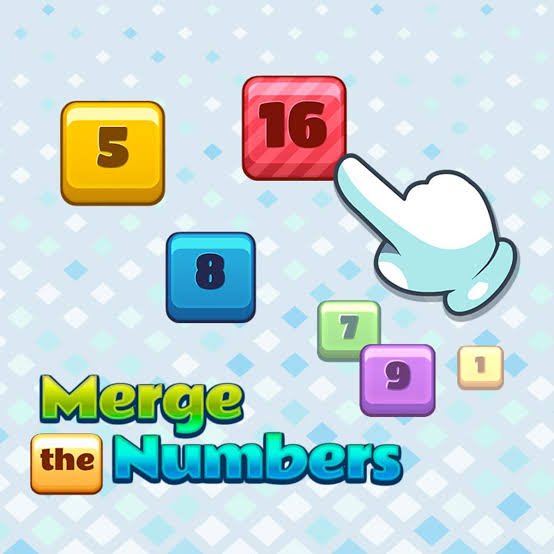


Merge Numbers
Merge Numbers is an endless number puzzle where each swipe moves every tile on the board. Combine matching values to create higher numbers, keep your largest tile organised, protect empty spaces, and continue building your score before the grid runs out of legal moves.
Merge Numbers
Merge Numbers is an endless number puzzle where every swipe moves all tiles across the board. When two matching values meet, they combine into one upgraded tile and increase your score. The controls are simple, but the board fills quickly when moves are made without considering where new tiles will appear or which combinations remain possible.
Players who enjoy number-merging challenges may also like Chain Cube 2048 3D Merge, which uses bouncing cubes and physical collisions instead of a flat sliding grid.
What Is Merge Numbers?
Merge Numbers is a single-player HTML5 puzzle developed by redfoc using the Phaser 3 game framework. It is built around sliding numbered tiles and joining equal values to create the next number. The game has no final level, so the main aim is to continue merging tiles and improve your score before the board becomes blocked. (CodeCanyon)
The browser edition listed by Y8 was added on July 11, 2024. It supports desktop and mobile browsers, with keyboard, mouse-swipe, and touchscreen controls. (Y8.Com)
The playable Merge Numbers page provides a useful reference for its browser controls and basic matching rules.
How Merge Numbers Gameplay Works
The game takes place on a square board containing numbered tiles.
When you swipe in one direction, every tile that can move travels toward that side of the board. Two identical tiles merge when they collide, creating one tile with a higher number.
For example:
- Two matching low-value tiles create the next value.
- Two copies of that new value can merge again.
- Repeated combinations create increasingly larger numbers.
- Every successful merge adds to your score.
After a valid move, another tile may appear in an empty position. This means the board becomes more crowded unless you keep creating combinations.
The game ends when the board has no empty spaces and no neighbouring matching tiles can be merged. (CodeCanyon)
The Main Goal
Merge Numbers does not have a traditional final stage.
Your goals are to:
- Create high-value tiles
- Keep empty spaces available
- Build useful tile patterns
- Avoid blocking matching numbers
- Improve your previous score
- Continue playing for as long as possible
A high tile is useful, but survival matters just as much. Reaching a large value will not help if the rest of the board contains scattered numbers with no possible matches.
Moving Every Tile at Once
You do not move one tile individually.
A swipe affects the entire board. Every tile travels as far as it can in the chosen direction until it reaches:
- The edge of the board
- Another tile with a different value
- A matching tile that it can merge with
This global movement is the central challenge.
A move that combines two tiles in one corner may also pull several unrelated pieces away from useful positions elsewhere.
Before swiping, inspect the full board rather than watching only the pair you want to merge.
How Number Merging Works
A merge happens when two equal tiles move into one another during the same turn.
The two original tiles disappear and are replaced by one upgraded tile.
| Matching Tiles | Result |
|---|---|
| Two equal starting tiles | One tile of the next value |
| Two equal upgraded tiles | One higher tile |
| Two equal high-value tiles | One still larger tile |
The exact number sequence should be read directly from the current game board. The important rule is that only identical values combine.
Different numbers cannot merge even when they sit beside one another.
Understanding the Board
The board contains a limited number of cells.
An empty cell provides room for tiles to move and gives new pieces somewhere to appear. A filled cell reduces your flexibility.
You should treat open space as a valuable resource.
When the board has many empty cells, you can change direction and repair weak arrangements. When only one or two spaces remain, every swipe must create a merge or the game may soon end.
A strong position normally contains:
- One large tile near an edge or corner
- Similar numbers placed close together
- Several open cells
- Clear movement paths
- Smaller numbers arranged in a useful order
A weak position often contains scattered high and low values with no matching partners nearby.
Keep the Largest Tile in One Area
One practical strategy is to keep your largest tile near one corner.
This reduces the chance of moving it through the middle of the board and blocking smaller combinations.
Choose one preferred corner and try to keep most moves directed toward it.
For example, when using the lower-left corner, you may rely mainly on:
- Left movements
- Down movements
- Occasional careful movements in another direction
Do not follow this rule blindly. A different move may be necessary to create a merge or prevent the board from filling.
The purpose is to create a consistent structure, not to remove useful choices.
Build Tiles in Order
High values are created from smaller values, so the arrangement of surrounding tiles matters.
Try to place values in a gradual sequence near your main corner. A simple pattern might place the largest tile in the corner, the next-largest beside it, and smaller tiles farther away.
This makes future combinations easier because the next required tile already has a route toward the larger one.
An unordered board may contain every value you need but still prevent them from meeting.
Think of the board as a production chain:
- Small tiles combine.
- Their results combine again.
- Medium values move toward the high-value area.
- The largest tiles remain protected.
Avoid Unnecessary Direction Changes
Constantly swiping in all four directions can scatter a well-organised board.
Each direction change should have a clear purpose, such as:
- Creating a merge
- Opening a blocked row
- Moving a required tile into position
- Preventing the board from becoming full
- Preparing several merges
Avoid changing direction simply because no immediate merge appears.
A temporary quiet move that keeps the structure intact may be safer than pulling the largest tiles away from their corner.
Look for Multiple Merges
One swipe can sometimes create several combinations.
Suppose a row contains matching pairs arranged in sequence. Sliding them together may merge both pairs during the same move.
Multiple merges are useful because they:
- Increase the score efficiently
- Free several board spaces
- Create higher tiles
- Reduce clutter
- Prepare another combination
Before making a simple one-pair merge, check whether another direction creates two or more combinations.
However, do not sacrifice your entire board structure for one attractive chain. Consider where the resulting tiles will finish.
Predict the New Tile
After a valid move, a new tile can enter the board.
You may not control its exact position, but you can prepare for it by keeping several spaces available.
When only one cell is empty, the next tile’s location becomes predictable, but the board is also close to failure.
When many cells are empty, the new position is less predictable, but you have more freedom to respond.
Good play balances these two factors:
- Keep enough space to remain safe.
- Arrange the board so several possible new positions are manageable.
Do not build a strategy that works only when the next tile appears in one exact cell.
Protect Empty Spaces
Creating space is often more important than increasing one tile.
A merge converts two occupied cells into one, giving you another empty position.
Look for moves that produce several open cells or prepare an immediate second merge.
When the board becomes crowded:
- Stop focusing only on the largest value.
- Find the easiest available matching pair.
- Check whether merging it exposes another pair.
- Avoid moves that separate identical tiles.
- Preserve any row or column that still has movement space.
Players who prefer visual rather than numerical puzzles can try Find Easy Hidden Differences, where progress comes from careful comparison instead of tile movement.
Use Quiet Moves Carefully
A quiet move changes the board without creating a merge.
These moves are sometimes needed to reposition tiles, but they also allow another number to enter the board.
Too many quiet moves fill the grid quickly.
Use one when it:
- Aligns matching tiles for the next turn
- Restores your preferred corner structure
- Opens a trapped row
- Moves a small tile away from the largest values
- Prevents an immediate dead end
Avoid quiet moves that only rearrange numbers without creating a clear follow-up.
Check All Four Directions
The first visible merge may not be the strongest move.
Before swiping, mentally test the board in each direction:
- What merges when moving left?
- What merges when moving right?
- What changes after moving up?
- What changes after moving down?
- Where will the new combined tiles stop?
- Which empty cells remain?
You do not need to calculate a long sequence every turn. Even a quick comparison of four possible results can prevent many weak moves.
Merge Numbers Controls
Merge Numbers supports keyboard, mouse, and touchscreen input.
| Action | Keyboard | Mouse | Touchscreen |
|---|---|---|---|
| Move tiles up | W | Swipe upward | Swipe upward |
| Move tiles left | A | Swipe left | Swipe left |
| Move tiles down | S | Swipe downward | Swipe downward |
| Move tiles right | D | Swipe right | Swipe right |
| Restart | Select the restart control | Click restart | Tap restart |
| Use fullscreen | Select the browser option | Click fullscreen | Tap fullscreen |
The original developer listing confirms W, A, S, and D keyboard movement, together with mouse or touchscreen swipes in all four directions. (CodeCanyon)
Some hosted versions may also support arrow keys. Follow the controls displayed beside the Gam-core game window.
Mouse and Touchscreen Movement
On desktop, click or hold inside the game board and drag in the direction you want the tiles to move.
On mobile, place your finger inside the board and make a short, clear swipe.
Avoid diagonal swipes. The game needs to determine whether you intended to move horizontally or vertically.
Small accidental movements may send the board in the wrong direction, especially on compact phone screens.
A clean swipe should be:
- Straight
- Deliberate
- Long enough to register
- Released before another movement begins
Y8 classifies the browser build as mobile and touchscreen compatible.
Keyboard Movement
Keyboard controls can provide more consistent input than mouse swipes.
Use:
- W for up
- A for left
- S for down
- D for right
Press one key at a time and wait for the movement animation to finish before making the next decision.
Rapid key pressing can make it difficult to see which new tile appeared or how several merges changed the board.
Main Merge Numbers Features
- Number-merging gameplay: Combine two equal tiles to create a higher value.
- Whole-board movement: Every swipe moves all available tiles.
- Endless structure: Continue until the board has no space or legal merges.
- Score system: Successful combinations increase the total score.
- Simple controls: Use keyboard keys, mouse swipes, or touchscreen gestures.
- Single-player play: The game focuses on personal scores and board management.
- Browser support: The HTML5 build runs through compatible desktop and mobile browsers.
- Automatic saving support: The original HTML5 package lists local storage for saving game data. Whether progress is preserved depends on the hosted build and browser settings. (James Moro)
- Compact presentation: The game uses a simple number grid without character movement or complex menus.
Endless Gameplay
There is no final “game completed” screen in the original HTML5 version.
The run continues while moves remain available. This makes each session a high-score challenge rather than a sequence of separate levels. (CodeCanyon)
Your practical targets can include:
- Beating your previous score
- Creating a new highest tile
- Surviving for more turns
- Keeping more empty cells
- Reaching a target value with fewer weak moves
Setting a personal target gives the endless structure a clearer purpose.
Scoring
The score increases when matching tiles merge.
Higher-level combinations may contribute more points than early merges, depending on the game’s scoring rules.
A large score normally comes from staying alive long enough to perform many repeated combinations.
Do not chase points from one move while ignoring the board’s condition. A smaller merge that restores several empty spaces may support a much higher total score later.
When the Game Ends
A run ends when both of these conditions are true:
- The board is full
- No neighbouring equal tiles can merge through any movement direction
A full board is not automatically a lost board.
If two matching tiles can still be brought together, their merge will create an empty space and allow the game to continue.
When the board appears full:
- Check every horizontal pair.
- Check every vertical pair.
- Test whether a swipe can align separated matching values.
- Avoid restarting until you confirm that no legal merge exists.
The developer and Y8 descriptions both identify a lack of space and movement as the game-ending condition. (CodeCanyon)
Recovering From a Crowded Board
A nearly full board can sometimes be repaired.
Begin with the smallest easy merge rather than trying to combine the two largest values immediately.
Small merges free space and may allow other tiles to shift into useful positions.
A recovery sequence may involve:
- Merge one small pair.
- Use the empty cell to shift a row.
- Bring another pair together.
- Restore the largest tile to its preferred area.
- Rebuild an ordered number sequence.
Do not panic and swipe repeatedly. Unplanned moves can remove the final useful arrangement.
Common Merge Numbers Mistakes
Moving Without Checking the Whole Grid
One pair may merge while another important pair becomes separated.
Chasing the Largest Tile
Creating one high number is not enough when the rest of the board is blocked.
Filling Every Empty Cell
Open cells provide movement space and room for new tiles.
Using All Four Directions Repeatedly
Frequent direction changes can destroy an organised corner strategy.
Making Too Many Quiet Moves
Every move without a merge may add another tile while freeing no space.
Separating Matching Values
Two identical tiles can become difficult to reconnect after other numbers move between them.
Swiping Too Quickly
Fast input can hide the result of a merge and cause an accidental second move.
Ignoring Small Tiles
Low values are the foundation of every future high-value combination.
Restarting When the Board Is Full
A full grid may still contain a legal merge.
Useful Merge Numbers Strategies
Choose a Preferred Corner
Keep the largest tile near one stable corner whenever possible.
Build a Number Sequence
Arrange medium and small values so they can feed into the largest tile gradually.
Prioritise Space
Choose moves that merge several tiles or create useful empty cells.
Check Every Direction
Compare the likely result of all four movements before choosing one.
Limit Opposite Swipes
Repeated left-right or up-down movements can scatter your organised tiles.
Keep Matching Values Close
Equal numbers are easier to merge when they share a row or column.
Plan One Move Ahead
Consider what will become possible after the current combination.
Slow Down on a Full Board
The fewer empty cells available, the more carefully each move should be checked.
Use Keyboard Controls for Precision
W, A, S, and D can reduce accidental diagonal swipes on desktop.
Learn From the Final Position
After losing, inspect which numbers became trapped and which direction broke the structure.
Graphics and Sound
Merge Numbers uses a clean grid with coloured number tiles.
Different tile colours help separate values at a glance, while larger numbers represent progress through the run.
The interface is intentionally simple. Most of the screen is used by the board, score, and basic controls.
Animations show:
- Tiles sliding
- Matching values combining
- New values appearing
- Score increases
- New tiles entering
Sound effects may confirm moves and merges, though audio is not required for understanding the game.
The original game was built with Phaser 3, an open-source HTML5 framework used for browser-based games. (CodeCanyon)
Difficulty and Learning Curve
The first moves are easy because the board contains plenty of space.
Difficulty increases naturally as:
- More cells become occupied
- Larger values need longer merge chains
- Matching numbers become separated
- Direction changes affect more tiles
- New pieces interrupt planned patterns
- Fewer recovery moves remain
The controls never become complicated. The challenge comes from managing space and predicting how the full board responds.
Players looking for a collection of shorter casual challenges can also play Fun Mini Online.
Browser and Device Support
The HTML5 version is designed to work across compatible browsers.
The original package lists support for Chrome, Firefox, Safari, Opera, and Edge, together with cross-platform play and local browser storage. (James Moro)
Y8 lists the game for:
- Desktop browsers
- Mobile browsers
- Touchscreen devices
- Fullscreen browser play
Performance may depend on the browser, screen size, and embedded Gam-core version.
A larger screen can make swipes and board reading easier, but the simple grid also works well for short mobile sessions.
Saving Progress
The original game package includes local-storage support, which can allow the browser to remember game data. (James Moro)
Local progress may be lost when you:
- Clear site data
- Clear browser storage
- Use private browsing
- Change browsers
- Change devices
- Block required storage permissions
Treat the current session as temporary unless the Gam-core version clearly shows a saved score or continue option.
Who Should Play Merge Numbers?
Merge Numbers suits players who enjoy:
- Number puzzles
- Endless high-score games
- Tile merging
- Board-space management
- Simple controls
- Short browser sessions
- Planning several movements ahead
- Improving personal records
It does not require fast character movement, complex tutorials, or multiplayer communication.
Players who prefer clue-based logic can try Escape Game Basic, where each solved object or pattern leads toward another part of the puzzle.
More casual, puzzle, strategy, action, and racing titles are available through the Gam-core games collection.
Honest Strengths and Limitations
| Strengths | Possible Limitations |
|---|---|
| Controls can be learned immediately | The central merging loop may feel repetitive |
| Mouse, keyboard, and touch input are supported | One accidental swipe can damage the board |
| Endless play supports personal score goals | There are no traditional levels |
| Every move creates a clear board change | New tile positions add uncertainty |
| Short sessions are easy to start | Long runs require careful concentration |
| Higher tiles provide visible progress | The simple graphics may feel plain |
| Space management adds strategy | Crowded boards can become difficult to repair |
| No fast reactions are required | There is no verified multiplayer mode |
| Browser play requires no large installation | Local saves can be lost through browser cleaning |
| Suitable for desktop and mobile devices | Small screens can make precise swiping harder |
Merge Numbers Game Information
| Detail | Information |
|---|---|
| Game title | Merge Numbers |
| Developer | redfoc |
| Genre | Number puzzle, tile merge, casual |
| Main mode | Single-player |
| Main objective | Merge equal tiles and create higher numbers |
| Board movement | All tiles move together |
| Controls | W, A, S, D, mouse swipe, or touchscreen swipe |
| End condition | No empty space and no available movement |
| Game structure | Endless high-score play |
| Technology | HTML5 and Phaser 3 |
| Browser listing date | July 11, 2024 on Y8 |
| Mobile support | Supported through compatible browsers |
| Saving | Local-storage support in the original game package |
The original Merge Numbers HTML5 game was published by redfoc as a Phaser 3 browser project with cross-platform controls and endless gameplay. (CodeCanyon)
Frequently Asked Questions
What type of game is Merge Numbers?
Merge Numbers is an endless number-merging puzzle where players slide the whole board and combine equal tiles into higher values.
How do I move the tiles?
Swipe up, down, left, or right. Desktop players can also use W, A, S, and D. (CodeCanyon)
Can I move one tile by itself?
No. Every swipe moves all tiles that have space to travel in that direction.
Which tiles can merge?
Only tiles with identical values can merge.
What happens after two tiles merge?
They become one upgraded tile, your score increases, and an empty board cell is created.
Does Merge Numbers have levels?
The original HTML5 version uses endless gameplay rather than separate levels. (CodeCanyon)
Does Merge Numbers have an ending?
There is no final completion point. A run ends when no space or legal movement remains.
What happens when the board is full?
The game continues when a merge is still possible. It ends only when the full board has no available combinations.
Can Merge Numbers be played on mobile?
Yes. The browser version supports mobile and touchscreen devices.
Can I play Merge Numbers with a keyboard?
Yes. Use W, A, S, and D to move the board. (CodeCanyon)
Is Merge Numbers multiplayer?
No standard multiplayer mode is documented. The main game is a single-player high-score puzzle.
Does Merge Numbers save progress?
The original HTML5 package supports local storage, but saving depends on the hosted version and browser settings. (James Moro)
Why did my tiles not merge?
The tiles may have different values, may not be aligned in the movement direction, or may be blocked by another number.
What is the best beginner strategy?
Keep the largest tile near one corner, protect empty spaces, keep matching values close, and avoid unnecessary movement in all four directions.
Is Merge Numbers the same as 2048?
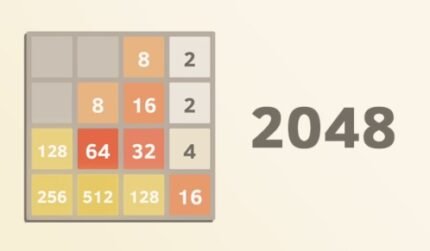
The games share the idea of sliding and merging equal number tiles. Merge Numbers is its own HTML5 title with endless high-score play and its own tile sequence and presentation.







Reviews
There are no reviews yet.