
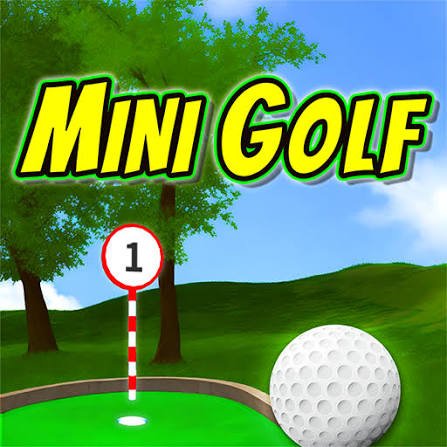


Mini Golf
Mini Golf is a casual physics-based sports game where you aim, set shot power, and guide the ball around creative obstacles. Read each course, use controlled putts, plan safe rebounds, and reach the cup in as few strokes as possible.
Mini Golf
Mini Golf turns a small course into a careful puzzle where one strong shot can create more problems than it solves. You aim the ball toward the hole, choose how much power to use, and try to pass walls, slopes, moving obstacles, and narrow corners without wasting strokes.
The controls are easy to understand, but each hole asks for a different approach. A straight path may reward a gentle putt, while a banked corner may require you to use the wall. The best result does not always come from aiming directly at the flag. Sometimes the safer route uses two controlled shots instead of one risky attempt.
Players who enjoy judging power and distance can also try Golf Orbit, where timing and shot strength affect how far the ball travels.
What Mini Golf Is About
Mini Golf is a casual sports and physics game based on guiding a ball through short obstacle-filled holes.
Your objective is to place the ball in the cup using the fewest possible strokes. Every time you launch the ball, one stroke is added to the score.
A typical course may include:
- Straight putting lanes
- Raised slopes
- Curved walls
- Narrow bridges
- Sand or rough surfaces
- Moving barriers
- Rotating obstacles
- Tunnels
- Water hazards
- Ramps
- Multiple possible routes
- Angled corners
The game is less about hitting the ball as hard as possible and more about choosing a useful direction. A powerful shot may travel farther, but it can bounce from a wall, leave the course, or stop in a difficult position.
The exact number of holes, course themes, scoring limits, and multiplayer features depend on the version available on Gam-core.
How Mini Golf Gameplay Feels
The first hole normally gives you enough open space to understand the aiming system.
You select the ball, drag to choose the direction and power, and release to take the shot. A guide line may show where the ball will begin travelling, but it may not reveal every bounce or change in speed.
The early holes often reward direct shots. Later courses begin placing walls, slopes, and moving objects between the ball and the cup.
This changes the game from simple aiming into route planning. You may need to decide whether to attempt a narrow shortcut or use a longer path with more space.
A successful shot feels especially satisfying when the ball follows the planned route, slows near the cup, and drops without requiring another correction.
For more relaxed sports challenges, browse the sports games collection.
Mini Golf Controls
Mini Golf is normally controlled with the mouse or touchscreen.
Desktop Controls
- Move the mouse around the ball to choose the direction.
- Click and hold the left mouse button.
- Drag backward to increase the shot power.
- Adjust the angle while holding.
- Release the mouse button to putt.
Mobile Controls
- Touch and hold near the ball.
- Drag to choose the direction and strength.
- Release your finger to take the shot.
Some versions may use visible power controls or allow the camera to be rotated before the shot.
Check the instructions inside the game because the aiming line and drag direction can differ between browser builds.
Use Less Power Than You Think
New players often use too much power because a stronger shot seems more likely to reach the hole.
On a small course, extra speed can make the ball much harder to control. It may bounce from the back wall, cross the cup too quickly, or return to the same obstacle you were trying to avoid.
Begin with moderate power.
A softer shot gives you more information about:
- How quickly the ball rolls
- How strongly walls affect its direction
- How steeply slopes change its speed
- Whether the surface slows the ball
- How close the hole really is
Increase the power only when the previous attempt clearly stopped short.
Read the Whole Hole Before Shooting
Do not aim immediately after the course appears.
Take a moment to study:
- The location of the cup
- Walls between the ball and the hole
- Moving obstacles
- Slopes and ramps
- Narrow paths
- Safe stopping areas
- Possible bank-shot angles
- Hazards near the direct route
The shortest-looking path is not always the easiest.
A direct route through a moving obstacle may require perfect timing. A wider route around it could provide a much more reliable score.
Try to plan at least the first two shots. Consider not only where the ball should travel now, but also where it will stop if it misses the cup.
Aim for a Good Second Position
A shot does not need to reach the hole to be useful.
When the cup is hidden behind a corner, aim for a position that gives the next attempt a clear line.
A good setup position normally has:
- Open space around the ball
- A direct view of the cup
- No hazard immediately behind it
- Enough room to control the next shot
- A flat or predictable surface
Avoid stopping directly beside a wall when possible. The limited angle can make the next shot difficult.
A controlled setup followed by an easy putt is often better than one powerful attempt that leaves the ball trapped.
How to Use Walls for Bank Shots
Walls can help change the direction of the ball when the cup cannot be reached directly.
A bank shot works by aiming at the wall so the ball rebounds toward the intended route.
To plan one:
- Look at the angle from the wall to the target area.
- Imagine the ball reflecting away from the wall.
- Choose a clear contact point.
- Use enough power to reach the wall and continue.
- Avoid hitting the wall at an extremely sharp angle.
A small change in the contact point can create a large difference after the bounce.
Practise bank shots on wider holes before trying them through narrow spaces. The goal is not only to hit the wall but to control where the ball travels afterward.
Handling Slopes and Ramps
Slopes change both the speed and direction of the ball.
An uphill shot needs more power because the ball loses speed while climbing. A downhill shot needs less power because gravity continues moving the ball after the initial putt.
When crossing a slope:
- Aim slightly against the direction of the slope
- Use additional power uphill
- Reduce power downhill
- Watch where the surface becomes flat
- Avoid stopping halfway on a steep section
- Prepare for the ball to curve or roll back
Ramps may launch the ball across a gap or onto a raised platform. Too little power can leave it short, while too much may send it beyond the landing area.
Use the first attempt to understand the ramp rather than expecting a perfect shot immediately.
Timing Moving Obstacles
Some Mini Golf holes include gates, rotating bars, windmill-style obstacles, or platforms that move in a repeated pattern.
Do not rush the shot simply because the path is briefly visible.
Watch one complete movement cycle first.
Identify:
- When the route opens
- How long it stays clear
- How quickly the ball will reach the obstacle
- Whether another moving part appears beyond it
- Where the ball will stop after passing
The ball needs to reach the opening at the correct moment, not leave your starting position at that moment.
A slower shot may arrive after the obstacle closes. A powerful shot may reach it too early.
Water and Out-of-Bounds Areas
Hazards can add strokes or return the ball to an earlier position, depending on the game version.
Before taking a risky shortcut over water or outside the main course, check whether the possible reward justifies the danger.
A safe route may require one extra planned shot. A failed shortcut may add a penalty and still leave you needing the safer route afterward.
When a narrow bridge crosses a hazard:
- Align the shot before adding power
- Avoid changing the angle dramatically
- Aim toward the centre of the path
- Use enough power to cross
- Do not launch so strongly that the ball leaves the far side
Course-specific penalty rules can differ, so check the instructions displayed by the game.
How to Complete Holes in Fewer Strokes
Study Before Acting
A few seconds of planning can prevent several unnecessary shots.
Use Controlled Power
Choose enough strength to reach the useful area without sending the ball beyond it.
Plan the Stopping Point
Do not focus only on the direction. Think about where the ball will lose speed.
Use Safe Angles
A wide route with a predictable bounce may be better than a narrow direct path.
Learn From Every Attempt
When the ball stops short, add a small amount of power. When it travels too far, reduce the next shot without changing everything else.
Avoid Repeating the Same Miss
Check whether the angle, power, slope, or moving obstacle caused the problem before trying again.
Common Mini Golf Mistakes
The most common mistake is using maximum power on short holes.
Another mistake is aiming only at the cup. Obstacles, slopes, and walls may make a direct shot impossible or unreliable.
Players also change both the angle and power after every miss. This makes it difficult to understand which adjustment helped.
Ignoring the stopping point causes similar problems. The ball may pass the current obstacle but finish against a wall with no useful next angle.
Some players rush moving obstacles without observing their pattern. Waiting for one full cycle often makes the correct timing much clearer.
The final common mistake is forcing a difficult hole-in-one attempt repeatedly. A safe two-shot route may protect the overall course score.
Understanding Par and Stroke Scores
Mini Golf scoring normally counts how many shots you use on each hole.
A lower total score is better.
The course may also display a par number. Par represents the expected number of strokes for that hole.
For example:
- Finishing below par is a strong result
- Finishing at par meets the expected score
- Finishing above par adds more strokes to the total
- A hole-in-one completes the hole with one stroke
Some browser games set a maximum number of attempts. When the ball is not completed within that limit, the game may apply a fixed score and move to the next hole.
The exact scoring rules can differ between versions.
Chasing a Hole-in-One
A hole-in-one is possible when one shot carries the ball from the starting point into the cup.
The best opportunities usually appear on holes with:
- A clear direct route
- Predictable wall angles
- No moving obstacles
- A short distance
- A reliable ramp
- A funnel-shaped area near the cup
Do not assume every hole is designed for a one-shot finish.
Some courses expect the ball to be moved into a setup position first. Forcing maximum power through several hazards may increase the final score rather than reduce it.
Learn the route, then return to attempt a hole-in-one after completing the course safely.
Time Challenges and Limited Shots
Some Mini Golf versions add timers or stroke limits.
A timed mode rewards quick planning, but careless shots can waste more time than a brief pause.
When the clock is active:
- Read the hole before the first shot
- Avoid unnecessary camera movement
- Use familiar routes
- Prepare the next angle while the ball slows
- Do not restart after a small mistake unless required
A limited-shot mode makes every attempt more valuable. Use safe setup shots rather than gambling the entire level on a narrow shortcut.
Multiplayer Mini Golf
Some browser versions may include local or online multiplayer, while others are completely single-player.
In multiplayer, players may take turns on the same hole or play at the same time.
Turn-based play gives you time to watch another player’s route. Their successful bounce or mistake can reveal useful information.
Simultaneous play can feel busier because several balls may be moving around the course. Stay focused on your own angle and score.
Check the Gam-core version before claiming that online multiplayer is available.
When online features or chat exist, never share private information such as your full name, school, address, password, or personal contact details.
Different Course Themes
Mini Golf courses often use colourful environments to make each group of holes feel different.
Possible themes include:
- Gardens
- Beaches
- Islands
- Castles
- Space
- Candy worlds
- Pirate areas
- Snowy courses
- Forests
- Neon rooms
- Indoor arcades
The visual theme may also introduce different obstacles. A castle course can use bridges and gates, while an island course may place water around narrow paths.
Do not assume every decoration is harmless. Some objects may block the ball or change its direction.
Improving Your Full-Course Score
Begin by completing every hole without worrying about a perfect result.
After finishing the course, identify where most strokes were lost.
A useful improvement order is:
- Replay holes with major mistakes.
- Reduce excessive power.
- Learn moving-obstacle timing.
- Find better setup positions.
- Practise wall rebounds.
- Attempt safe shortcuts.
- Work on possible holes-in-one.
- Reduce the complete course total.
Improving three difficult holes by one stroke each can matter more than repeatedly chasing perfection on a hole you already complete well.
Track consistency before attempting the most difficult shortcuts.
Learning From a Missed Shot
A missed shot still provides information.
Ask:
- Was the direction wrong?
- Was the power too strong or weak?
- Did the ball hit an unexpected slope?
- Did a wall change the angle?
- Did the obstacle close before the ball arrived?
- Did the ball stop in a useful position anyway?
Change only the part that caused the problem.
A near miss normally needs a small correction. Starting with a completely different angle and power removes the useful information from the previous attempt.
Browser and Mobile Play
Mini Golf is well suited to browser play because it normally uses simple mouse or touchscreen controls.
For smoother performance:
- Use an updated browser
- Close unnecessary tabs
- Allow the game to finish loading
- Use fullscreen mode when helpful
- Avoid resizing the window during a shot
- Check touch controls before starting on mobile
Desktop mouse control can make small angle and power adjustments easier.
Mobile devices provide a natural drag-and-release action, though smaller screens may make narrow obstacles harder to judge.
Treat the instructions inside the Gam-core version as the correct guide for device support and controls.
Mini Golf as a Real Sport
Browser Mini Golf simplifies the activity into mouse or touchscreen shots. Competitive real-world minigolf uses physical courses, putters, balls, and established event rules.
The World Minigolf Sport Federation oversees international minigolf sport and organised competition.
The USGA Rules of Golf provide official information about the wider sport of golf, although browser mini golf uses a much simpler rule system.
Game physics should not be treated as exact instruction for real putting. Ball materials, course surfaces, weather, and physical technique all behave differently outside the screen.
What Makes Mini Golf Worth Playing
Mini Golf creates a useful puzzle from a very small control system.
You do not need to manage a full golf bag or learn several swing types. Every hole focuses on direction, power, obstacles, and the final stopping point.
Short holes make the game easy to play during a quick browser session. A full course provides a longer challenge for players who want to improve their total score.
The game may feel quiet for players who prefer fast racing or constant action. Its appeal comes from patient planning and small adjustments.
A difficult hole becomes satisfying once you understand the route and reduce several failed attempts to one or two controlled shots.
Players who enjoy slower visual puzzles may also try Jigsaw Puzzle.
Who Will Enjoy Mini Golf?
Mini Golf suits casual players, sports-game fans, puzzle players, score chasers, and anyone who enjoys simple controls with room for improvement.
Beginners can focus on reaching the cup without using too much power.
More experienced players can attempt holes-in-one, use calculated bank shots, and reduce their total course score.
The game works well for short sessions because every hole has a clear objective and can normally be completed within a few minutes.
Players seeking realistic professional golf simulation may find the system basic. Those who enjoy careful aiming and obstacle-based courses are more likely to appreciate its relaxed challenge.
Play Mini Golf Free Online
Play Mini Golf free online on Gam-core.com and guide the ball through courses filled with walls, ramps, slopes, bridges, moving obstacles, and narrow routes.
Study the complete hole before taking the first shot, use only the power the route requires, and think about where the ball will stop. Reaching the cup completes the hole, but doing it with fewer strokes is what makes every replay worthwhile.




Reviews
There are no reviews yet.