
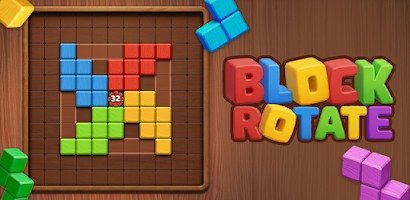


Rotate Blocks
Rotate Blocks is a gravity-based logic puzzle where every clockwise or counter-clockwise turn moves multiple pieces. Predict where each block will fall, use solid obstacles and moving pieces as supports, break ice, manage slime and phantom blocks, and reach every matching finish spot with as few moves as possible.
Rotate Blocks
Rotate Blocks is a gravity-based logic puzzle where you turn the entire board to move coloured blocks toward matching finish spots. A single rotation affects every movable piece, so solving a level is not about controlling one block at a time. You must predict where all pieces will fall, which obstacles they will hit, and whether your move creates a useful position for the next rotation.
Players who enjoy spatial puzzles may also like Chain Cube 2048 3D Merge, where careful cube placement affects future combinations and available space.
What Is Rotate Blocks?
Rotate Blocks is a puzzle game developed by Pixel Dreamland. Its main objective is to place each movable block on a finish spot of the same colour while using as few board rotations as possible.
Instead of dragging blocks directly, you rotate the whole puzzle clockwise or counter-clockwise. Gravity then pulls every movable block toward the new bottom of the board. Solid walls, other moving blocks, ice, slime, and special phantom blocks determine where each piece stops.
Pixel Dreamland describes the game as a collection of increasingly challenging puzzles based on moving blocks by rotating the board. The developer first posted the game on its official site in October 2015.
The official Android version of Rotate Blocks is maintained through Google Play.
How Rotate Blocks Gameplay Works
Each level contains one or more coloured moving blocks, matching finish spots, and obstacles arranged inside a fixed board.
When you rotate the board, its orientation changes by 90 degrees. What was previously the left side may become the bottom, causing movable blocks to fall in that direction.
A normal turn follows this process:
- Study every movable block and finish spot.
- Check which direction each block will fall.
- Rotate the board clockwise or counter-clockwise.
- Watch the blocks move until something stops them.
- Review the new layout.
- Continue until every coloured block reaches its matching finish spot.
The official rules state that when several finish spots appear, all of them must contain matching moving blocks to complete the level.
The Main Goal
The immediate goal is to place every moving block on the correct finish spot.
Colour matters. A red block must reach a red finish spot, while a blue block must reach a blue one.
The game also encourages efficient solutions. Completing a puzzle is useful, but solving it with fewer rotations requires better planning.
This creates two ways to approach a level:
- Find any sequence that works.
- Return and search for a shorter sequence.
A complicated route may eventually reach the target, but unnecessary rotations can move correctly placed blocks away again.
Gravity Changes With Every Rotation
Gravity always pulls movable blocks toward the current bottom of the board.
If you rotate the board clockwise, a block that was resting on the floor may begin falling toward what used to be the left wall.
This means you should not think of the board as having a permanent top or bottom. Every side can become the floor after a rotation.
Before making a move, mentally rotate the board and ask:
- Which side becomes the new bottom?
- Which blocks will move first?
- Which obstacle will stop each block?
- Will one block land on another?
- Will a block pass its finish spot?
- Can a correctly placed block move away?
This mental preview is more reliable than rotating randomly and trying to repair the result afterward.
Moving Blocks
Moving Blocks are the main pieces you need to guide.
They respond whenever the board rotates and continue falling until they hit:
- A solid block
- Another moving block
- A board boundary
- An obstacle that stops movement
- A matching or non-matching finish area supported by a surface
Moving blocks can also help position one another. One piece may act as a temporary wall, allowing another block to stop at the correct height.
The official tips specifically recommend using surrounding blocks and other moving pieces to solve levels.
Solid Blocks
Solid Blocks remain fixed when the board rotates.
They create walls, platforms, narrow passages, and stopping points. Since they never fall, their positions provide the most predictable part of a puzzle.
Use solid blocks to calculate where a moving piece will stop.
A block falling through a clear corridor will continue until it reaches the corridor’s final solid surface. If another movable piece enters the corridor first, the stopping position may change.
Solid blocks can therefore be both:
- Helpful supports
- Barriers blocking the shortest route
Look for paths around them rather than trying to move them.
Phantom Blocks
Phantom Blocks remain in place during normal board rotation, but they have a special one-time interaction.
A moving block can pass through a Phantom Block once. After that passage, the Phantom Block becomes solid and begins acting as a permanent obstacle.
This makes the order of movement important.
The first block to pass through a Phantom Block changes the puzzle for every block that follows.
Before using one, consider:
- Which block should pass through it?
- From which direction should that passage happen?
- Where will the moving block land?
- What route will close after the Phantom Block becomes solid?
- Does another block need the same opening later?
Using a Phantom Block too early can close a necessary route.
Ice Blocks
Ice Blocks require two impacts from moving blocks.
The first falling block cracks the ice. A second impact shatters it, removing the obstruction.
An Ice Block may therefore require preparation across several rotations.
A practical sequence may involve:
- Sending one block into the ice to crack it
- Moving that block away
- Rotating another piece toward the same ice
- Breaking the damaged block
- Using the newly opened path
Do not assume the first collision will clear the route.
Also consider which block should deliver the second hit. The piece breaking the ice may continue into the space beyond it, depending on the board layout.
Slime Blocks
Slime Blocks trap a moving block that collides with them.
The trapped block remains inside until another moving block pushes it out. The new block then takes its place inside the slime.
This creates a swapping mechanic.
Slime can be used to:
- Hold one block temporarily
- Position a block at a useful height
- Stop a piece from moving during another rotation
- Exchange the positions of two blocks
- Prepare a later route
A trapped block is not necessarily lost. It may be exactly where it needs to wait while you move another piece into position.
Think about both blocks before pushing one into slime. The replacement piece will become trapped, so the exchange should improve the overall board.
Finish Spots
Finish Spots are coloured target spaces.
A matching moving block must come to rest on each finish spot. When several targets appear, the level is completed only after all required colours are correctly positioned.
Reaching one target does not always mean that block should stay there immediately.
A later rotation may be needed to move another piece, causing the first block to leave its finish spot. You may need to:
- Place one block temporarily
- Use it as a stopper
- Move it away
- Position another block
- Return the first block to its target last
Try to determine which target should be completed first and which should be saved for the final move.
Planning a Rotation
A good rotation should have a clear purpose.
Before turning the board, identify what you want the move to achieve:
- Move a block into a corridor
- Stop a block beside a wall
- Crack an Ice Block
- Break damaged ice
- Send a piece through a Phantom Block
- Trap a block in slime
- Push another block out of slime
- Align a block with its finish spot
- Use one moving block to stop another
Then check whether the rotation causes an unwanted change elsewhere.
One useful move should not create three new problems.
Players who enjoy connected puzzles where one decision changes the next problem can also play Escape Game Basic.
Think About Every Moving Block
A common mistake is following only the block closest to its target.
The board rotation affects all movable pieces at the same time. While one block moves toward its finish spot, another may:
- Leave a useful position
- Block a corridor
- Activate a Phantom Block
- Hit ice too early
- Enter slime
- Fall beneath the wrong target
- Prevent another block from moving
Before rotating, trace every movable block separately.
A simple review order is:
- Check the first coloured block.
- Predict its destination.
- Check the second block.
- Predict whether the first one affects it.
- Continue until every movable piece has been considered.
- Make the rotation only when the full result is acceptable.
Rotation Order Matters
Clockwise and counter-clockwise rotations can eventually produce the same board orientation, but they do not always create the same journey.
For example, reaching an upside-down board could take:
- Two clockwise turns
- Two counter-clockwise turns
The final orientation is the same, but the intermediate movements may be completely different.
During the first route, a block might enter slime. During the second, it might pass through a Phantom Block or strike ice.
Do not plan only around the final board angle. Every step in the sequence matters.
Use Blocks as Temporary Barriers
Moving blocks can stop against one another.
This allows one block to become a temporary platform or wall for another.
Suppose a target sits in the middle of a tall corridor. A block would normally fall past it to the bottom. Placing another moving block underneath can stop the first piece at the correct height.
The support block may later need to move away, so check whether the completed arrangement remains stable after the next rotation.
This technique becomes especially useful in puzzles with multiple coloured blocks.
Work Backward From the Finish
When a target seems difficult to reach, begin at the finish spot and reason backward.
Ask:
- From which direction must the block enter?
- What must stop it on the target?
- Which board orientation creates that movement?
- Where must the block be before the final rotation?
- How can it reach that starting position?
- Which obstacles must change first?
This method turns a confusing board into a sequence of smaller requirements.
Instead of testing random rotations, you are building a route toward a known final move.
Count Rotations Before Acting
Rotate Blocks rewards solutions with fewer moves, so compare possible routes before starting.
Suppose one route requires:
- Rotate right
- Rotate down
- Rotate left
- Rotate up
- Rotate right again
Another route may use a Phantom Block and reach the same finish in only three rotations.
You do not need to find the perfect solution immediately. First complete the level, then replay it with a shorter route in mind.
Keep track of where the unnecessary movement happened. A repeated board orientation often indicates that part of the route can be simplified.
Avoid Random Rotation
Random rotation may occasionally move a block closer to its goal, but it also makes the puzzle harder to understand.
After several unplanned turns, it becomes difficult to remember:
- Which route was originally open
- Whether ice has been hit once
- Which Phantom Block has changed
- Why a block entered slime
- Which position was part of the intended solution
The developer advises players to think carefully because random rotations are unlikely to produce the best result.
Pause after every turn and compare the new board with your intended plan.
Resetting a Level
Some mistakes cannot be repaired efficiently.
A Phantom Block may become solid at the wrong time, or a coloured block may become trapped behind an obstacle with no useful route back.
When the board is clearly unsalvageable, restarting is more useful than adding many rotations.
Restart when:
- An essential corridor has closed
- A block is trapped in an unreachable area
- The wrong block activated a one-use mechanic
- All useful movement routes are blocked
- The current solution requires many unnecessary turns
- You want to attempt a better move count
A restart is part of solving the puzzle, not a failure to understand it.
Rotate Blocks Controls
The official Android instructions state that players rotate the board with a finger and can turn it clockwise or counter-clockwise.
| Action | Mobile Control | Browser Control When Supported |
|---|---|---|
| Rotate clockwise | Use the clockwise gesture or button shown | Click the clockwise control |
| Rotate counter-clockwise | Use the counter-clockwise gesture or button shown | Click the counter-clockwise control |
| Restart a level | Tap the restart option | Click restart |
| Select a level | Tap its level button | Click its level button |
| Open settings | Tap the settings icon | Click the settings icon |
| Continue | Tap the next-level button | Click the next-level button |
The exact layout may differ between the official Android edition and a browser adaptation. Follow the control icons shown beside the current puzzle.
Useful Rotate Blocks Strategies
Predict the New Bottom
Identify which side becomes the floor before every rotation.
Trace Every Block
Do not follow only the piece you currently want to place.
Save One-Time Mechanics
Avoid activating a Phantom Block until you know which moving piece needs to pass through it.
Count Ice Impacts
Remember whether an Ice Block is untouched, cracked, or ready to break.
Treat Slime as Storage
A trapped block can be useful when you need it to remain still temporarily.
Use Moving Blocks Together
One block can support, stop, push, or redirect another.
Plan the Final Rotation
Work backward from the arrangement that places all blocks on their matching targets.
Replay for Fewer Moves
Complete a difficult level first, then remove unnecessary rotations during another attempt.
Pause After Each Turn
Review the new layout before changing the board again.
Study Narrow Corridors
A one-block-wide passage may determine the only route to a finish spot.
Common Rotate Blocks Mistakes
Watching Only One Block
Another piece may move into a corridor or activate an obstacle during the same rotation.
Rotating Without a Clear Goal
Every turn should create a required position, change an obstacle, or move a block toward a planned route.
Activating a Phantom Block Too Early
Once a moving block passes through it, the Phantom Block becomes solid.
Forgetting That Ice Needs Two Hits
The first impact cracks the ice but does not remove it.
Treating Slime as a Permanent Trap
A second moving block can push the trapped piece out and replace it.
Completing One Target Too Soon
A later rotation may remove the block from the finish spot or make another target harder to reach.
Ignoring Block Order
Two moving blocks in one corridor may stop in different positions depending on which arrives first.
Repeating Opposite Rotations
Turning clockwise and immediately reversing the move may return the board while leaving blocks in worse positions.
Refusing to Restart
A short reset can be better than trying to repair a position created by a one-time mistake.
Graphics and Presentation
Rotate Blocks uses a clear grid-based visual style built around coloured moving blocks, fixed obstacles, and recognisable target spaces.
The puzzle needs to show several states clearly:
- Which blocks can move
- Which blocks stay fixed
- Which colours match
- Whether ice is cracked
- Whether a Phantom Block has changed
- Which block is trapped in slime
- Where each finish spot is located
The simple presentation helps players focus on movement paths and gravity rather than decorative effects.
Pixel Dreamland’s official site describes its game as a block-moving puzzle, while the Google Play screenshots show a compact mobile board designed around short logic stages.
Difficulty and Learning Curve
The first puzzles can be solved by learning how blocks respond to clockwise and counter-clockwise rotations.
Later stages become harder because several mechanics interact at the same time. A puzzle may require you to:
- Move several coloured pieces
- Activate a Phantom Block in the correct order
- Crack and break ice
- Exchange blocks through slime
- Use one moving block as a support
- Complete several targets together
- Reduce the total move count
The official description states that levels become more challenging as progress continues and eventually require more than random rotation.
The controls remain simple throughout the game. Difficulty comes from predicting consequences rather than learning new buttons.
Players interested in another game based on careful observation can try Find Easy Hidden Differences.
Who Should Play Rotate Blocks?
Rotate Blocks suits players who enjoy:
- Gravity puzzles
- Spatial reasoning
- Short logic levels
- Move optimisation
- Cause-and-effect mechanics
- Colour matching
- Planning several actions ahead
- Replaying levels for better solutions
It does not require fast reactions or complicated character movement. Players can study the board before choosing either rotation direction.
People looking for a traditional strategy lesson can also try Chess School for Beginners, which teaches planning through guided chess exercises.
Rotate Blocks may feel less suitable for players who prefer stories, direct multiplayer competition, large environments, or action-heavy controls. Its challenge comes almost entirely from the puzzle board.
Honest Strengths and Limitations
| Strengths | Possible Limitations |
|---|---|
| Only two main rotation directions are needed | Predicting several blocks at once can be difficult |
| Every rotation has a clear physical result | One mistake can close an important route |
| Several block types create varied puzzles | Special mechanics may require trial and error |
| Levels encourage efficient solutions | Replaying for fewer moves may feel repetitive |
| No quick reactions are required | The presentation is visually simple |
| Moving blocks can interact in useful ways | Correct block order is not always obvious |
| Ice, slime, and phantom mechanics add depth | One-use changes may require a restart |
| Short stages suit brief sessions | No verified live multiplayer mode |
| Colour-coded targets are easy to understand | Colour recognition is important |
| Suitable for planning at a personal pace | Official availability is primarily Android |
Rotate Blocks Game Information
| Detail | Information |
|---|---|
| Game title | Rotate Blocks |
| Developer | Pixel Dreamland |
| Genre | Logic, gravity, block puzzle |
| Main mode | Single-player |
| Main objective | Place coloured blocks on matching finish spots |
| Main movement | Rotate the entire board |
| Rotation directions | Clockwise and counter-clockwise |
| Main block types | Moving, solid, phantom, ice, and slime |
| Scoring focus | Complete levels with fewer moves |
| Official platform | Android |
| Content rating | Rated for ages 3 and older on Google Play |
| Payment model | Contains advertisements and in-app purchases |
| Latest listed update | November 27, 2022 |
The current Google Play listing identifies Pixel Dreamland as the developer, classifies Rotate Blocks as a puzzle game, and records support for newer devices in its most recent update notes.
More information about the studio’s games is available through the official Pixel Dreamland site, which lists Rotate Blocks alongside Block Shifter, Ore Buster, and Escape the Circle.
Frequently Asked Questions
What type of game is Rotate Blocks?
Rotate Blocks is a gravity-based logic puzzle where you rotate the entire board to move coloured blocks toward matching finish spots.
Who developed Rotate Blocks?
Rotate Blocks was developed by Pixel Dreamland.
How do I move the blocks?
Rotate the board clockwise or counter-clockwise. Movable blocks then fall toward the new bottom of the board.
Can I drag an individual block?
The main mechanic does not use direct block dragging. You move pieces by changing the orientation of the whole board.
What is a Moving Block?
A Moving Block responds to gravity and changes position when the board rotates.
What is a Solid Block?
A Solid Block remains fixed and acts as a wall, floor, platform, or stopping point.
What does a Phantom Block do?
A moving block can pass through a Phantom Block once. The Phantom Block then becomes solid.
How do Ice Blocks break?
The first collision cracks an Ice Block. A second collision shatters it.
What happens when a block enters slime?
The slime traps the block. Another moving block can push it out, but the second block then becomes trapped in its place.
How do I complete a level with several finish spots?
Every finish spot must contain a moving block of the matching colour. Completing only one target is not enough.
Does completing a level require the fewest possible moves?
You can first solve the puzzle with a working route. The game’s stated objective also encourages completing levels with as few moves as possible.
What is the best beginner strategy?
Predict where every moving block will fall, give each rotation a clear purpose, and avoid activating one-use mechanics before their role is understood.
Why does a block keep moving away from its target?
The whole board changes orientation with every turn. A block already on a finish spot may move again unless another block or solid surface keeps it in place.
Can moving blocks help each other?
Yes. One moving block can stop, support, push, or reposition another block.
Is Rotate Blocks multiplayer?
The official listing presents it as a single-player puzzle and does not advertise a standard multiplayer mode.
Can I play Rotate Blocks on mobile?
Yes. The official game is available for Android through Google Play.



Reviews
There are no reviews yet.