
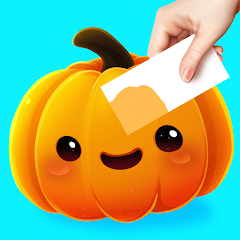


Color Match
Color Match is a creative puzzle where you study an object, mix paints, and recreate its exact shade. Adjust warmth, brightness, and saturation carefully, submit your colour for a similarity score, paint the three-dimensional model, and complete themed object collections.
Color Match
Color Match is a creative colour-mixing puzzle where you study an object, blend paints, and try to recreate its exact shade. After preparing the colour on a small canvas, you apply it to a three-dimensional model and receive a similarity score. The idea is easy to understand, but matching muted greens, warm browns, pale yellows, and shaded reds can be much harder than choosing a basic colour name.
Players who enjoy careful visual comparison may also like Find Easy Hidden Differences, where progress depends on noticing small changes in colour, shape, and position.
What Is Color Match?
Color Match is a casual art and puzzle game developed by Garawell Games and published by Supersonic Studios. The project grew from Garawell’s earlier colour-mixing idea called Colour Merge 3D, which the team rebuilt around the satisfying process of mixing paint and comparing it with a real object.
The main goal is to create a paint colour that closely matches a target object. The object may be a fruit, vegetable, dessert, tool, toy, sports item, animal, cosmetic product, piece of furniture, or another everyday object.
Once the mixture looks correct, you paint the three-dimensional model and compare your result with the original shade.
The official Android edition of Color Match includes themed rooms, object collections, brushes, auctions, special collection events, and hundreds of colour-matching levels.
The browser adaptation uses the same central idea but may contain fewer rooms, events, brushes, and collection features than the current mobile edition.
How Color Match Gameplay Works
A level normally begins by showing a target object and several available paint colours.
You drag one colour across the mixing paper, then add another colour to adjust the shade. Each stroke changes the mixture.
When the colour appears close to the object, you submit or compare it. The game calculates how closely the mixed shade matches the target.
A normal level follows this process:
- Study the target object.
- Identify its main colour family.
- Add a suitable starting paint.
- Mix in smaller amounts of other colours.
- Compare the mixture with the target.
- Continue adjusting when the score is too low.
- Apply the final paint to the three-dimensional object.
- Complete the object and move to the next challenge.
The browser version listed by CrazyGames requires a high matching percentage before the level can be completed. Its controls use the left mouse button with a click-and-drag movement for mixing paint.
Study the Target Before Mixing
The best first step is not touching the paint. Spend a few seconds studying the object.
Ask yourself:
- Is the colour warm or cool?
- Is it bright or muted?
- Is it light or dark?
- Does it lean toward red, yellow, blue, green, orange, or purple?
- Is the visible shade affected by lighting?
- Does the object have shadows or highlights?
A tomato may appear red, but the exact shade could contain orange, pink, brown, or purple tones.
An avocado may appear green, but it could lean toward yellow-green, olive, grey-green, or dark forest green.
Beginning with the correct colour family reduces the amount of correction needed later.
Begin With the Dominant Colour
The dominant colour is the shade that makes up most of the target.
For a banana, the dominant colour is likely yellow. For a strawberry, it is likely red. For a blueberry, it may be dark blue or purple.
Apply the dominant paint first. It creates a useful base that can be adjusted with smaller additions.
Starting with several unrelated paints makes the mixture harder to control. Once too many colours are added, the result may become muddy or grey.
A practical order is:
- Choose the main colour.
- Adjust its warmth or coolness.
- Adjust brightness.
- Adjust saturation.
- Make very small final corrections.
Basic Colour Mixing
Color Match does not require professional art training, but a few basic colour relationships are helpful.
| Colour Combination | Common Result |
|---|---|
| Yellow and blue | Green |
| Red and yellow | Orange |
| Red and blue | Purple |
| Colour and white | Lighter tint |
| Colour and black | Darker shade |
| Opposing colours | More muted or neutral result |
The exact result depends on the game’s mixing system and the amount of each paint used.
Adding equal amounts is not always correct. A yellow-green object may need much more yellow than blue. A warm orange may require more yellow than red.
Use smaller amounts when adding a strong secondary colour. It is easier to add more paint than to remove an excessive amount.
Warm and Cool Colours
Two objects can share the same basic colour name but still look very different.
A warm red may lean toward orange. A cool red may lean toward purple.
A warm green may contain more yellow. A cool green may contain more blue.
A warm brown may include orange or red. A cool brown may include grey, blue, or purple.
When your mixture is close but still feels wrong, temperature may be the problem.
| Current Problem | Possible Adjustment |
|---|---|
| Green looks too cold | Add a little yellow |
| Green looks too warm | Add a little blue |
| Red looks too orange | Add a small amount of blue or cool colour |
| Red looks too purple | Add a little yellow |
| Brown looks too warm | Add a small cool tone |
| Brown looks too grey | Add a warmer colour carefully |
Make one small change at a time. Several large changes can move the mixture farther from the target.
Brightness and Saturation
Brightness describes how light or dark a colour appears.
Saturation describes how strong or muted it appears.
A colour can have the correct hue but still receive a weak match because it is too bright, too dark, or too intense.
For example:
- Bright green is not the same as muted olive.
- Pale yellow is not the same as golden yellow.
- Dark red is not the same as vivid red.
- Grey-blue is not the same as strong royal blue.
White commonly lightens a shade, while black darkens it. Neutral or opposing colours may reduce intensity, although the available paints and exact results depend on the level.
Avoid using large amounts of black. A small dark addition can change the mixture quickly.
Why Matching the Colour Name Is Not Enough
Knowing that an object is “red” or “green” only identifies a broad group.
The game compares the actual visual shade rather than the everyday name.
Two shades may both be called green while having very different:
- Brightness
- Warmth
- Saturation
- Blue content
- Yellow content
- Grey content
Instead of asking, “Is this green?” ask, “Is this green as warm, dark, and muted as the target?”
This comparison leads to more accurate adjustments.
Watch the Lighting on 3D Objects
Three-dimensional models include highlights and shadows.
The brightest part of an object may not represent its true base colour. The darkest area may be a shadow rather than a separate paint shade.
Focus on a middle area that is neither strongly highlighted nor deeply shaded.
Imagine the object under neutral lighting and estimate its underlying colour.
This is especially useful for:
- Glossy fruit
- Metal tools
- Plastic toys
- Sports balls
- Cosmetics
- Electronic objects
- Furniture with reflective surfaces
The browser and mobile editions compare your paint with a target shade, so judging the central colour is usually more reliable than copying the brightest visible spot.
Add Paint in Small Amounts
Large strokes change the mixture quickly. This is useful at the beginning but risky near the correct shade.
Use broad strokes to build the base colour. Switch to smaller strokes after the mixture begins resembling the target.
A useful mixing rhythm is:
- Large amount for the dominant colour
- Medium amount for the second colour
- Small amount for temperature correction
- Very small amount for final brightness or saturation correction
When the score is already high, avoid rebuilding the entire mixture. One small adjustment may be enough.
Compare Shapes as Well as Colours
Your mixing paper and the target object may have different shapes.
A flat paint area reflects colour differently from a rounded fruit, shiny tool, or textured object. Do not let the model’s shape distract you from the underlying shade.
Try comparing:
- The average target colour
- The middle-light area
- The least reflective section
- A broad area without strong shadow
The goal is not to reproduce every highlight. The game asks you to prepare the paint used across the object.
Understanding the Match Percentage
After submitting a mixture, the game provides a similarity percentage.
A low result means the colour differs noticeably from the target. The problem may involve hue, brightness, temperature, or saturation.
A result close to the passing requirement means the basic colour family is probably correct. Small changes are more useful than replacing the entire mixture.
The CrazyGames browser edition describes progression thresholds around 60, 70, and 90 percent, with a high match needed to complete the round. These thresholds can differ in other releases.
Use the score as feedback:
| Result Type | Practical Response |
|---|---|
| Very low | Reconsider the main colour |
| Moderate | Check warmth and brightness |
| Close | Make one small adjustment |
| High enough | Apply the paint and continue |
| Nearly perfect | Avoid unnecessary extra mixing |
Painting the 3D Object
Once the mixture passes the required comparison, it can be applied to the model.
Drag the brush across the object until the necessary surface is covered. Some versions require several strokes to paint every visible section.
Move steadily rather than swiping quickly. Fast strokes can miss edges or leave small unpainted areas.
Rotate the object when the game provides rotation controls. Check:
- Front
- Back
- Sides
- Top
- Lower edges
- Small raised sections
The current mobile edition includes improved brush menus and a streamlined painting and comparison system, while exact browser controls may be simpler.
Auctions and Selling Objects
After painting an object, supported versions may allow it to be sold through an auction.
The auction adds a reward stage after the colour puzzle. Better-looking finished objects may attract stronger offers, depending on the version’s rules.
The official Android and iOS descriptions both list auctions as part of the wider progression system.
Auction systems may provide currency used for:
- Room decoration
- Brushes
- Cosmetic options
- Collection progress
- New objects
- Other unlocks
The browser build may not include the same auction depth as the current installed app.
Themed Rooms and Collections
The current mobile version groups objects into themed spaces and collections.
Official store listings mention:
- Garden fruits and vegetables
- Kitchen treats and desserts
- Garage cars and tools
- Sports objects
- Animals and aquarium items
- Furniture
- Electronics
- Cosmetics
- Toys
- Bathroom items
Completed objects can be displayed in rooms, creating a visible collection of your painted work. Special events may also ask players to find or complete selected items.
These systems provide progression beyond earning one colour score at a time.
Brushes and Customisation
Supported versions include different brushes and visual customisation options.
A brush may change how the paint appears or how the painting stage feels. Brushes are mainly part of progression and personal preference rather than a replacement for accurate colour mixing.
Choose a brush that provides clear control over edges and small sections.
When a brush makes it difficult to see coverage, switch to a simpler option if the game allows it.
Color Match Controls
The browser version mainly uses click-and-drag controls.
| Action | Computer Control | Mobile Control |
|---|---|---|
| Select paint | Click the colour | Tap the colour |
| Add paint | Click and drag across the paper | Touch and drag |
| Mix colours | Continue dragging across the mixing area | Swipe across the mixing area |
| Submit mixture | Click the comparison button | Tap the comparison button |
| Paint the object | Click and drag the brush | Touch and swipe |
| Rotate the model | Drag when rotation is supported | Swipe around the object |
| Continue | Click the next button | Tap the next button |
| Open brush menu | Click its icon | Tap its icon |
CrazyGames identifies click-and-drag with the left mouse button as the main browser control. The browser release supports desktop, mobile, and tablet play.
Practical Color Match Tips
Find the Colour Family First
Decide whether the target is mainly red, yellow, green, blue, purple, orange, brown, grey, or another broad family.
Use One Dominant Paint
Build the mixture around the strongest target colour rather than adding every available option.
Change One Property at a Time
Adjust warmth, brightness, or saturation separately. Changing all three together makes it hard to identify what helped.
Use Smaller Strokes Near the Target
Large additions are useful early. Small additions are safer after the match percentage improves.
Avoid Too Much Black
Black can overpower a mixture quickly. Add only a small amount when darkening.
Compare the Middle Tone
Ignore the strongest highlight and deepest shadow on a three-dimensional object.
Remember Previous Mixes
Similar fruit, toys, or tools may use related colour combinations in later levels.
Stop After Reaching the Requirement
A passing mixture can become worse after one unnecessary stroke.
Cover the Whole Model
A correct mixture may still require careful painting around edges and hidden surfaces.
Check Display Brightness
A screen set extremely dark, bright, or warm can make colour judgement harder.
Common Color Match Mistakes
Starting With Too Many Colours
A complicated mixture becomes difficult to correct. Begin with the dominant colour and add others gradually.
Copying a Highlight
The brightest spot may be caused by light rather than paint.
Using Equal Amounts Automatically
A mixed shade may need much more of one colour than another.
Correcting Too Aggressively
When the match is already close, one large stroke can ruin it.
Ignoring Saturation
The hue may be correct while the mixture remains too vivid or too grey.
Making Every Brown With Black
Brown is often created through warm and opposing colours. Too much black can produce a dull grey result.
Painting Too Quickly
Fast brush movement may leave uncovered sections.
Chasing a Perfect Score
A very high score is satisfying, but repeatedly changing a passing colour may waste time and reduce the result.
Assuming Every Screen Looks Identical
Phone, tablet, and monitor displays can show the same colour differently.
Display Settings and Colour Accuracy
The appearance of a colour depends partly on the screen.
Features that may change what you see include:
- Brightness level
- Night mode
- Blue-light reduction
- Colour filters
- Display profiles
- Screen quality
- Viewing angle
- Reflections from room lighting
For a fair comparison, turn off strong night filters and use a comfortable medium brightness.
Do not increase brightness to an uncomfortable level. The goal is a clear view, not maximum screen output.
Players with colour-vision differences may find some shades difficult to separate. The official listings focus on visual colour comparison and do not clearly advertise a dedicated colour-blind mode, so accessibility options may be limited.
Graphics and Sound
Color Match uses clean three-dimensional objects, visible paint strokes, themed rooms, and a simple mixing area.
The target stays visible while you work, allowing repeated visual comparison.
Paint spreading and object colouring are designed to feel smooth and satisfying. Supersonic’s development case study notes that the original concept was shaped partly around the satisfying and ASMR-like quality of mixing and applying colour.
Sound effects may accompany:
- Paint strokes
- Mixing
- Comparison results
- Object painting
- Auctions
- Rewards
- New unlocks
Audio is not required for solving the colour puzzles.
Players wanting another colourful casual experience can try Farm Fruit Pop Bubble, which uses fruit-themed bubble matching instead of paint mixing.
Difficulty and Learning Curve
The first objects normally use recognisable colours such as red fruit, yellow food, or green vegetables.
Later challenges become harder through:
- Muted shades
- Similar colour choices
- Dark objects
- Pale colours
- Warm and cool variations
- Reflective surfaces
- Mixed brown and grey tones
- Higher passing requirements
- More complex object shapes
The controls remain simple. Difficulty comes from visual judgement and making controlled changes.
Color Match can also teach informal colour relationships, but it should not be treated as a perfect simulation of physical paint. Digital colour calculations and real paint pigments do not always behave in exactly the same way.
Browser and Mobile Versions
The browser version was listed by CrazyGames in December 2024 and uses Unity 2022. It supports desktop, tablet, and mobile browsers in landscape or portrait orientation.
The official Android app is published by Supersonic Studios and has passed 50 million downloads on Google Play. It includes advertisements and optional purchases.
The Apple edition is currently listed as Coloring Match, although its store description refers to the game itself as Color Match. It supports iPhone and iPad and includes optional purchases.
Features can differ between these editions. The version embedded on Gam-core should be treated as the final reference for available levels, rooms, auctions, and controls.
Who Should Play Color Match?
Color Match suits players who enjoy:
- Colour mixing
- Painting games
- Visual comparison
- Creative puzzles
- Three-dimensional objects
- Short casual levels
- Collection systems
- Relaxed mouse or touch controls
It does not require fast reactions, complicated movement, or advanced art knowledge.
Players looking for a number-based puzzle can try Chain Cube 2048 3D Merge, where success depends on combining matching values and managing available space.
Those who prefer several short activities rather than one painting system can play Fun Mini Online.
More casual, strategy, puzzle, action, and racing titles are available in the Gam-core games collection.
Honest Strengths and Limitations
| Strengths | Possible Limitations |
|---|---|
| The basic controls are easy to understand | Similar shades can be difficult to separate |
| Colour mixing creates useful visual puzzles | Digital mixing is not identical to real paint |
| Short levels suit casual sessions | The central process can become repetitive |
| Three-dimensional objects add variety | Highlights may make target colours harder to judge |
| Themed rooms provide visible progression | Browser features may be simpler than mobile features |
| Hundreds of mobile levels are advertised | Exact level count can change through updates |
| Brushes and auctions add extra activities | Some features may involve advertisements or purchases |
| Works with mouse and touchscreen controls | Small screens can make fine mixing less precise |
| No fast reactions are normally required | Display settings can affect colour perception |
| Finished objects can be collected and displayed | No clearly advertised colour-blind mode was found |
Color Match Game Information
| Detail | Information |
|---|---|
| Game title | Color Match |
| Apple listing name | Coloring Match |
| Developer | Garawell Games |
| Publisher | Supersonic Studios LTD |
| Genre | Casual, art, colour-matching, puzzle |
| Main mode | Single-player |
| Main objective | Mix paint to match a target object |
| Browser controls | Click and drag |
| Mobile controls | Touch and swipe |
| Browser engine | Unity 2022 |
| Browser release listing | December 2024 |
| Platforms | Browser, Android, iPhone, and iPad |
| Mobile payment model | Free with advertisements and optional purchases |
| Common features | Painting, scores, rooms, brushes, auctions, and collections |
Garawell Games is identified as the studio behind the original concept, while Supersonic Studios publishes and maintains the official mobile editions.
Frequently Asked Questions
What type of game is Color Match?
Color Match is a casual colour-mixing puzzle where you blend paints, recreate a target shade, and apply the result to a three-dimensional object.
Who developed Color Match?
Color Match was created by Garawell Games and published by Supersonic Studios.
How do I play Color Match?
Study the target object, drag available paints onto the mixing area, adjust the shade, submit the result, and paint the object after reaching the required match.
What percentage is needed to complete a level?
The browser version described by CrazyGames requires a high similarity result and presents 90 percent as a successful target. Other editions may use different requirements.
Can I mix more than two colours?
Yes. You can add several available paints, although using too many can make the result harder to control.
Why is my colour close but still receiving a low result?
The hue may be correct while brightness, temperature, or saturation remains different from the target.
How do I make a colour lighter?
Add a small amount of white when it is available. Apply it gradually because too much can make the shade pale.
How do I make a colour darker?
Add a small amount of black or another dark paint. Avoid large additions because dark colours can quickly overpower the mixture.
Why does the object look different after painting?
The three-dimensional model contains lighting, highlights, shadows, and surface reflections that can change the appearance of the paint.
Does Color Match have auctions?
The official mobile editions include auctions where painted objects can be sold. Browser features may differ.
Are there different rooms?
Yes. Current mobile listings include themed rooms and collections based on gardens, kitchens, garages, sports, animals, furniture, electronics, toys, bathrooms, and other subjects.
Can Color Match be played on mobile?
Yes. Official editions are available for Android, iPhone, and iPad. A browser version also supports compatible mobile devices.
Is Color Match free?
The browser adaptation can be played online through participating hosts. The mobile editions are free to install and include advertisements or optional purchases.
Does Color Match have multiplayer?
The main game is designed as a single-player colour puzzle. No standard live multiplayer mode is advertised in the official store descriptions.
What is the best beginner strategy?
Start with the dominant colour, add secondary paints in small amounts, compare the middle tone of the target, and stop making large changes once your score becomes close.



Reviews
There are no reviews yet.