
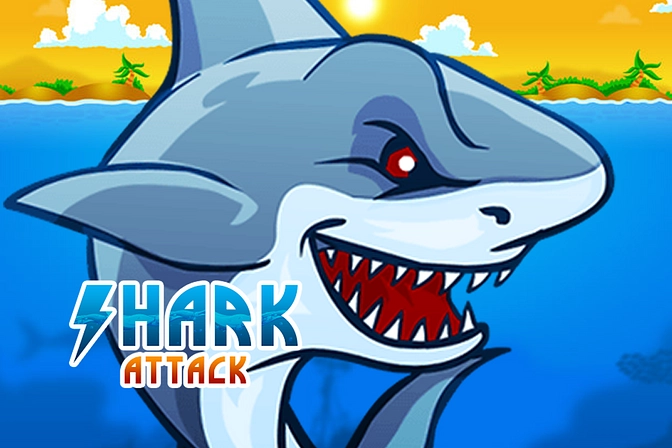
Shark Attack
Shark Attack is a colorful ocean survival game where you guide a hungry shark through dangerous waters. Hunt fish and other marine creatures, manage health, hunger, and air, collect helpful power-ups, avoid nets and bombs, and work toward a higher score.
Shark Attack Ocean Survival Game
Shark Attack is an ocean survival game where you control a hungry shark searching for food while avoiding underwater hazards. You swim through a colorful sea, hunt smaller marine creatures, collect useful power-ups, and watch three important meters that affect how long the run continues.
The controls are simple enough for a quick start, but surviving for a high score requires attention. Fishing nets, jellyfish, bombs, boats, and other dangers can interrupt a strong run when you move without checking the area ahead.
What Is Shark Attack?
What Is Shark Attack?
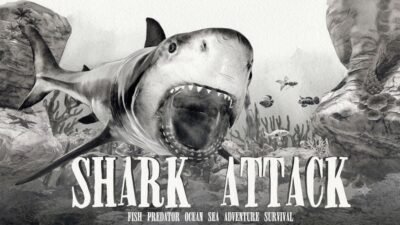
Shark Attack is a single-player HTML5 game developed by MarketJS. The browser version places you in control of a shark and asks you to survive by hunting marine animals, collecting power-ups, and managing health, hunger, and the game’s air meter.
The game was published on major browser-game platforms during the late 2010s. It supports mouse input on desktop devices and touchscreen play on compatible phones and tablets.
There is no lengthy story campaign or complicated character setup. A run begins quickly, and the objective is to stay active in the ocean for as long as possible while building a higher score.
Players who enjoy managing several survival needs at once may also like TEGRA Zombie Survival Island, although that game uses a much larger island, crafting system, and first-person format.
How Shark Attack Gameplay Works
You begin underwater with fish and other sea creatures moving around the screen. Moving the cursor guides the shark in that direction, allowing you to chase food, avoid obstacles, and travel between deeper water and the surface.
Eating suitable targets adds points and helps manage hunger. The shark can hunt fish, crabs, octopuses, starfish, and other marine creatures found during the run.
Power-ups may restore health, energy, or provide a temporary boost. Their position can encourage you to enter a risky area, so collecting every item without checking nearby dangers is not always a good choice.
The run ends when an important meter becomes empty or the shark takes too much damage. The final score gives you a target to beat during the next attempt.
The Main Survival Meters
Shark Attack displays three important meters near the top of the screen.
| Meter | What It Means in the Game |
|---|---|
| Health | Shows how much damage the shark can take |
| Hunger | Falls when the shark goes too long without food |
| Air | A survival meter that must be kept from becoming empty |
All three meters matter. A large health bar will not save the run when hunger is nearly empty, and collecting food alone will not solve every other problem.
The game becomes more manageable when you check these meters regularly rather than waiting for a warning.
Health
Health decreases when the shark contacts harmful objects or receives damage from threats.
Avoiding damage is usually better than trying to recover after every collision. Health power-ups may not appear exactly when you need them.
Hunger
The hunger meter encourages constant movement and hunting.
Small marine animals can help maintain it, while waiting in an empty part of the ocean may allow it to fall too far.
Air
Shark Attack includes an air meter as one of its main survival systems. Players must watch it alongside health and hunger, even though it is presented as an arcade mechanic rather than a realistic shark simulation.
Shark Attack Controls
The desktop version uses the mouse.
| Action | Desktop Control | Mobile Control |
|---|---|---|
| Move the shark | Move the mouse cursor | Drag or guide with your finger |
| Choose a direction | Point the cursor toward the area | Touch the desired direction |
| Start or continue | Left mouse click | Tap the screen |
| Select menu options | Left mouse click | Tap the option |
Kizi describes movement as guiding the shark toward the cursor, while mobile browser listings confirm support for touchscreen devices.
The game does not require a large keyboard layout. Most of the challenge comes from choosing a safe direction and reacting before the shark reaches a hazard.
Learning the Shark’s Movement
The shark follows your pointer, but it may need a moment to change direction.
Large cursor movements can produce wide turns. This becomes dangerous when the shark is close to a bomb, net, jellyfish, or edge of the screen.
Use smaller adjustments in crowded areas. Move the pointer farther away only when there is enough open water for a longer turn.
It also helps to keep the cursor slightly ahead of the shark instead of moving it around randomly. This creates smoother movement and makes the next direction easier to predict.
Hunting Marine Creatures
Hunting is the main way to earn points and maintain hunger.
Different creatures move at different speeds. A slow target may be easy to catch, while a fast fish can pull the shark toward a dangerous part of the map.
Do not chase one target for too long. If it leads toward a fishing net or bomb, changing direction is usually the safer choice.
The official game description lists fish, octopuses, starfish, and crabs among the available marine targets.
A steady series of smaller targets can be more useful than taking a large risk for one difficult catch.
Attacking Boats and Surface Targets
Some action takes place near the surface, where boats, ships, and other targets can appear.
The shark can interact with certain surface objects, creating another way to earn points and add variety to the run. MarketJS lists boats, ships, and divers among the game’s interactive elements.
Approaching the surface still requires care. Boats may create danger, and concentrating on one target can make it easy to miss an obstacle below.
Move away after an interaction instead of remaining in the same place. A clear exit route is especially useful when the screen becomes crowded.
Dangerous Ocean Hazards
Not everything in the ocean should be approached.
Jellyfish
Jellyfish can damage the shark when touched. Their shape can blend into other underwater details, so scan the area before moving quickly.
They may also appear near food or power-ups. Decide whether the reward is worth the risk.
Bombs
Bombs are fixed or slow-moving hazards that should be given plenty of space.
A sharp turn made too late may still carry the shark into one. Plan the route before getting close.
Fishing Nets
Fishing nets can trap or damage the shark and may block an otherwise useful path.
Their wide shape makes them harder to pass than a small obstacle. Turn early rather than trying to squeeze through a narrow opening.
Boats and Ships
Surface vessels can provide scoring opportunities, but some can also threaten the shark.
Watch their movement and avoid approaching from an awkward angle.
MarketJS identifies jellyfish, bombs, and fishing nets as the game’s main hazards.
Collecting Power-Ups
Power-ups can restore important resources or improve the shark temporarily.
The official feature list includes health, booster, and energy power-ups.
A health item is most useful after damage, while a boost can help the shark move through open water or reach a target sooner.
However, a power-up positioned beside a hazard may cost more health than it restores. Check the route before moving toward it.
Do not collect an item only because it is visible. Consider which meter currently needs help and whether the surrounding area is safe.
Building a Higher Score
Your score increases as the shark hunts targets and continues surviving.
A high score usually comes from consistency rather than one risky action. Avoiding unnecessary damage keeps the run active long enough to find more food and rewards.
The game also includes multiple achievement categories on some browser versions, giving players additional goals beyond one score total.
Examples of useful personal goals include:
- Surviving longer than the previous run
- Keeping all three meters above a safe level
- Avoiding every bomb for a full session
- Collecting several power-ups without taking damage
- Reaching a new score without chasing dangerous targets
These small goals make improvement easier to notice.
Choosing Between Food and Safety
Food is necessary, but not every target should be chased.
When hunger is high, you can afford to ignore a fish moving toward a dangerous area. When the meter is low, finding a nearby safe target becomes more urgent.
This creates a simple risk decision. You may need food, but losing health to a bomb or net could end the run sooner.
Try to stay in areas containing several small creatures. This gives you more choices and reduces the need to follow one target across the screen.
Understanding the Screen
New players often focus only on the shark.
A better approach is to divide attention between four areas:
| Area to Watch | Why It Matters |
|---|---|
| Shark position | Helps you judge turning space |
| Nearby hazards | Prevents sudden collisions |
| Food and power-ups | Shows the next useful target |
| Survival meters | Tells you which resource needs attention |
Look briefly at the meters whenever the shark enters open water. Checking them during a crowded moment can distract you from an immediate obstacle.
The game becomes easier when this screen-checking pattern turns into a habit.
Avoiding Panic Near Obstacles
Several hazards may appear close together.
Moving the cursor rapidly from side to side usually makes the route harder to control. Choose the clearest opening and guide the shark through it with one smooth movement.
If every forward route looks unsafe, turn back before entering the crowded area.
The shark does not need to collect everything on the screen. Surviving preserves the chance to find better rewards later.
Browser and Mobile Play
Shark Attack runs as an HTML5 browser game. It is listed for desktop computers, mobile phones, and tablets without requiring a traditional game installation.
Desktop players use the mouse, while phones and tablets use touchscreen movement.
A larger screen can make small hazards easier to notice. Mobile players may need to keep their finger slightly away from the shark so it does not cover important parts of the view.
The browser version requires an internet connection to load. Progress and high-score saving may depend on the website and browser settings.
Graphics and Presentation
Shark Attack uses colorful 2D graphics with a side view of the ocean.
Fish, jellyfish, boats, power-ups, and other objects use recognizable shapes, making most targets easy to understand during movement.
The interface keeps the survival meters near the top so players can check them without opening another menu.
The visual style is simple and arcade-focused rather than realistic. This helps the game remain readable on both desktop and mobile screens.
Sound and Feedback
Sound effects provide feedback when the shark collects food, contacts objects, or receives a reward.
The audio supports the action, but the main information remains visible through the meters and screen movement.
Players can still understand the game with low sound because health, hunger, air, and hazards are shown visually.
Who Should Play Shark Attack?
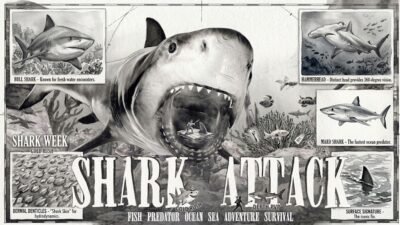
Who Should Play Shark Attack
Shark Attack is suitable for players who enjoy animal games, survival meters, simple mouse movement, score challenges, and short browser sessions.
It works well for players who want immediate gameplay without a long tutorial or large control list.
People who enjoy quick casual rounds can also browse Fun Mini Online, which offers several short activities with straightforward controls.
Players looking for a detailed ocean simulation may find Shark Attack too simple. It does not focus on realistic marine biology, a large story campaign, or advanced shark customization.
It is best treated as an arcade survival game where movement, meter management, and hazard avoidance create the challenge.
Honest Strengths and Limitations
| Strengths | Possible Limitations |
|---|---|
| Mouse and touch controls are easy to learn | The main gameplay loop can become repetitive |
| Three survival meters create constant decisions | Managing several meters may confuse new players |
| Food, hazards, and power-ups keep the screen active | Some hazards can be difficult to notice on small screens |
| Runs begin quickly | There is no detailed story campaign |
| Supports desktop and mobile browsers | Progress saving can vary by website |
| Score chasing encourages repeated attempts | There is no online multiplayer |
| Colorful 2D graphics remain easy to read | Players seeking realistic graphics may prefer another game |
| Several marine targets add variety | The movement system is intentionally simple |
Tips for Surviving Longer
Check the Meters Often
Do not wait until a meter is nearly empty. Look at health, hunger, and air whenever you enter a safe section of water.
Use Small Cursor Movements
Small corrections provide more control near fishing nets, bombs, and jellyfish.
Do Not Chase Every Fish
Leave a target when it moves toward danger. Another food source will usually appear.
Keep an Exit Route
Before approaching a boat or power-up, notice where the shark can move afterward.
Collect the Resource You Need
A power-up is most valuable when it supports a meter that is actually low.
Avoid Crowded Areas
Several hazards close together can end a strong run quickly. Turn away before the shark becomes trapped.
Watch the Surface and Deep Water
Targets and dangers can appear at different heights. Staying in one part of the ocean may cause you to miss useful items.
Learn From Each Loss
Notice which meter or obstacle ended the run. Focus on that specific problem during the next attempt.
Choose Safe Food First
A nearby small fish is often more useful than a distant target surrounded by hazards.
Move Smoothly
Controlled routes are easier to correct than sharp, repeated turns.
Shark Attack Game Information
| Detail | Information |
|---|---|
| Game title | Shark Attack |
| Developer | MarketJS |
| Genre | Ocean survival, animal, action |
| Game mode | Single-player |
| Technology | HTML5 |
| Platforms | Desktop, mobile, and tablet browsers |
| Desktop control | Mouse movement |
| Mobile control | Touchscreen |
| Main meters | Health, hunger, and air |
| Main objective | Hunt, survive, and earn a high score |
| Main hazards | Jellyfish, bombs, fishing nets, and boats |
| Power-ups | Health, energy, and boost items |
| Visual style | Colorful 2D graphics |
MarketJS confirms the developer, survival systems, marine targets, hazards, and power-ups. Browser listings confirm mouse controls and mobile compatibility.
More action, casual, adventure, racing, and strategy games are available in the Gam-core games collection.
Frequently Asked Questions
What type of game is Shark Attack?
Shark Attack is a single-player ocean survival and score game. You control a shark, hunt marine creatures, collect power-ups, and avoid dangerous underwater objects.
Who developed Shark Attack?
Ans: Shark Attack was developed by MarketJS.
How do I control the shark?
Ans: Move the mouse cursor toward the direction you want the shark to swim. Mobile players use touchscreen movement.
What do I need to watch during a run?
Ans: You need to monitor health, hunger, and the game’s air meter. The run can end when an important resource becomes empty.
What can the shark hunt?
Ans: The game includes fish, octopuses, starfish, crabs, and other marine targets.
What hazards should I avoid?
Ans: Avoid jellyfish, bombs, fishing nets, and dangerous surface objects.
Does Shark Attack have power-ups?
Ans: Yes. Available bonuses include health, energy, and boost power-ups.
Can I play Shark Attack on mobile?
Ans: Yes. Browser listings confirm support for phones and tablets as well as desktop computers.
Is Shark Attack multiplayer?
Ans: No. This version of Shark Attack is designed as a single-player game.
Does Shark Attack require a download?
Ans: No traditional installation is required for the HTML5 browser version. Open it through a supported browser and allow the game to load.
Does Shark Attack have an ending?
Ans: The main goal is to survive and achieve a higher score. It does not use a traditional story ending.
Why does my run end even when health remains?
Ans: Another survival meter, such as hunger or air, may have become empty. All three meters must be managed throughout the run.


Reviews
There are no reviews yet.